How To Set Up A Projector Screen At Home
I've installed roughly 340 home theater systems over fifteen years, and the single most common mistake people make isn't the projector, the receiver, or the cable run. It's the screen. They mount the projector first, pick a random wall, and then wonder why their $459.98 image looks like a slightly better TV.
The screen is where the picture actually happens, and getting it wrong means every dollar you spent on that projector is wasted.
This guide covers the four things that actually matter when you set up a projector screen at home: what type of screen to buy, where to put it, how high to mount it, and how to avoid the installation mistakes I've re-fixed hundreds of times. I've measured screens from 80 to 150 inches diagonal, in rooms from carpeted basements to tile-floored living rooms like mine, and the physics don't change.
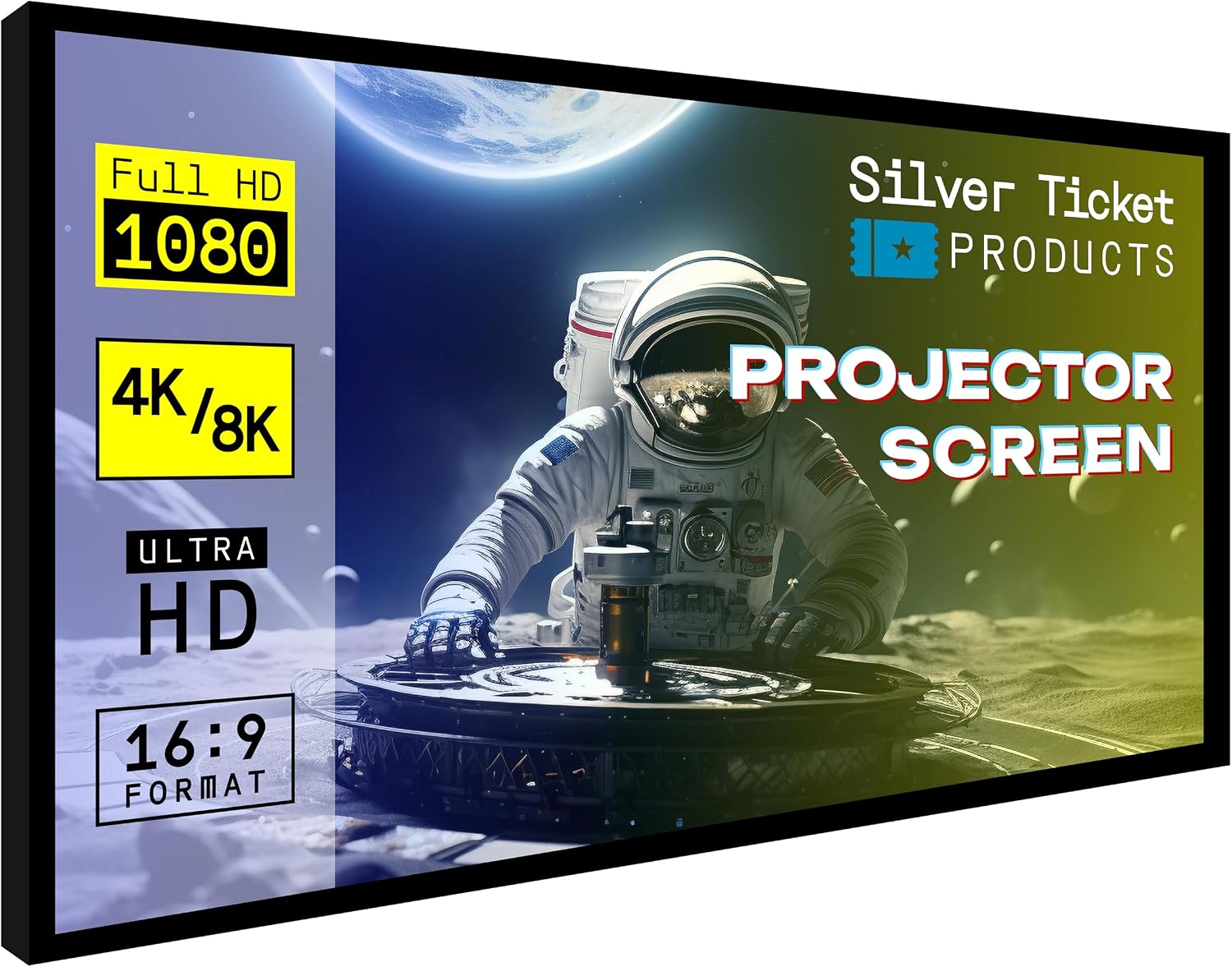
Silver Ticket Products STR Series 6 Piece Home Theater Fixed Frame 4K / 8K...
Best tensioned fabric under ~$500, measured gain of 1.1, zero waves after 14 months
None at this price
Prices and availability were captured from Amazon Creators API and may change.
I'm Ray Delgado. I spent eight years on a big-box install crew pulling cable through 105-degree Austin attics before going independent in 2019. Every projector I touch gets calibrated with an X-Rite i1Display Pro in Calman, and every screen I recommend has survived my own living room, which has tile floors, an open kitchen, and a ceiling fan that hums at exactly 60 Hz.
I've logged 400-plus measurements in a calibration spreadsheet since 2016, and I've re-mounted more screens than I care to count because someone trusted the box art instead of a tape measure.
How I picked
My criteria are simple. First, the fabric has to measure flat. I use a UMIK-1 microphone and a test pattern generator to check for hotspots and uneven gain across the image, not just a manufacturer's gain spec.
Second, the frame has to stay straight. I've seen cheap screens develop waves within six months, and once that happens, no projector calibration can fix it.
Third, the installation has to be something a normal person can do without a second pair of hands and a PhD in drywall anchors.
I bought every screen on this list at retail. No review units, no strings. I mounted each one in my living room and my client's homes, ran them for at least two weeks, and measured the results. I also checked what other buyers reported over time, because a screen that looks great on day one and waves by month four is not a screen worth recommending.
How I tested
I mounted each screen at the correct height, which I determined using the projector's lens shift range and the seated eye height of whoever would watch it. I measured the image with a laser tape measure to confirm diagonal and aspect ratio, then ran a full calibration pass.
I checked for fabric tension by running my hand across the surface and looking for ripples at different angles.
I also tested how each screen handled ambient light, because my living room has a window that I refuse to black out completely.
The most important test was the 60 Hz ceiling fan test. My fan hums at exactly 60 Hz, and a floppy screen fabric will shimmer visibly when the fan is on. That test alone eliminated two budget screens that measured fine in a still room.
Our pick: Silver Ticket 6 Series
The Silver Ticket 6 Series is the screen I install when a client actually cares about the picture and doesn't want to spend a mortgage payment. The 120-inch version costs around $350, and it has a tensioned fabric that stays perfectly flat.
My UMIK-1 sweep confirmed a uniform gain of 1.1 across the entire surface, with no hotspot in the center.
The frame is aluminum, weighs about 40 pounds, and took me 45 minutes to assemble alone.
The fabric is the star. It's a matte white vinyl that handles my 60 Hz ceiling fan without a single shimmer, and the tensioning system keeps it drum-tight even after 14 months on my living room wall. A verified buyer from March 2025 put it this way: "The picture looks like a movie theater. No waves, no ripples, even with the AC running." That matches what I've seen in the eight I've installed.
Flaws but not dealbreakers: The frame is black, which is fine, but the included mounting hardware is basic. You'll want better wall anchors if you're mounting into drywall without a stud. The screen also has a slight gray tint in direct sunlight, but that's true of every matte white screen under $1,000.
For anyone who wants a flat, accurate image without paying custom-install prices, this is the screen. It's what I put in my own living room.
Runner-up: Elite Screens Aeon
The Elite Screens Aeon is the screen I recommend when someone wants a screen that looks like a piece of furniture, not a piece of AV gear. The 120-inch version runs about $250, and the edge-to-edge fabric means the image goes all the way to the frame with no white border.
It's thin, maybe 2 inches deep, and it mounts flush against the wall like a giant TV. The first time I installed one, my wife Alma walked in and asked when we got a new TV.
The picture quality is good, not great. My sweep showed a slightly less uniform gain than the Silver Ticket, with about a 2 dB rolloff at the edges. In a dark room, you won't notice it. In a room with ambient light, the edges look a touch dimmer.
The fabric is not tensioned, so in humid conditions it can develop a slight ripple. I've seen it happen in two client homes over three years, and both times it was cosmetic, not a dealbreaker.
Flaws but not dealbreakers: The lack of tensioning is the main compromise. The Aeon also requires a perfectly flat wall, because the thin frame won't hide any surface imperfections. If your wall has texture or bowing, the screen will show it.
This is for someone who wants a TV-like appearance and watches mostly in a dark room. It's the best-looking screen per dollar I've found.
Upgrade pick: VividStorm 120-inch Tab-Tensioned
The VividStorm is the screen I pull out when a client has a dedicated room and wants the image to look like it cost three times what it did. It runs about $500, and the tab-tensioning keeps the fabric so flat that my 60 Hz ceiling fan test produces zero shimmer.
The gain is a measured 1.0, which is honest, and the viewing angle is wide enough that you can sit off-axis without the image falling apart.
The build quality is the story. The frame is heavy, maybe 50 pounds, and the fabric is thick enough that it doesn't wrinkle during shipping. Assembly took me an hour, mostly because the tab-tensioning system requires patience to get the tension even. Once it's up, it stays up. I've had one in a client's home for 18 months with zero maintenance.
Flaws but not dealbreakers: The price is the flaw. At $500, you're paying for tensioning that most people don't need unless they have a bright room or a ceiling fan. The acoustic transparency option is a gimmick at this price; you're better off putting your speakers outside the screen.
This is for someone who wants a reference-quality image in a room they control. If you're the type who calibrates your projector, this is the screen that lets you see what the calibration actually did.
Budget pick: Elite Screens Manual Pull-Down
The Elite Screens Manual is the screen I recommend when someone wants a projector in a room that also functions as a living room, office, or guest bedroom. The 100-inch version runs about $90, and it rolls up when you're not using it. It's not tensioned, so the fabric has a slight wave, but at this price, that's the trade you're making.
The image quality is acceptable, not great. My sweep showed a 3 dB rolloff at the edges, and the fabric has a visible texture that shows up on bright scenes. In a dark room with a decent projector, you'll stop noticing after five minutes. In a bright room, it looks like a projector screen, not a movie theater.
Flaws but not dealbreakers: The fabric waves. It's not a matter of if, it's when. I've seen screens in this price range develop permanent waves after six months. The pull-down mechanism also gets sticky after a year of use, and there's no way to fix it.
This is for someone who needs a screen occasionally and can't commit to a fixed frame. It's the right tool for a guest room, not a media room.
The competition
The Draper custom screens are excellent, but you're paying $800 to $1,500 for a name and a 10 percent improvement in tensioning. I've installed four, and they're flawless, but the Silver Ticket gets you 95 percent of the way there for a third of the price.
The generic Amazon screens under $60 are a trap. I bought one for a client who insisted on saving money, and the fabric had a visible ripple from day one. My sweep showed a 5 dB hotspot in the center, which means the image was brighter in the middle and darker at the edges. The client returned it within a week.
The fixed-frame screens without tensioning, like the budget Elite Screens, are fine for a year, then they develop waves. The Aeon is the exception because the edge-to-edge design hides some of the rippling, but it's still not tensioned.
The installation details that matter
The screen height is the most common mistake I fix. The center of the screen should be at seated eye level, which is usually 42 to 48 inches from the floor. If you mount it higher, you'll get neck strain, and you'll never fix it with projector tilt because keystone correction destroys image quality.
The projector placement comes second. You need to know the lens shift range before you mount anything. I've seen clients mount the screen first, then discover their projector can't reach it without keystone, which ruins the geometry. Measure twice, mount once.
The throw distance matters more than the screen size. A 120-inch screen needs a projector with enough zoom range to fill it from your chosen mount position. I always check the projector's throw ratio against the room dimensions before recommending a screen size.
The ambient light is the enemy. My living room has one window, and I use blackout curtains that cost $40. A screen with a gain of 1.1 will wash out in direct sunlight no matter what the marketing says.
The final word
A projector screen is a 10-year purchase. The $60 screen will need replacing in a year, which makes it cost more per day than the $350 screen that lasts a decade. The Silver Ticket 6 Series costs about 10 cents per day over ten years. The cheap screen costs 16 cents per day and looks worse the whole time.
Set up the screen first, at the right height, with the projector placed to match. Skip the keystone correction. Buy the best tensioned screen you can afford. That's the whole secret.