Most home theater builds go wrong in the same order. The screen gets bought first, the audio second, and the room gets considered last, which is backwards, because the room is the one part you cannot return. A window behind the couch, a ceiling fan that hums at exactly 60 Hz, a subwoofer that only fits in one corner: those constraints decide more about how a system looks and sounds than anything printed on a box.
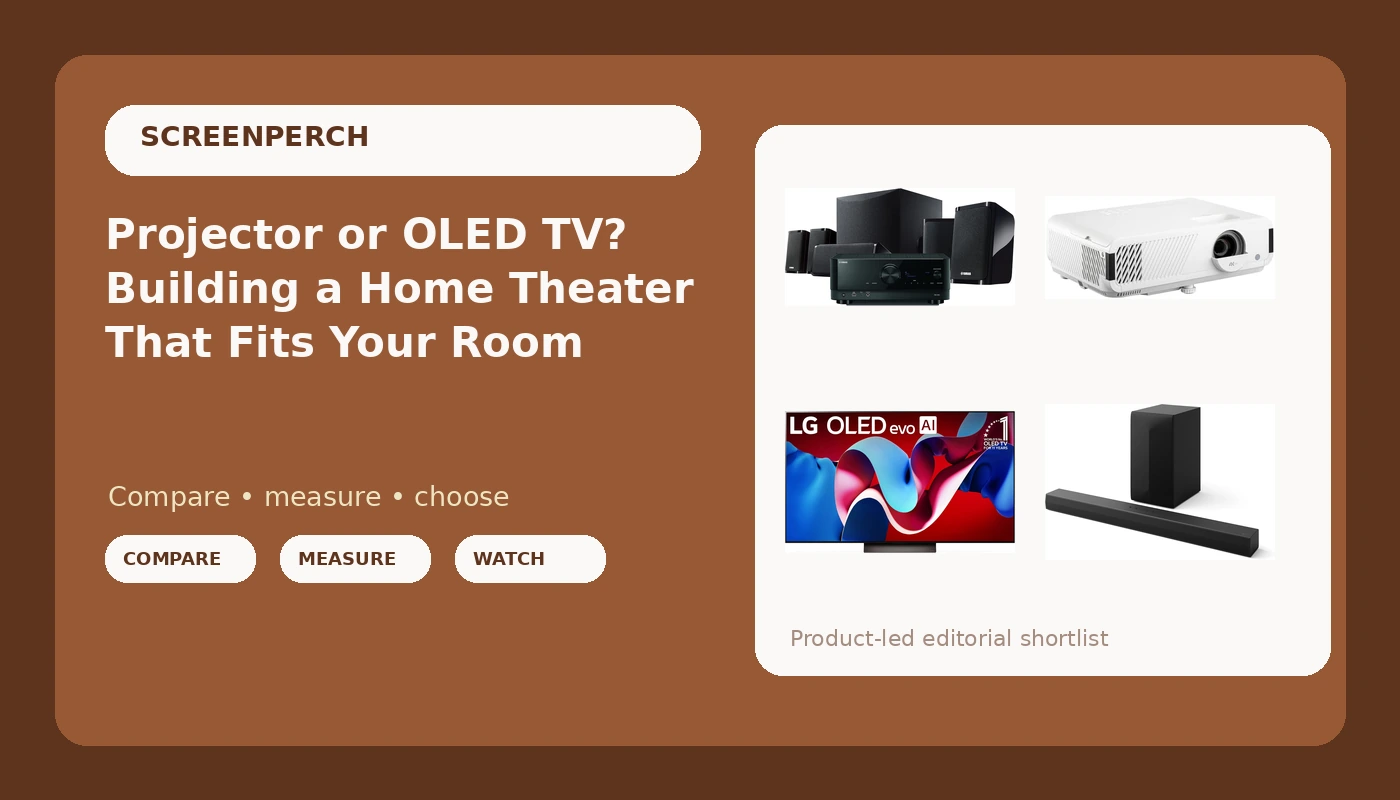
This guide works through four pieces of gear that solve four different problems: a 65-inch OLED TV, a 4K projector, a complete receiver-and-speakers system, and a 3.1-channel soundbar. A home theater projector and soundbar pairing and a big-screen OLED with a full surround package are not competing answers to the same question. They are answers to different questions, and matching the answer to the wrong room is the expensive mistake in this hobby.
Related: How to Place a Subwoofer So It Actually Works →
Quick answer
The display decision comes down to light control and seating distance. The audio decision comes down to how much floor and wall space you are willing to give up. If the room has windows you cannot cover and you sit eight to ten feet back, a 65-inch OLED is the lower-risk choice. If the room can be darkened and you sit twelve feet or more, a 4K projector buys screen size that no TV at a similar budget can match. For sound, a soundbar is the sensible call in a shared living room, and a receiver with discrete speakers is the sensible call when the room is dedicated to movies. None of these four options is universally better; each one wins in a specific room.
Four useful options
| Model | Best fit | What stands out |
|---|---|---|
| LG 65-Inch Class OLED evo C4 Series Smart TV | Shared, bright living rooms | Self-lit OLED panel, 4K processor, Magic Remote and built-in Alexa |
| ViewSonic PX749-4K 4K UHD Gaming Projector | Darkened rooms with seating distance | 4K UHD with HDR, manufacturer-rated 4,000 lumens and 240Hz |
| Yamaha YHT-5960U Home Theater System | Buyers who want a complete package | Arrives as a system, with 8K HDMI passthrough and MusicCast |
| LG S60T 3.1 ch. Soundbar | TVs that sound thin | 3.1 channels with a wireless subwoofer, Dolby Audio, AI Sound Pro |
The centerpiece: LG 65-Inch Class OLED evo C4 Series Smart TV
The trade-off with OLED is size and light. Self-lit pixels give you per-pixel black, which matters most in a dark room and in letterboxed movies, but a 65-inch panel is still 65 inches, and ambient light hitting the screen raises black level no matter how good the processing is. If your room is bright at 3 p.m. and you watch a lot of daytime television, that is a real consideration. What you get in return is a short setup list: no screen, no throw distance, no projector mount, and no lamp or laser to think about.
The projector route: ViewSonic PX749-4K 4K UHD Gaming Projector
The trade-off with a projector is everything surrounding it. The 4,000 lumens in the model name is a manufacturer rating, and projector lumen claims are among the more optimistic numbers in consumer AV. What matters is how much light survives on your screen after throw distance, screen gain, and the picture mode you actually watch in. A projector also needs a darkened room, a screen or a suitable wall, a mount, and a cable run long enough to reach the source. Get those right and a hundred-inch image changes how the room feels. Get them wrong and you are watching a washed-out gray rectangle and wondering what happened.
The complete package: Yamaha YHT-5960U Home Theater System
The trade-off with a system in a box is flexibility. You get components matched by one manufacturer, one setup routine, one app, plus 8K HDMI passthrough and MusicCast streaming. What you give up is the ability to upgrade a single piece at a time. You also still have to place the speakers, and placement is where these systems quietly fail: a center channel pushed into a cabinet shelf, or surround speakers tucked behind the couch at knee height in a corner, will underperform no matter how good the receiver is. This is the option for someone who wants a complete package and is willing to do the placement work properly.
The simple upgrade: LG S60T 3.1 ch. Soundbar
The trade-off with a soundbar is physics. A 3.1-channel bar with a wireless subwoofer gives you a dedicated center channel's worth of dialogue and a separate box handling low frequencies, which is a genuine step up from television speakers, but the drivers in the bar are small and close together. That limits how wide the soundstage can get. Placement matters more than most people expect: a bar sitting on a shelf inside a media console, or a subwoofer jammed tight into a corner, will sound boxy and boomy. Move the sub, give the bar some clearance and ideally bring it near ear height, and the same product gets noticeably better.
Prices and availability may change. Product images, names, and retailer links must be matched to verified listings. Do not state a current price, rating, stock status, or measured result without current evidence.
How light and distance pick your display
Two numbers decide the display question, and neither one is printed on the box.
The first is ambient light at the screen during your normal viewing hours. OLED and projector both look their best with controlled light, but they fail differently. A projector loses contrast to room light quickly because it is reflecting light off a screen and any light landing on that screen competes with the image. An OLED holds its black level better because the pixels switch off, but it still reflects room light off a glossy surface, which is why light control helps both. Covering windows is almost always cheaper than buying a brighter projector.
The second is seating distance, which sets the screen size you can actually use. A 65-inch screen from eight feet fills a comfortable field of view. From fourteen feet, it starts to feel small, and that is the distance where a projector's ability to throw a hundred-inch image stops being a luxury and becomes the whole point of the build. Refresh rate and HDR support matter mostly at the margins: they help games and HDR content look their best, but they will not rescue a display that is the wrong size for the room.
What the audio specs mean once they are in your room
Channel counts are the easy part. A 3.1 system is three channels plus a subwoofer: left, right, and a dedicated center for dialogue, with low frequencies handled by a separate box. A receiver-and-speakers system can be expanded further, and the difference is not just volume, it is how much of a soundtrack arrives from where it was mixed to arrive.
Dolby Audio decoding on a bar is processing, not extra speakers. It can make a bar sound wider than it physically is, but it cannot create a channel that is not there. Room correction, the DSP that measures your room through the bar's own microphone or a manual setup routine, is genuinely useful for taming a bass hump or a midrange dip. It cannot fix a bar buried inside a cabinet, and it cannot fix a subwoofer sitting in the worst corner of the room.
- Measure the room before you buy anything: seating distance to the screen wall, available width for a screen or television, and how much light hits that wall on a Saturday afternoon.
- Decide whether the room can be darkened on demand. If it cannot, weight the display decision toward a television. If it can, a projector becomes viable and the size math changes completely.
- Decide how much floor and wall space audio gets. A bar plus sub takes one shelf and one corner. A receiver and speakers take a media console, a center channel position, and ideally surrounds beside or behind the seating.
- Count the cables and plan the source chain. An 8K-capable receiver or display needs certified HDMI cables at the bandwidth you are actually running, and long runs are where cheap cables fail.
- Set a placement plan before checkout: screen center at seated eye height, a subwoofer with an outlet nearby but room to move, and a bar that is not shut inside a cabinet.
Practical guidance
- Put the screen center at seated eye height, not above a fireplace.
- Cover the windows you can and plan around the ones you cannot. Light control costs less than a brighter projector.
- Move the subwoofer before you buy a new one. Corner placement reinforces some frequencies and swallows others.
- Keep the soundbar out of a closed cabinet and off the floor. Even a couple of inches of clearance changes how it sounds.
- Buy certified HDMI cables for long runs, and test the whole chain at the resolution and refresh rate you actually use.
Which option should you choose?
Choose the LG 65-Inch Class OLED evo C4 Series Smart TV when the room is shared, the light is not fully controllable, and you want a finished picture without a screen, a mount, or a throw-distance calculation. Choose the ViewSonic PX749-4K 4K UHD Gaming Projector when the room can be darkened and you sit far enough back that a hundred-inch image is the point of the whole build. Choose the Yamaha YHT-5960U Home Theater System when you want a matched receiver-and-speakers package rather than a bar, and you are willing to place a center channel and surrounds properly. Choose the LG S60T 3.1 ch. Soundbar when the television's built-in speakers are the actual problem and you want the smallest possible change.
Those recommendations assume a normal living room. If you are building a dedicated theater room, none of the audio options here is the right answer, because discrete speakers and a properly placed subwoofer will beat any bar or boxed system. Nothing above should be read as a measured verdict on these four products in your home. The specifications cited are the ones in the product names and manufacturer descriptions, and the only measurement that settles your build is the one taken from your own couch.
The bottom line
The display question is a light-control question, and the audio question is a space question. Answer both honestly before you spend anything and the gear list mostly writes itself: a 65-inch OLED for the shared, bright room, a 4K projector for the dark room with seating distance to spare, a receiver-and-speakers system for the buyer who wants a complete package, and a 3.1 soundbar for the household that just wants the television to stop sounding thin. Check current Amazon price on whichever one matches your room, and put the leftover budget into light control and a couple of certified cables.