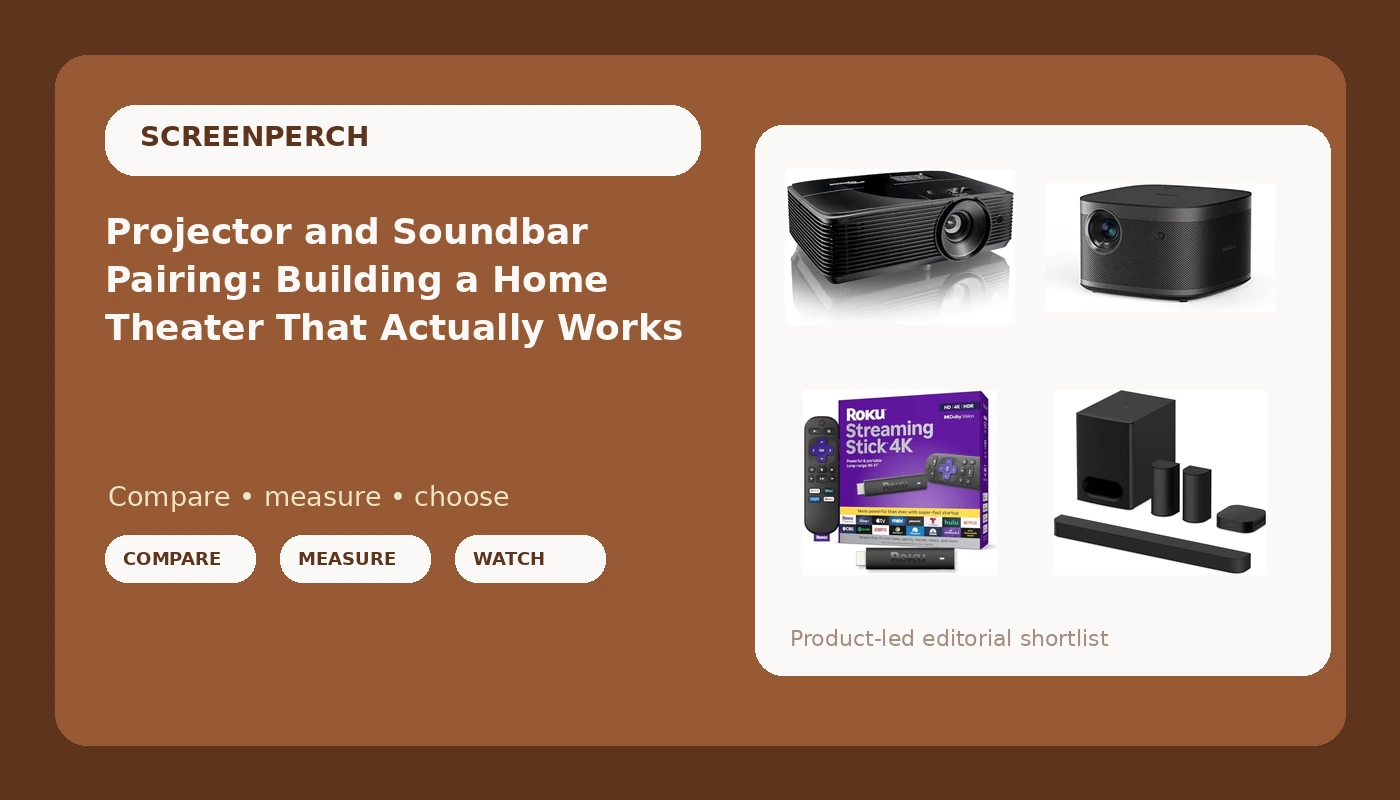
Most people build a home theater projector and soundbar setup backwards. They buy the screen first because it looks impressive in a showroom, or they buy the soundbar first because it was discounted, and then they find out the projector needs a darker room than the one they own, the soundbar has nowhere to put its rear channels, and the streaming device they already have cannot pass the formats the projector claims to support. The gear is rarely the problem. The order of the decisions is. This explainer walks through what each piece in a starter theater actually does, where the spec sheets stop being useful, and how to decide which of four very different products belongs in your room.
Related: How to Choose a Projector Screen Size for a Real Living Room →
Quick answer
There is no universal buying order, but the sequence that survives a real room is light and screen size first, projector second, audio third, and source last. Match the projector to the ambient light in the room and the wall you actually have, then answer one question honestly: can you place real speakers behind the seating area? That answer separates a true 5.1 system from a bar pretending to be one. Finish with a modern 4K streaming stick so the weakest link in the chain is not a five year old smart interface. None of the four options below is universally better than the others; each one solves a different room.
Four useful options
| Model | Best fit | What stands out |
|---|---|---|
| Sony BRAVIA Theater System 6 5.1ch Soundbar with Subwoofer & Rear Speakers | Rooms where two rear speakers can sit behind the couch | A 5.1 channel system with a separate subwoofer and dedicated rear speakers |
| Optoma HD146X 1080P Full HD Vibrant Home Theater Projector | A first projector in a room you can darken | Native 1080p Full HD in a dedicated projector body |
| XGIMI Horizon Pro 4K Projector, 1500 ISO Lumens, Android TV 10.0 Movie Projector with Integrated Harman Kardon Speakers, Auto Keystone Screen Adaption Home Theater Projector | A shelf or side table setup with no room for extra boxes | 4K resolution, Android TV built in, integrated speakers, automatic keystone and screen adaption |
| Roku Streaming Stick 4K with Voice Remote - HDR10+ & Dolby Vision | Any projector or TV that needs a current streaming interface | 4K streaming with HDR10+ and Dolby Vision support plus a voice remote |
The audio anchor: Sony BRAVIA Theater System 6 5.1ch Soundbar with Subwoofer & Rear Speakers
The honest trade-off with any 5.1 bar system is furniture. Rear speakers need a place to sit, an outlet or a cable run, and enough distance behind the couch that the sound arrives after the front channels instead of on top of them. In an apartment with a wall directly behind the sofa, that is often impossible, and a bar with virtual surround is the realistic answer. Where you do have the space, physical rears do something no amount of processing can fake: they put a discrete channel in a discrete location. I install bars for a living and I still tell clients that a receiver and real speakers beat any soundbar, but for a living room with a shared wall, a subwoofer and two rears behind the seating is the compromise that keeps the peace.
The 1080p entry point: Optoma HD146X 1080P Full HD Vibrant Home Theater Projector
A 1080p projector makes the room itself the limiting factor. Contrast and black level depend heavily on how much stray light hits the screen, so a projector in a room with white walls, uncovered windows, and a lamp on during the evening will look washed out no matter what the resolution is. The other thing a projector like this does not include is a source. There is no streaming interface and no speakers worth building a theater around, so the budget conversation has to include a streaming device and an audio solution from the start. If you are projecting onto a bare painted wall, a modest screen is usually the better first upgrade than a more expensive projector.
The 4K all-in-one: XGIMI Horizon Pro 4K Projector
Two things about an all-in-one deserve plain language. First, integrated speakers in a projector are a convenience, not a replacement for a 5.1 system with a subwoofer. They will carry dialogue and they will not carry a 30 Hz explosion, because physics does not care how good the tuning is. Second, automatic keystone and screen adaption are digital corrections. They make a badly placed projector watchable, and every one of them reshapes the image to do it, so the best result still comes from placing the unit squarely and letting the automatic features do as little as possible. On brightness, ISO lumens is a more disciplined rating than the "light source brightness" numbers that show up in marketing, but it is still a manufacturer figure measured under favorable conditions. Treat it as a comparison point between projectors, not a promise about your wall.
The source: Roku Streaming Stick 4K with Voice Remote
An external streamer earns its place for one reason: it is the cheapest component to replace when formats move on. A projector or TV with apps baked in is stuck with whatever the manufacturer still supports three years later, while a stick gets swapped for the price of a dinner. The catch is that HDR support has to match at both ends. A stick that offers Dolby Vision and HDR10+ is only useful for those formats if the projector or TV accepts the same ones, and if it does not, the player falls back to a base HDR format or to standard dynamic range. On a projector, the stick also has to be powered, usually from a USB port on the projector itself or a small adapter, and it needs a clear enough line of sight for the remote.
Prices and availability may change. Product images, names, and retailer links must be matched by verified ASIN. Do not state a current price, rating, stock status, or measured result without current evidence.
Start with the room, not the projector
The most expensive mistake in a starter theater is buying gear for a room you do not have. Before comparing projectors, answer four questions about the space. How dark can it get at the hour you actually watch? How wide is the wall, and how far back is the couch? Can anything sit behind the seating area? Where will power and signal cable run?
Ambient light is the first constraint because it sets the floor for contrast. A projector that looks impressive in a dark basement will look flat in a room with a window behind the seating, and no brightness rating rescues that. Screen size is the second constraint, and it is a function of seating distance and wall width rather than a number to maximize. Sitting too close to a very large screen makes the image feel like the front row of a theater, and sitting too far away throws away the resolution you paid for.
Audio placement is the constraint people skip. A subwoofer in a corner loads the room unevenly, which is why the same bar can sound boomy in one house and thin in another. Rear speakers belong at roughly ear height, slightly behind and outside the main listening position. If that geometry is impossible, a system with physical rears is not the right purchase, regardless of how good it is.
Finally, the signal path has to be planned as one chain: source, cable, display. Every link has to agree on resolution and HDR format, and long HDMI runs to a ceiling mounted projector are where that chain usually breaks.
Where the spec sheet stops being useful
Marketing numbers are written to be compared on a product page, not measured in a living room. Brightness is the clearest example. ISO lumens are a defined measurement, and light source brightness is not, so two projectors with similar sounding numbers can differ substantially once both are on a screen. Wattage on a soundbar has the same problem: it describes power draw under conditions the manufacturer chooses, and it says nothing about how the system behaves when you turn it up. What actually matters is whether the sound stays clean as volume climbs.
Contrast claims deserve similar suspicion, particularly the single enormous ratio printed on a box, which is typically measured with the projector's dynamic iris or laser dimming doing something you would never leave switched on for a movie. Color accuracy is a separate axis entirely, and a projector can be bright and punchy while still being visibly off on skin tones until it is calibrated.
Keystone correction is another spec that hides a cost. Optical adjustment moves the lens, digital keystone reshapes the pixels, and heavy digital correction softens the image because it is resampling what the projector draws. Auto keystone is a convenience for a projector that gets moved; it is not a substitute for mounting the unit in the right spot.
Five decisions, in order
- Measure the wall width and the distance from the screen to the main seat, then pick a screen size that fits both rather than the largest number that fits the wall.
- Watch the room at your normal viewing hour and note every light source, including lamps, hallway spill, and reflections off pale walls.
- Decide whether rear speakers can live behind the couch at ear height. If yes, a 5.1 system belongs on the list. If no, plan for a bar with virtualization and put the savings into the screen.
- Choose the source and confirm the format chain end to end: resolution, HDR10+ and Dolby Vision support at both the player and the display, and enough HDMI capability for the run length.
- Buy the mount, the screen, and the cables before the projector arrives, so the install happens in one pass instead of three weekends.
Practical guidance for the install
- Mount the projector so nobody walks between it and the screen. Shadow on the image is a placement problem, not a brightness problem.
- Run power and HDMI to the projector location first, then hang the projector. Fishing cable after the mount is up is the part of the job nobody enjoys.
- Keep the subwoofer out of the corner if the room allows it, and try at least two positions before settling. Low frequency behavior changes more with position than with any setting.
- Set rear speakers slightly behind and outside the seating position at roughly ear height, and keep them from firing directly into the back of a sofa.
- Leave the streaming stick on the display's own USB power where possible, and keep its remote in line of sight. A stick hidden behind a projector with no IR window will test your patience.
Which option should you choose?
Choose the Optoma HD146X 1080P Full HD Vibrant Home Theater Projector when you have a room you can darken, a wall that can take a large screen, and a budget that needs to cover audio as well. Choose the XGIMI Horizon Pro 4K Projector when you want 4K, built-in streaming apps, and integrated speakers from a single unit that can sit on a shelf without a long cable run. Choose the Sony BRAVIA Theater System 6 5.1ch Soundbar with Subwoofer & Rear Speakers when you can place two rear speakers behind the seating area and want surround content to come from actual boxes. Choose the Roku Streaming Stick 4K with Voice Remote when the display you own has a slow or outdated interface and you want the cheapest possible fix for the source end of the chain.
The caveat is that none of these choices can be validated from a spec sheet alone. Brightness ratings come from the manufacturer, room acoustics vary from house to house, and HDR support only matters when the player and the display agree. What the numbers cannot tell you is whether the finished system survives your living room, your ceiling fan, and the person in your house who notices when dialogue sounds wrong.
The bottom line
A home theater comes together in the order the room allows, not the order the deals arrive. Settle the light and the screen size first, then decide whether real rear speakers have a place in your seating layout, then pick a projector that matches the room rather than the showroom. A 1080p projector plus a 5.1 system plus a current streaming stick will beat a 4K projector with mediocre audio and an outdated interface in almost any living room, because the audio and the source are the parts you notice every single night. Buy the pieces in that order, install them once, and spend the leftover attention on placement, which is free and fixes more than any upgrade.