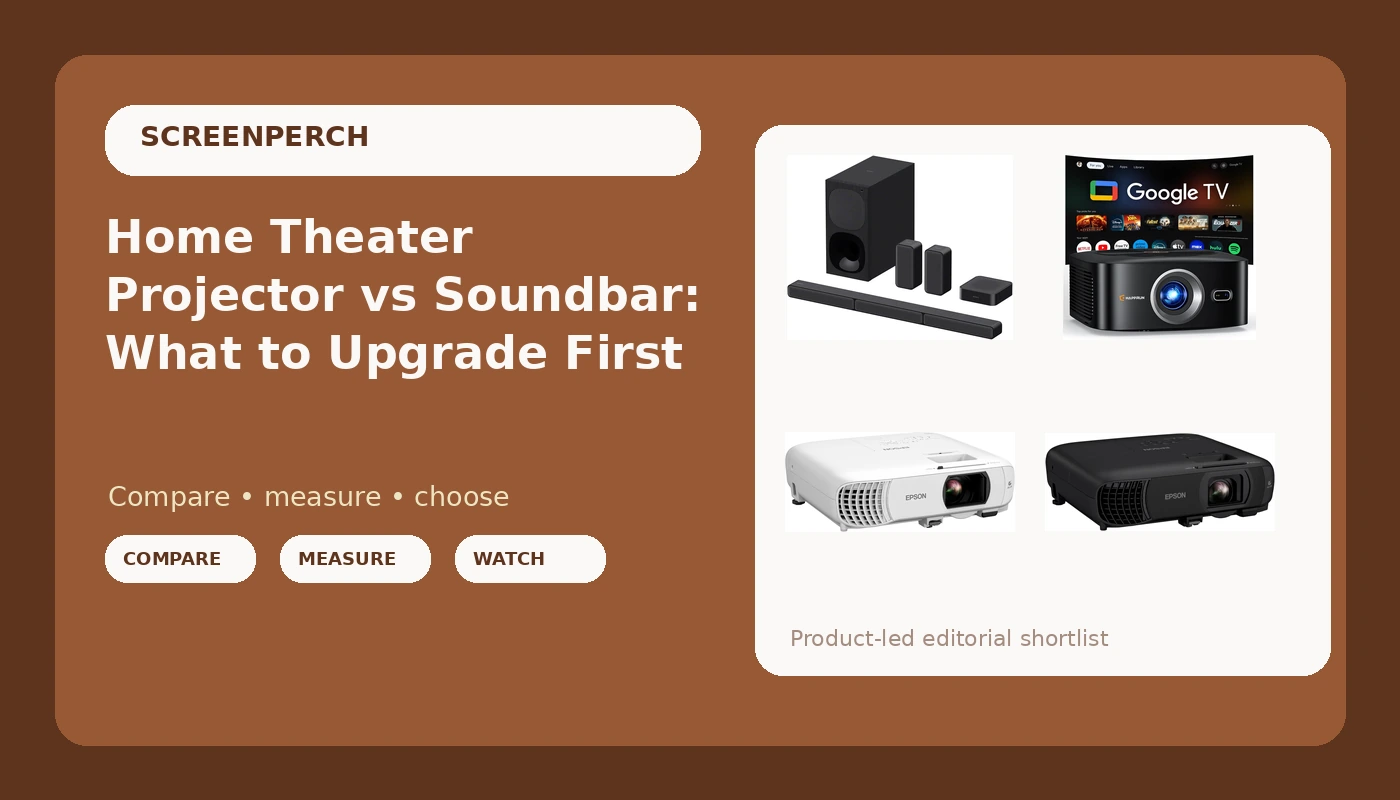
Most people building a home theater hit the same wall: there is one budget, and two things want it. The picture is either too small or too dim, the sound is either too thin or too mumbly, and you cannot fix both in the same month. That is the home theater projector and soundbar question in one sentence, and it has no single right answer, because the right order depends on which half of the experience is currently failing in your room.
In my install work around Round Rock and north Austin, the answer usually shows up before anyone buys anything. Sit on the couch, play a dialogue-heavy scene at the volume you actually use, and listen. If you are leaning forward and reading lips, audio is the bottleneck. If you catch every word and the picture still feels like a laptop with a bigger screen, the projector is the bottleneck. The four products below cover both halves of that choice: one 5.1-channel soundbar system and three 1080p projectors, each built for a different kind of room.
Related: Soundbar Placement: Why Your Bar Is Not Broken →
Quick answer
Buy audio first when dialogue is the problem, and buy the projector first when the screen is the problem. Those are two different problems, and no single purchase fixes both. If your room can be darkened and you watch movies more than you watch the news, a 1080p 3-chip 3LCD projector changes the experience more than any bar. If your room is bright, shared, and full of television dialogue, the soundbar system changes it more. The options here split cleanly: one complete audio system, and three projectors aimed at three different rooms.
Four useful options
| Model | Best fit | What stands out |
|---|---|---|
| Sony HT-S40R 5.1ch Home Theater Soundbar System,black | Rooms where dialogue is the weak point | A complete 5.1-channel system rather than a single bar |
| HAPPRUN 1500 ANSI Lumens Outdoor Projector with Official Google TV | Backyard and portable big-screen use | Google TV built in, plus a manufacturer rating of 1500 ANSI lumens |
| Epson Home Cinema 980 3-Chip 3LCD 1080p Movie Projector | Light-controlled movie rooms | A 3-chip 3LCD engine at 1080p, built around film content |
| Epson Pro EX9270 Wireless 1080p 3-Chip 3LCD Business Projector | Rooms that need one projector for work and for movies | Wireless 1080p 3-chip 3LCD with a business-first design |
Audio first: Sony HT-S40R 5.1ch Home Theater Soundbar System,black
Here is why audio wins the tiebreak in most shared living rooms. Dialogue lives in roughly the 1 to 4 kHz presence band, and a flat-panel television has almost nothing there that points toward a couch. A bar with a real center channel puts that band in front of you, and a sweep from the listening position will show you whether the bar kept it or scooped it out. That measurement is the whole argument, and it is why I tell clients to sweep before they shop rather than after.
The trade-off is honest and worth saying out loud. A 5.1 system in a box is still a compromise: the surrounds are small, the subwoofer is built to a price, and the whole thing depends on where you can physically put the rear speakers. In a dedicated theater room with real speakers, this is not the product I would install. In a family room where the alternative is television speakers, it is the upgrade that gets noticed first.
Screen first: HAPPRUN 1500 ANSI Lumens Outdoor Projector with Official Google TV
A projector like this one is a different purchase than a movie-room projector, and the difference is light. Outdoors, you are fighting whatever the sky is doing, and no rating survives a porch light at full brightness. The number on the box is a manufacturer figure, and manufacturer figures are optimistic until someone measures them. What I tell clients is simple: buy the projector for the darkness you can actually create, not the darkness you hope to create.
Google TV inside the projector is the practical win here. It removes a streaming stick, a spare HDMI port, and one more remote from the equation, which matters when the setup lives on a patio table and gets packed away. The trade-off is that a portable projector is a compromise on contrast and black level compared with a fixed movie-room unit, and you should expect to run it in a dim or dark space rather than a sunny afternoon.
Movie room: Epson Home Cinema 980 3-Chip 3LCD 1080p Movie Projector
The 3-chip part of that name is the part worth understanding. A three-chip 3LCD design splits light into red, green, and blue and sends each color through its own panel, so the image is assembled optically rather than by a spinning color wheel. In practice that means color brightness holds up across the picture instead of dropping in bright scenes, and you are not relying on a wheel to keep up with motion.
Calibration is where a projector like this earns or loses its money. Rec.709 is the HD color standard, delta-E is how far a color sits from where it should be, and a projector that measures badly out of the box can often be brought in line with a proper calibration pass. Budget for that step, and budget for light control: a movie projector in a room with white walls and a window is a movie projector you will not enjoy at two in the afternoon.
Work and movies: Epson Pro EX9270 Wireless 1080p 3-Chip 3LCD Business Projector
Business projectors and home theater projectors are optimized against different enemies. A business projector is built to survive ambient light, throw a legible spreadsheet, and connect quickly to whatever walks into the room. A movie projector is built to render shadow detail and accurate color in a dark room. The Pro EX9270 sits on the business side of that line, which is exactly why it makes sense for someone who needs one projector for client presentations and weekend movies.
The trade-off is contrast and black level. If your primary goal is a dark-room cinema experience, the Home Cinema 980 is the more natural fit. If your primary goal is a projector that gets used every week for work and occasionally for film, the wireless business model is the one that will not sit in a closet.
Prices and availability may change. Product images, names, and retailer links must be matched by verified ASIN. Do not state a current price, rating, stock status, or measured result without current evidence.
Why the numbers on the box need translating
Two numbers on these product names deserve a translation. The first is lumens. A manufacturer rating of 1500 ANSI lumens is a claim about light output, and ANSI lumens are supposed to describe a measured average across the screen, not the brightest spot in the center. The two are not the same thing, and the gap between a marketing number and a measured number is where most projector disappointment lives. Before you trust any figure, ask what it describes and who measured it.
The second is wattage, which does not appear on any of these names but shows up constantly in audio marketing. Watts describe power draw, not loudness, and loudness at the couch is sound pressure level, measured in decibels. A bar can carry an impressive wattage figure and still compress and distort before it gets genuinely loud, and total harmonic distortion is the measurement that catches it: the percentage of what comes out that is not the signal you sent in. If a product's marketing leans on wattage, that is usually a sign the useful numbers are missing.
The practical takeaway is to treat every spec as a question rather than an answer. Manufacturer figures tell you what a product is designed to do. A measurement from your own room tells you what it actually does.
Matching the gear to the room you actually have
Room conditions decide more of this than product tiers do. A projector's usable image size depends on how dark you can get the room and how much throw distance you have between the lens and the wall. A soundbar's dialogue clarity depends on where the bar sits relative to ear height and whether it is buried in a cabinet. Neither problem is solved by spending more.
Here is the order I work in.
- Sit at your normal viewing distance and pick the screen size that feels right from that seat, not the biggest size the wall allows.
- Test your room's light control at the hour you actually watch: pull the blinds, turn on the lamps, and see what the wall looks like.
- Play a dialogue-heavy scene at normal volume and decide honestly whether audio or picture is the weaker half.
- Walk the room and choose real positions for the bar, the surrounds, and the subwoofer before you order anything.
- Budget the second half of the system now, so the first purchase does not become a dead end.
Practical guidance before you buy
- Set the soundbar at or near ear height from the couch, and get it out of a closed cabinet if you can.
- Move the subwoofer to more than one corner before deciding it is weak; corner placement loads bass heavily and small moves change the result.
- Calibrate the projector after it is mounted, not before, and use the display's own test patterns or a calibration disc as a starting point.
- Keep the projector lens clean and free of obstructions, and give the vents room to breathe, since heat is the quiet killer of lamp and fan life.
- Buy from a retailer with a workable return window, because both sound and picture are room-dependent and a specification sheet cannot tell you how either will land in your living room.
Which option should you choose?
Choose the Sony HT-S40R 5.1ch Home Theater Soundbar System,black when dialogue is the thing you cannot hear and the room is a shared living space rather than a dedicated theater. Choose the HAPPRUN 1500 ANSI Lumens Outdoor Projector with Official Google TV when the screen needs to move, the wall is temporary, and the streaming apps should live inside the projector. Choose the Epson Home Cinema 980 3-Chip 3LCD 1080p Movie Projector when you have a room you can darken and the goal is film rather than television. Choose the Epson Pro EX9270 Wireless 1080p 3-Chip 3LCD Business Projector when one projector has to serve presentations on Monday and movies on Friday.
A caveat worth repeating: the figures attached to these products are manufacturer figures, not measurements taken in your room, and I have not published sweep or calibration data for them here. Light output, color accuracy, and dialogue clarity all change with the space they land in. Treat the return window as part of the purchase.
The bottom line
The projector versus soundbar question is really a question about which half of your system is failing, and the answer is usually visible from the couch in about five minutes. If you cannot follow dialogue at normal volume, fix the audio first. If the picture feels small and you have a room that can go dark, fix the screen first. The soundbar system here covers the first case with a real 5.1-channel layout, and the three projectors cover the second across three very different rooms: portable and outdoor, dedicated and dark, or shared between work and home. Buy the half that is broken, and plan the other half before the budget disappears.