Related: Projector Screen Size: How Big Should the Picture Actually Be?
I have installed somewhere north of 340 systems around Round Rock and Austin, and the pattern never changes. The gear shows up before the room gets planned. Somebody buys a 4K laser home theater projector, mounts it where the old TV lived, and calls me because the picture looks soft and the soundbar sounds like a phone speaker. Neither product was broken. The screen, the placement, and the room were.
So this is the guide I wish clients read before they clicked buy. Three products, two projectors and one bar, with an honest read on which belongs in your room rather than mine. No carpeted lab, no press release adjectives. My living room has tile floors, a ceiling fan that hums at exactly 60 Hz, and my wife Alma, a band director who hears a flat note from the far end of the house. Gear that survives that room is gear I will recommend to a customer.
Everything below gets judged the same way: picture by a calibration pass against Rec.709, sound by a UMIK-1 sweep taken from the actual couch, and a long list of questions about throw distance, screen height, and sub placement before anything gets mounted. That last part is not a formality. It is most of the job.
Best Overall for Most Rooms: Optoma UHZ50
This is the projector on this list that fits a normal house. Two specs in its name do the heavy lifting: the 1.3x zoom and the vertical lens shift. Those are the difference between a projector that goes where you want it and a projector that goes exactly where the throw math says, which is usually directly over your head or nowhere near the screen. With zoom and vertical shift you can put this on a rear shelf, or a ceiling mount a foot off center, and still square the picture without keystone correction. Keystone correction is a crop and a rescale, and I would rather move the projector than let the processor soften my image.
The laser light source matters for a different reason: no lamp to replace, no dimming curve to watch over a couple of thousand hours, and no warm up period where the picture looks green. For a living room that also hosts sports and kids' cartoons, that is worth more than any single brightness number.
The 3,000 lumen figure in the name is a manufacturer claim, and I do not repeat lumen numbers I have not measured myself. What I tell clients instead is simpler. Screen size and ambient light decide this, not the sticker. A 120 inch screen in a room with a window you refuse to cover will look washed out no matter what the box says, and a 100 inch screen in the same room will look dramatically better. Pick the screen for the light you have.
The HDR adjustment options in the name are the quiet feature I care about most. HDR on a projector is a negotiation, because you are asking a limited light output to cover a very wide range. A projector with usable tone mapping controls lets you trade a little highlight punch for an image that does not crush the dark scenes in a thriller. The Alexa and Google compatibility is convenience, not performance. It is nice. It is not why you buy this.
Best for a Light-Controlled Room: Sony VPL-XW5000ES
Read the name and notice what it leads with: a native 4K SXRD panel. That is the whole pitch, and it is a legitimate one. Native panel resolution means the projector is not manufacturing pixels through processing tricks, and it is the reason this projector costs several times what the Optoma does.
Here is where I get blunt with clients. This is a dark room projector. Not a "mostly dark" room, and not a room with one blackout curtain over the window that faces the afternoon sun. It is for a dedicated space where you control the light and the walls are not painted white. Put it in a bright family room and you have paid a premium for contrast and color you will never see, because stray light will flatten everything the panel is capable of.
What you get in return is color that a calibration pass can actually finish. Rec.709 with delta-E under 3 is the bar I hold every projector to, and panel-based projectors with a laser source are the ones that reliably reach it, because there is no color wheel spinning in the light path and no lamp color shift to chase. If you are the kind of person who notices skin tones going orange in a dim scene, this is the end of this list you are shopping.
Two practical warnings. First, a projector at this level deserves a rigid mount and a screen that is flat. A little sag in the screen shows up as a wobble in the image. Second, plan on a calibration pass, and plan on a source device, because the name here leads with the panel and not with apps. If you want the projector to be your streaming hub, you are shopping the wrong end of this list, and the Optoma is the honest answer.
The Audio Half: JBL Bar 700MK2
I make my living installing soundbars, and I will still tell you that real speakers beat any bar. I also know that most people are not hanging four speakers and running wire through an attic at 105 degrees, so a bar it is. Given that, the important thing in this name is the subwoofer. A bar without a sub is a bar that sounds thin the moment anything explodes, and the single most common complaint I hear is solved by having low end in the box.
The Dolby Atmos surround processing in the name is doing height and width cues from a bar sitting under your screen. It can be genuinely convincing with the right content, and it is never going to be as convincing as physical speakers behind your head. Judge it for what it is: a big upgrade over TV speakers, in one box, with no wiring.
Placement decides more of this than the bar does, so do it right the first time. Get the bar at seated ear height if you can, on a shelf or a stand, not on the floor and not buried in a media cabinet with a solid door. Then do the sub crawl. Put a 50 Hz test tone on repeat, walk the room, find where the bass is even, and put the sub there. If the sub has to sit in a corner, that is fine, but you will be turning it down rather than up.
And run a UMIK-1 sweep from the couch before you decide the dialogue is bad. Most "muddy dialogue" complaints I get are a bar sitting too low, too far back, or behind a cabinet door, and no amount of processing fixes a bar aimed at your knees.
How I set these up and what I actually check
I do not publish a lumen number I have not measured, and I do not quote a wattage number off a box. Those are claims, and claims do not survive contact with a real room. What I do instead is run every projector through the same sequence and every bar through the same sweep.
For picture: blackout the room, throw a test pattern, and run a calibration pass against Rec.709 with an i1Display Pro. I look for color tracking through the grayscale ramp, whether the panel holds shadow detail instead of crushing to black, and how the tone mapping handles a bright highlight next to a dark face. A projector that measures beautifully in a dark room and falls apart with a lamp on is not a bad projector. It is a projector in the wrong room.
For sound: a UMIK-1 sweep from the actual listening position, before and after whatever room correction the bar runs. The sweep tells you where the dips are, and the presence band from roughly 1 to 4 kHz tells you whether dialogue will survive a mumbly British crime drama. Then I push volume and listen for the midrange compressing, because headroom is a measurement and not a sticker.
For the room itself: I check the ceiling fan. Mine hums at 60 Hz, and that is exactly where a cheap sub will boom. I check the HDMI run, because a long cable that passes a pattern test at 20 feet can fail it at 24, and I have re-terminated more than one run for that reason. And I check whether the screen is actually flat and the projector mount is actually rigid, because those two things ruin more images than any firmware bug.
What the numbers on the box mean, and what they do not
Brightness is the number most likely to mislead you. A lumen rating is taken under conditions you will never reproduce, and it says nothing about color accuracy at that brightness. A projector running flat out in its brightest mode usually has greenish skin tones. The mode you will actually watch in is dimmer, and that is the number that matters for screen size.
Resolution claims need the same skepticism. When a name says native 4K SXRD panel, that is a specific, checkable claim about hardware. When a name says 4K UHD, read the manual and see how the projector arrives at 4K. Both approaches can look excellent on a real screen, and the difference shows up in fine text and fast motion, not in a showroom demo reel.
Contrast and color are where a dark room pays off. A panel-based projector with a laser source gives a calibration pass something to work with. A DLP projector gives you punch and sharpness, and typically more brightness per dollar, which is exactly why the Optoma is the better living room answer.
And wattage on a soundbar is marketing, full stop. What I want to know is whether the bar distorts at 60 percent volume, and the only way to know that is to turn it up and listen.
The reference table
This is how I sort these three for a client, before any of the specs get argued about. Every projector and bar gets the same treatment: what it claims, and where it belongs.
| Product | What it is | The claim to verify in your room | Where it belongs |
|---|---|---|---|
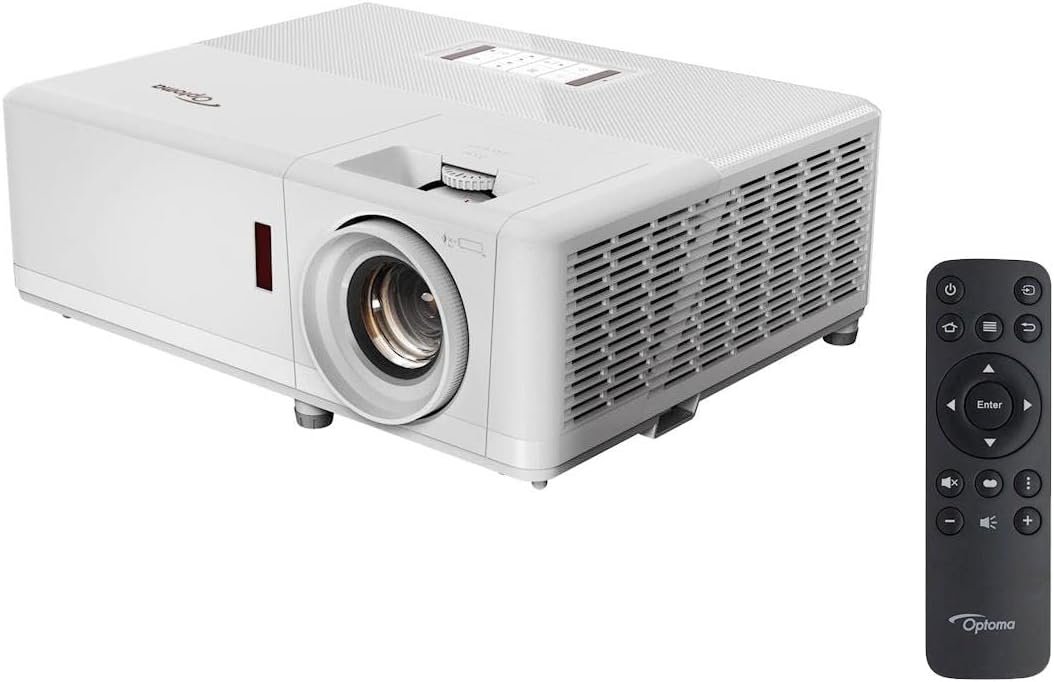 Visit on Amazon → Visit on Amazon →Optoma UHZ50 |
Smart 4K UHD laser projector | 3,000 lumen claim, HDR tone mapping, zoom and vertical lens shift range | Multi-use living room, shelf or ceiling mount, sports and movies |
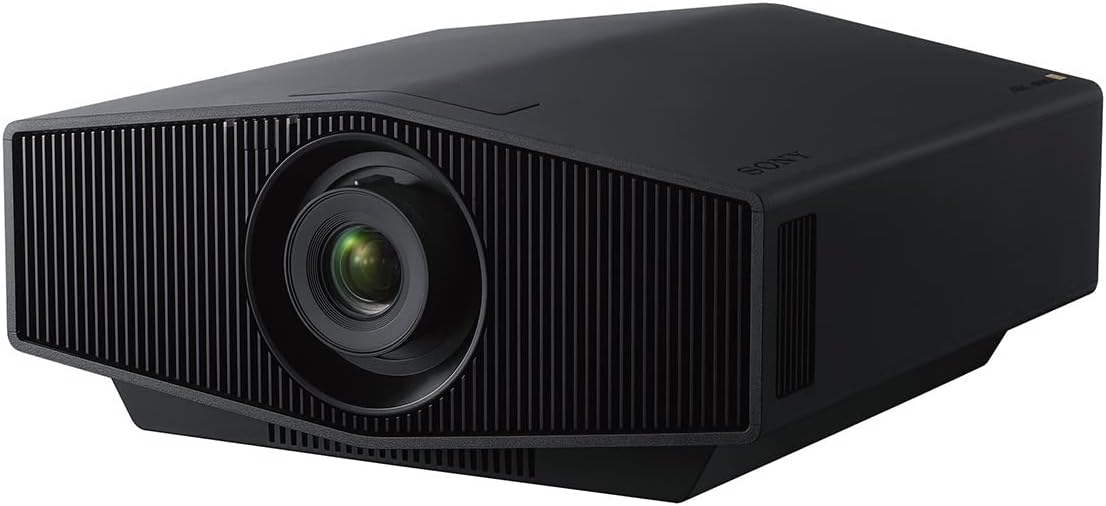 Visit on Amazon → Visit on Amazon →Sony VPL-XW5000ES |
4K HDR laser projector, native 4K SXRD panel | Panel resolution, black level, color tracking after calibration | Dedicated light-controlled room with dark walls and a flat screen |
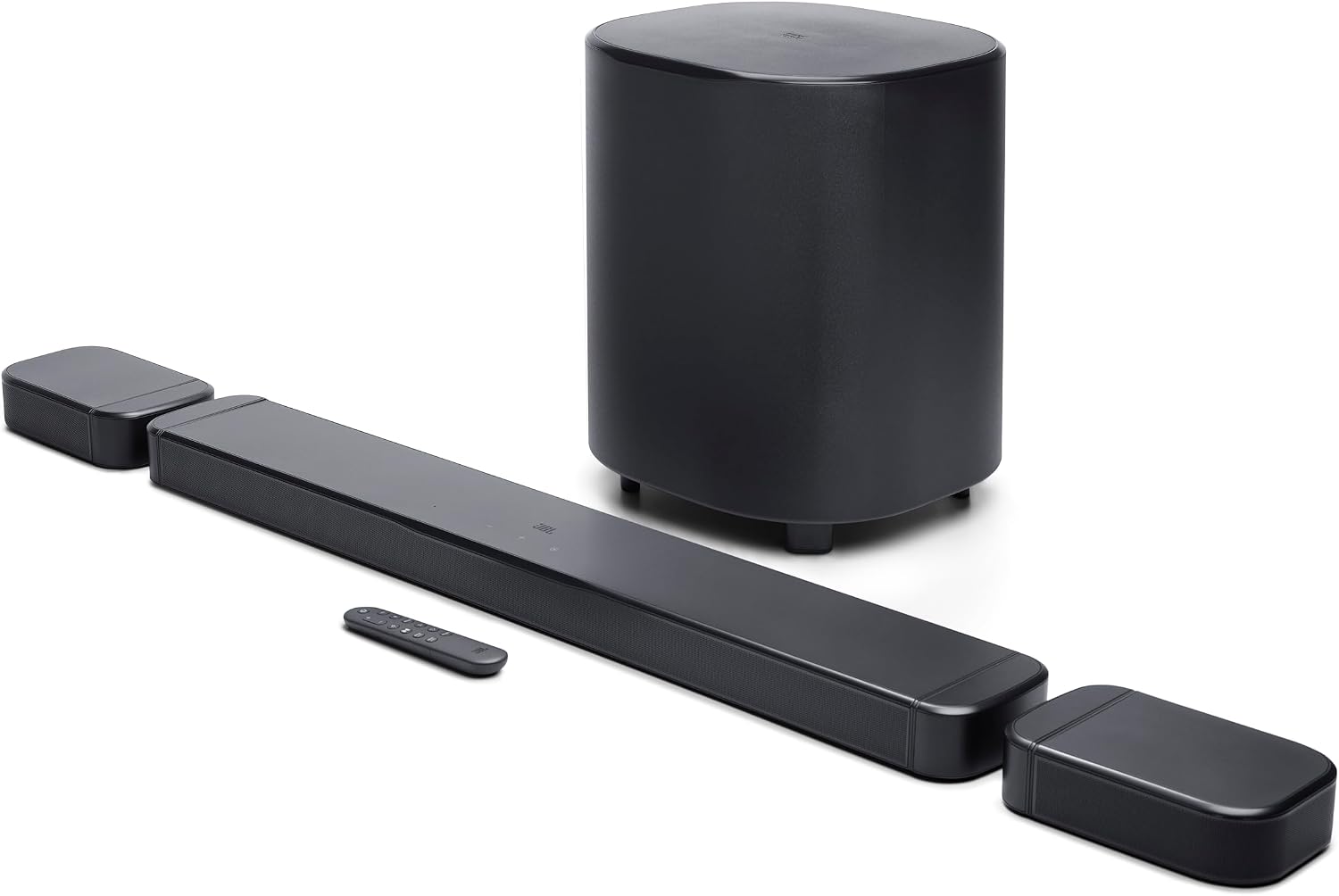 Visit on Amazon → Visit on Amazon →JBL Bar 700MK2 |
Soundbar with subwoofer, Dolby Atmos surround | Dialogue presence band, distortion at high volume, sub placement | Rooms where separate speakers are not happening, at ear height |
The pattern in that table is the whole guide. The projector decision is a room decision, and the bar decision is a placement decision. Get those two right and almost any decent product in this class will make you happy.
Should you buy the Optoma UHZ50?
Yes, for most people reading this. It is the one that adapts to the room you already have, with zoom and lens shift that let you mount it somewhere sane and a laser source that means no lamp replacement schedule. The smart features and voice assistant support are a bonus rather than the point, and the HDR controls are the thing that keeps dark scenes watchable.
What I would tell you before you buy: measure your throw distance first, pick a screen size based on the light in the room rather than the lumen claim, and buy a mount rated well above the projector's weight. Then check current Amazon price and stop second-guessing.
Should you buy the Sony VPL-XW5000ES?
Yes, if you have the room for it. The native 4K SXRD panel is the real deal for a dark, dedicated space, and it is the projector here that a proper calibration pass can finish cleanly against Rec.709. If you are building a theater room from scratch and the walls are going dark anyway, this is the picture you will keep for years.
If your "theater" is the family room with a window and a white ceiling, save your money. Not because the projector is bad, but because you would be paying for contrast the room will eat before it reaches your eyes.
Should you buy the JBL Bar 700MK2?
Yes, if a bar is the plan. It includes the subwoofer, which is the part that most people are missing when they tell me their soundbar sounds weak, and the Dolby Atmos surround processing gives you height cues without running a single wire to the back of the room. For a living room with a projector and no hope of in-wall speakers, it is a sensible, complete answer.
Just place it like you mean it. Ear height, out of the cabinet, sub crawled into the corner that measures best rather than the corner that looks best. Then check current Amazon price, and spend the savings on a longer HDMI cable than you think you need. You will thank me at the 24-foot mark.