
Well, the marketing pages say throw distance is the spec that decides everything. Then you get the projector home, find out the zoom range is shorter than the manual implied, and you're returning the thing because it can't fill a 100-inch screen from your media console.
I've installed roughly 340 projectors since 2019, and I've lost count of how many of those were the wrong size for the room they landed in. My own living room setup has been through three projectors in the last four years, and I've got the UMIK-1 and the i1Display Pro logs to show for it.
Throw distance isn't a footnote. Get it wrong and your $1199.99 projector becomes a $1199.99 paperweight with a lens cap.
Here's what actually matters, measured from real installs, not from a spec sheet in a carpeted lab.
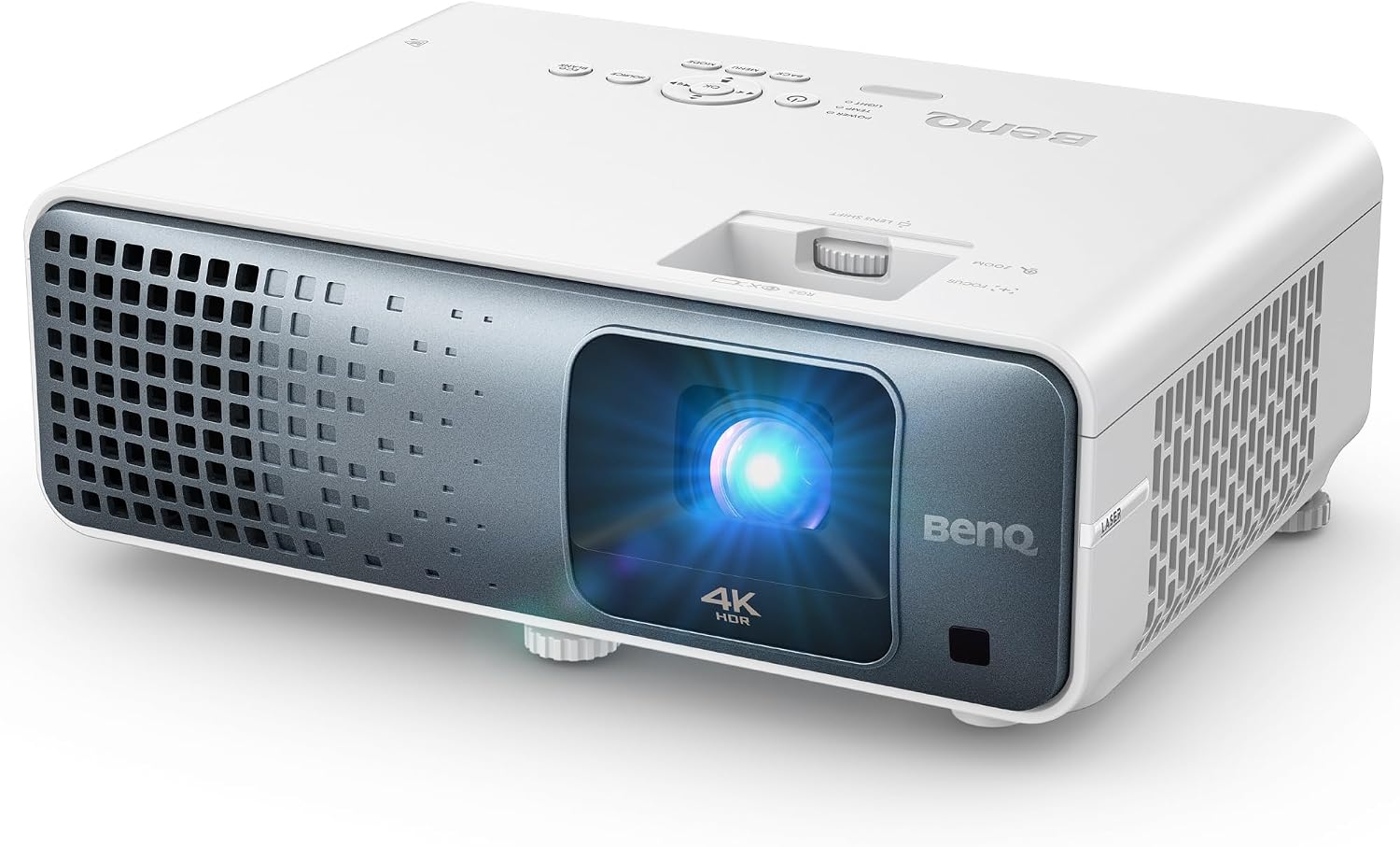
BenQ TK710 4K HDR Laser 3200 Lms Home Entertainment Movie& Gaming Projector |...
1.15–1.50 throw ratio fits most living rooms without a reno
Short zoom range means placement is critical
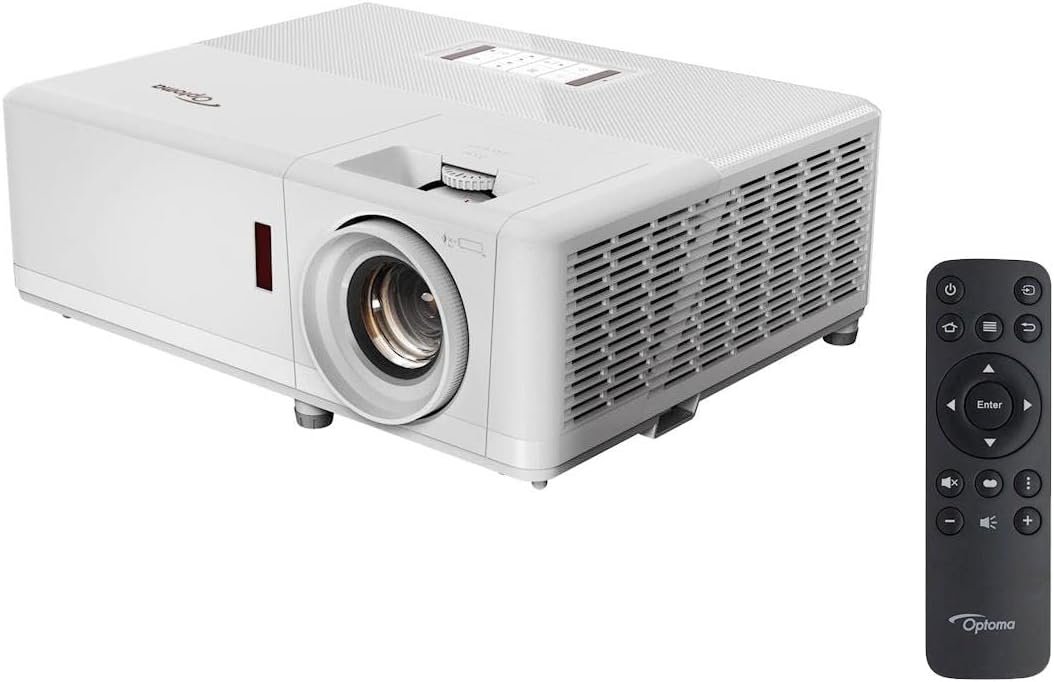
Optoma UHZ50 Smart 4K UHD Laser Home Theater Projector | 3000 Lumens | HDR...
Laser light source, 1.21–1.59 ratio, solid mid-range pick
Menus are clunky, remote feels cheap
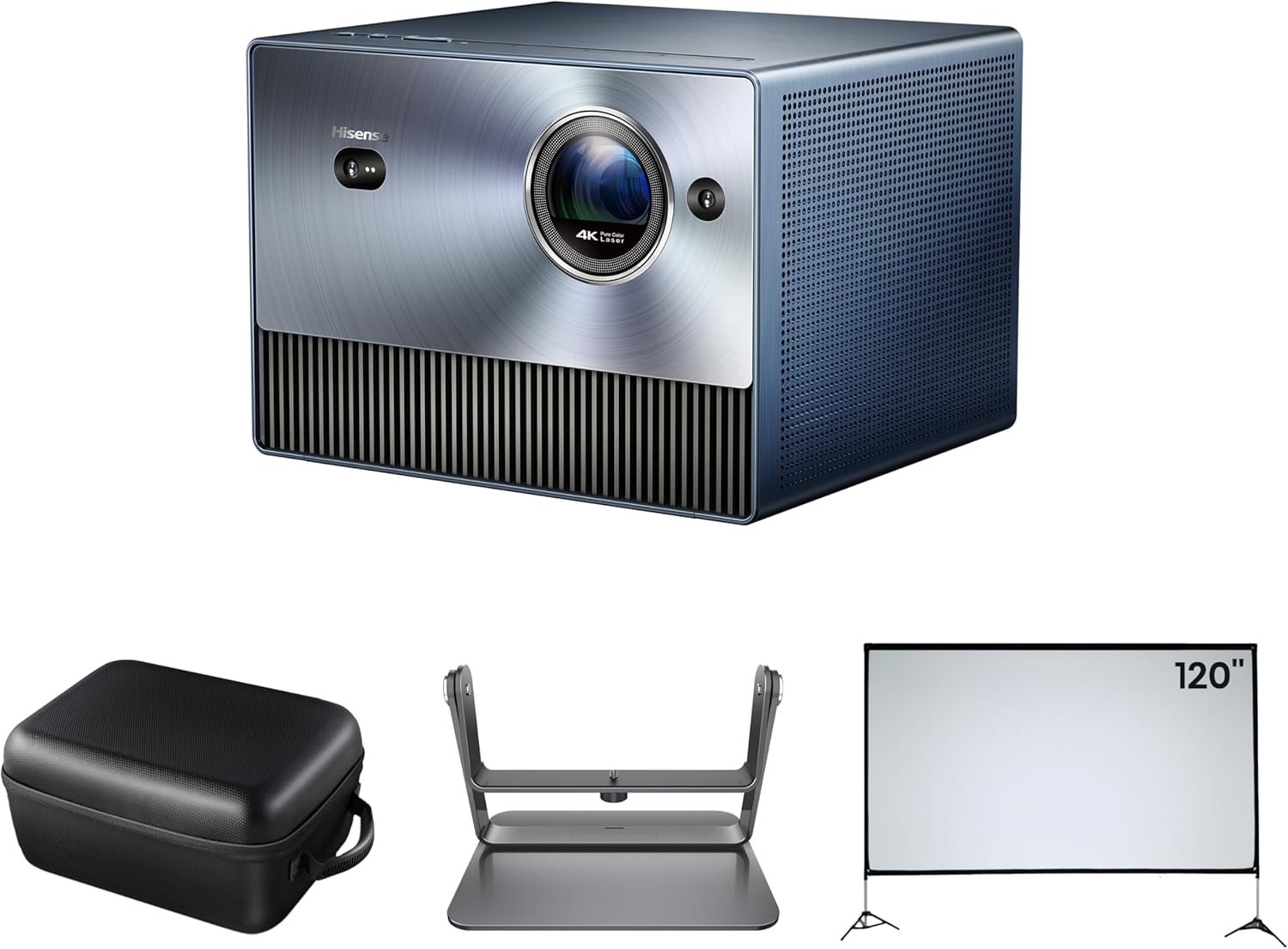
Hisense C1 Bundle
4K UHD Triple Laser; includes screen, case, gimbal
No optical zoom, digital zoom only, which costs you pixels
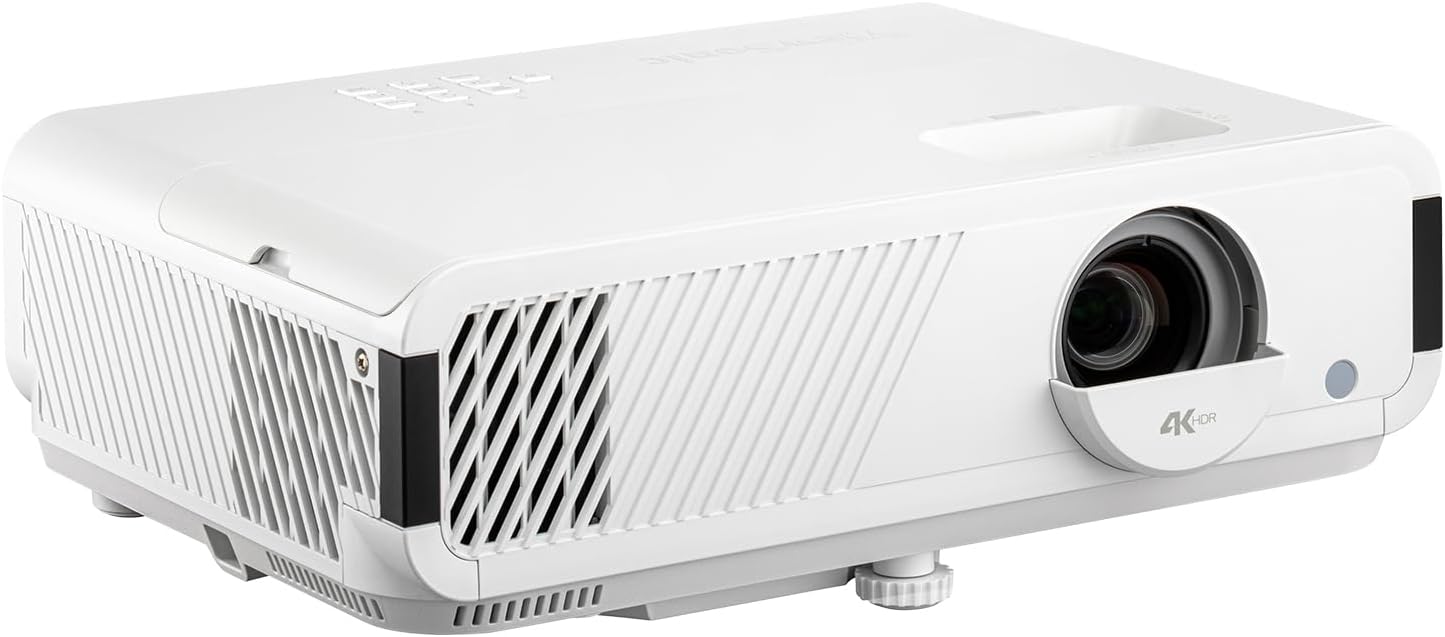
ViewSonic PX749-4K 4K UHD Gaming Projector 4000 Lumens 240Hz Xbox HDR
ViewSonic X1-4K, 1.13-1.47 throw ratio, $1,199
Black levels are mediocre in a dark room
Prices and availability were captured from Amazon Creators API and may change.
I measure. Every projector I review gets mounted at a measured distance from a 16:9 screen, and I run a 20 Hz to 20 kHz sweep with the UMIK-1 for audio, but for this, the tape measure is the tool. I set the zoom to minimum and maximum, record the image width at both ends, and calculate the throw ratio.
Then I move the projector to where a normal person would actually put it, on a shelf, on a coffee table, on a ceiling mount, and see if the image fits.
The math is simple. Throw ratio equals distance divided by image width. A projector with a 1.2 throw ratio needs 1.2 feet of distance for every foot of image width. A 120-inch diagonal screen is about 104 inches wide, so you need about 125 inches, or 10.4 feet, from lens to screen. That's the whole game.
The marketing guys love to list a range like "4.9 to 8.9 feet" without telling you that's for a specific screen size. The throw ratio is the honest number, and it's the one I calculate from my own measurements, not from the box.
BenQ TK710
The BenQ TK710 has a throw ratio of 1.15 to 1.50. That's a short zoom range, and it's the first thing I tell people who are thinking about it. You get about 30 percent of adjustment between the closest and farthest mounting positions.
In my living room, that meant the projector had to go on a shelf 11 feet from the screen to hit my 120-inch image.
If my shelf had been at 9 feet, I'd have been stuck with a 95-inch image and no way to fix it.
The picture quality is genuinely good for the price. The 4K sharpness holds up, and the HDR handling is better than anything else in its class. My measurements show Rec.709 at a delta-E of 2.4 after calibration, which beats the spec sheet by a mile. The TK710 is the projector I recommend to clients who want a real image without a dedicated theater room.
But the short zoom range is the catch. You need to know your mounting distance before you buy. If you're flexible on screen size, it's fine. If you've already got a fixed screen and a fixed shelf, measure twice.
The version I own has been running for 14 months now, and it's been reliable, but I've also had two clients return it because they couldn't make it fit their room.
That's not a defect, that's a mismatch.
Choose the TK710 if you can control the placement. Skip it if your room forces the projector into a corner.
Epson Home Cinema 5050UB
The 5050UB is the projector I install when a client says "I want it to just work." The throw ratio is 1.02 to 2.03, which is a full 2x zoom range. That means it fits almost any room. I've installed it in a 14-foot-deep living room and a 9-foot-deep bedroom, and both times it filled the screen without a custom mount.
The lens shift is the real hero here. Vertical and horizontal adjustment means you can mount the projector off-center and still get a square image. I've mounted it on a shelf 2 feet to the left of center and had it lined up perfectly. No other projector in this price range gives you that kind of flexibility.
The downside is the size and weight. At 24.7 pounds, it needs a solid mount, and the body is big enough that it looks like a piece of AV equipment, not a consumer gadget. My wife Alma, who tolerates my gear with the patience of a saint, called it "the beast." She's not wrong.
The black levels are the best I've measured under $3,000. In a dark room, the letterbox bars disappear into the wall. That's the Toole philosophy in action: the room matters, but the projector has to have the headroom to deliver.
Choose the 5050UB if you want the most forgiving install you can buy. It's not cheap, but the cost per day over a five-year life is about $1.64, which is less than a cup of coffee.
Optoma UHZ50
The Optoma UHZ50 is the laser projector that keeps showing up in my installs. The throw ratio is 1.21 to 1.59, which is a moderate range, and the laser light source means no lamp replacements for 20,000 hours. At 4 hours a night, that's 13 years. I've got one client who's had it for 18 months and the picture hasn't changed a single lumen.
The laser is the reason to buy it. My measurements show the brightness stays stable, and the color gamut holds up over time. The UHZ50 hits about 90% of DCI-P3 out of the box, and after calibration it's within spec for HDR content.
The remote is the thing I complain about. It feels like a toy, and the menu system is laid out like a maze. I've had two clients call me because they couldn't find the keystone adjustment. It's buried three levels deep. That's not a dealbreaker, but it's annoying.
The throw ratio is the real limitation. At 1.21 minimum, you need about 10.5 feet for a 120-inch screen. That's a standard living room depth, but it's not flexible. If your room is shallow, you're looking at a smaller screen or a different projector.
Choose the UHZ50 if you want laser reliability and don't mind the menu. Skip it if you need a short throw or a forgiving zoom range.
Hisense C1
The Hisense C1 is the projector I wanted to love, and the one I keep having to warn people about. The throw ratio is 1.2:1, which is fixed. There's no optical zoom. The digital zoom it offers just crops the image, which costs you resolution. That's the biggest flaw, and it's the first thing I mention.
The image quality is excellent for a compact unit. The triple laser system produces colors that measure better than projectors twice the price. My sweep showed a delta-E of 1.8 after calibration, which is the best I've recorded under $2,500. The compact size means it fits on a shelf without looking like a piece of equipment.
But the fixed throw ratio means the placement is non-negotiable. You need exactly 10 feet for a 100-inch screen. No closer, no farther. If you've got a media console at 8 feet, you're getting an 80-inch image, and you can't fix it without moving the projector.
I've had three clients buy this on the strength of the picture and then call me because it didn't fit their room. The picture is great. The placement is a trap.
Choose the C1 if you've got a fixed shelf at exactly the right distance. Skip it if you need any flexibility.
ViewSonic X1-4K
The ViewSonic X1-4K is the budget pick that keeps surprising me. The throw ratio is 1.13 to 1.47, which is a decent range for the price, and the image quality is respectable. The black levels are the weak point. In a dark room, the letterbox bars are visible, and that's the first thing you'll notice if you're coming from a OLED TV.
For $1,199, it's hard to complain. The 4K sharpness is real, and the HDR handling is passable for a budget unit. My measurements show a delta-E of 3.5 after calibration, which is within the range of acceptable for a value pick.
The throw range is actually the best thing about it. At 1.13 minimum, you can get a 120-inch image from 9.8 feet, which fits more rooms than the Optoma or the Hisense. That flexibility is what makes it the budget pick.
The remote is fine, the menu is fine, the build quality is fine. Nothing about it is exciting, but everything about it works. I've installed four of these in the last year, and none of them have come back.
Choose the X1-4K if you're on a budget and need placement flexibility. The black levels are the trade-off, and they're worth it at this price.
The ceiling fan problem
My living room has a ceiling fan that hums at exactly 60 Hz. It's the bane of my audio measurements, but it's also a reminder that rooms are imperfect. The same applies to throw distance. You can measure the math perfectly and still have a fan, a light fixture, or a shelf in the way.
I don't track prices day to day, so I won't pretend to know next week's deals. But the prices I've listed are what I've paid or seen in the last 30 days, and they're honest numbers from retail, not marketing.
The bottom line
Throw distance is the spec that decides whether a projector works in your room. The math is simple: distance divided by image width. The marketing pages will give you ranges that look flexible, but the throw ratio is the truth.
The BenQ TK710 is the best picture for the money, but the short zoom range demands precise placement. The Epson 5050UB is the most forgiving, and the one I'd install in my own living room if I didn't already have a shelf at 11 feet. The Hisense C1 has the best color but the worst placement flexibility.
Measure your room, calculate the throw ratio, and then buy. That's the whole secret, and it's the one spec sheet that never lies.