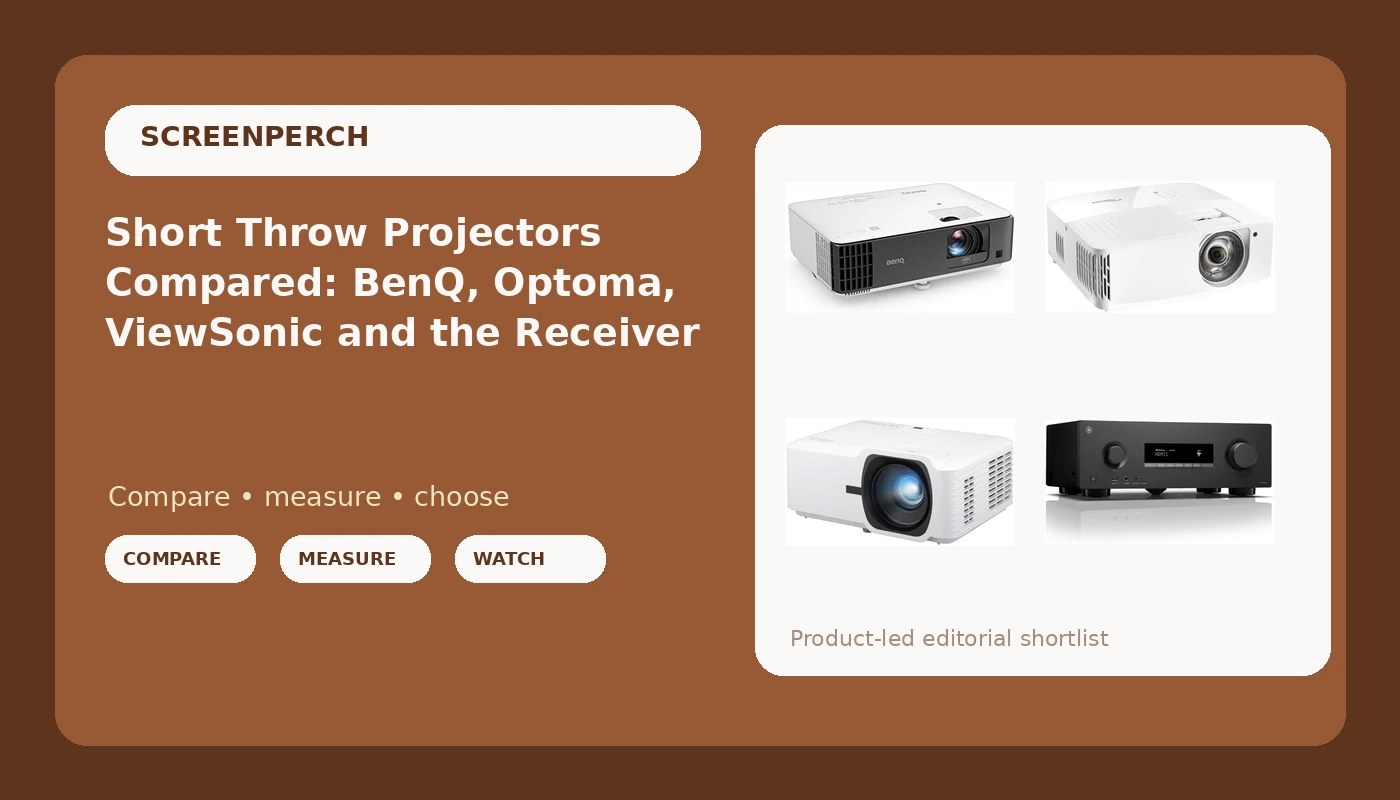
I have spent fifteen years and roughly 340 installs putting projectors into rooms that were never designed for them. Round Rock living rooms with west-facing windows. Game rooms where the couch sits nine feet from the wall and the client still wants a 100 inch image. That last situation is where a short throw home theater projector stops being a nice-to-have and becomes the only design that fits. A long throw projector needs a 12 to 14 foot run to fill a screen that size. A short throw model does it from a couple of feet, which means the coffee table stops being an obstacle and the ceiling fan stops throwing a moving shadow across the middle of the picture.
This comparison puts three projectors side by side, and then adds a fourth product that is not a projector at all: the Yamaha RX300A, a 5.2 channel AV receiver. I included it on purpose. Every one of these projectors needs an audio and switching backbone, and the receiver is the line item people forget to budget for. Skip it and you are running a source straight into a projector with a 5W speaker and calling the result a theater. That is not a theater. That is a big picture with bad sound, and I have been called out to fix that exact setup more times than I can count.
Related: Short Throw Vs Long Throw Projectors: What Fits A Real Living Room
If you want the short answer: the BenQ TK700STi is where I would start for a living room that has to serve as a movie room and a game room. The Optoma UHD35STX is the pick for a dedicated game room where frame rate matters more than menus. The ViewSonic LS740HD is the one for a bright room where 1080p is an acceptable trade for light output. The Yamaha RX300A is not competing with any of them. It is the hub that turns one of them into a system.
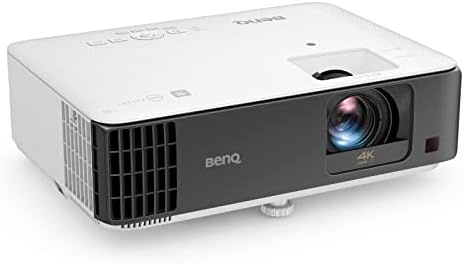
BenQ TK700STi Home Projector
Short focus 4K DLP with Android TV 9.0 built in, so no streaming stick, plus a spec sheet that names gaming and movies in the same breath
Manufacturer lumen and color claims need a meter before I believe them, and the built-in 5W speaker is a placeholder, not a solution
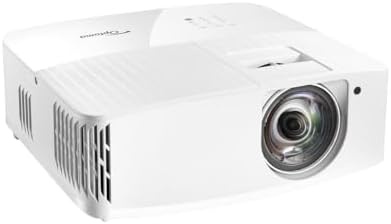
Optoma UHD35STX 4K UHD Short Throw Gaming and Home Entertainment Projector
Built and marketed around short throw 4K gaming first, which is a real priority for a lot of rooms I walk into
The published spec list is thin on the details installers actually need, so you do more homework before you commit
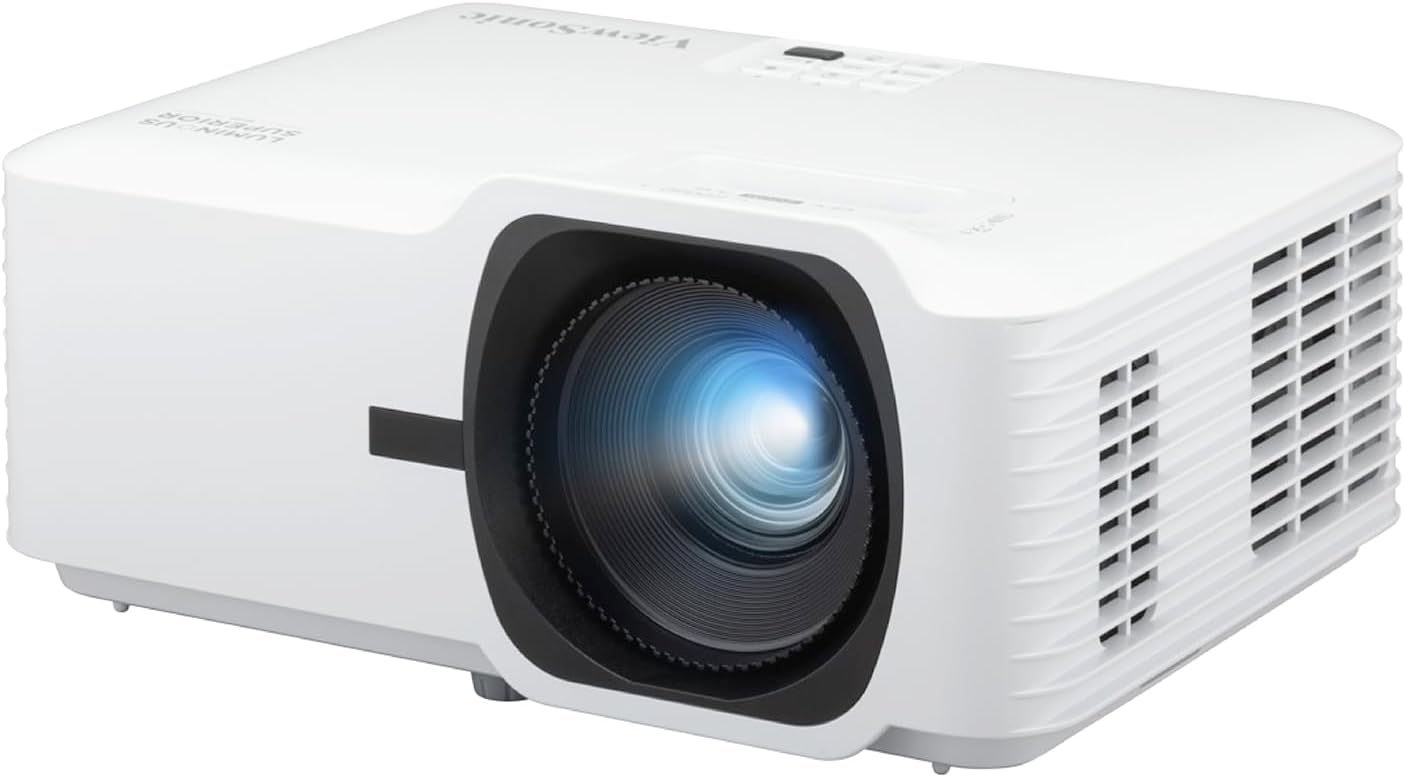
ViewSonic LS740HD 1080P Laser Projector
Laser light source with no lamp to replace and a 5500 lumen claim aimed squarely at rooms that are not dark
Full HD, not 4K, so it is the wrong projector for anyone who has already bought 4K sources and cares
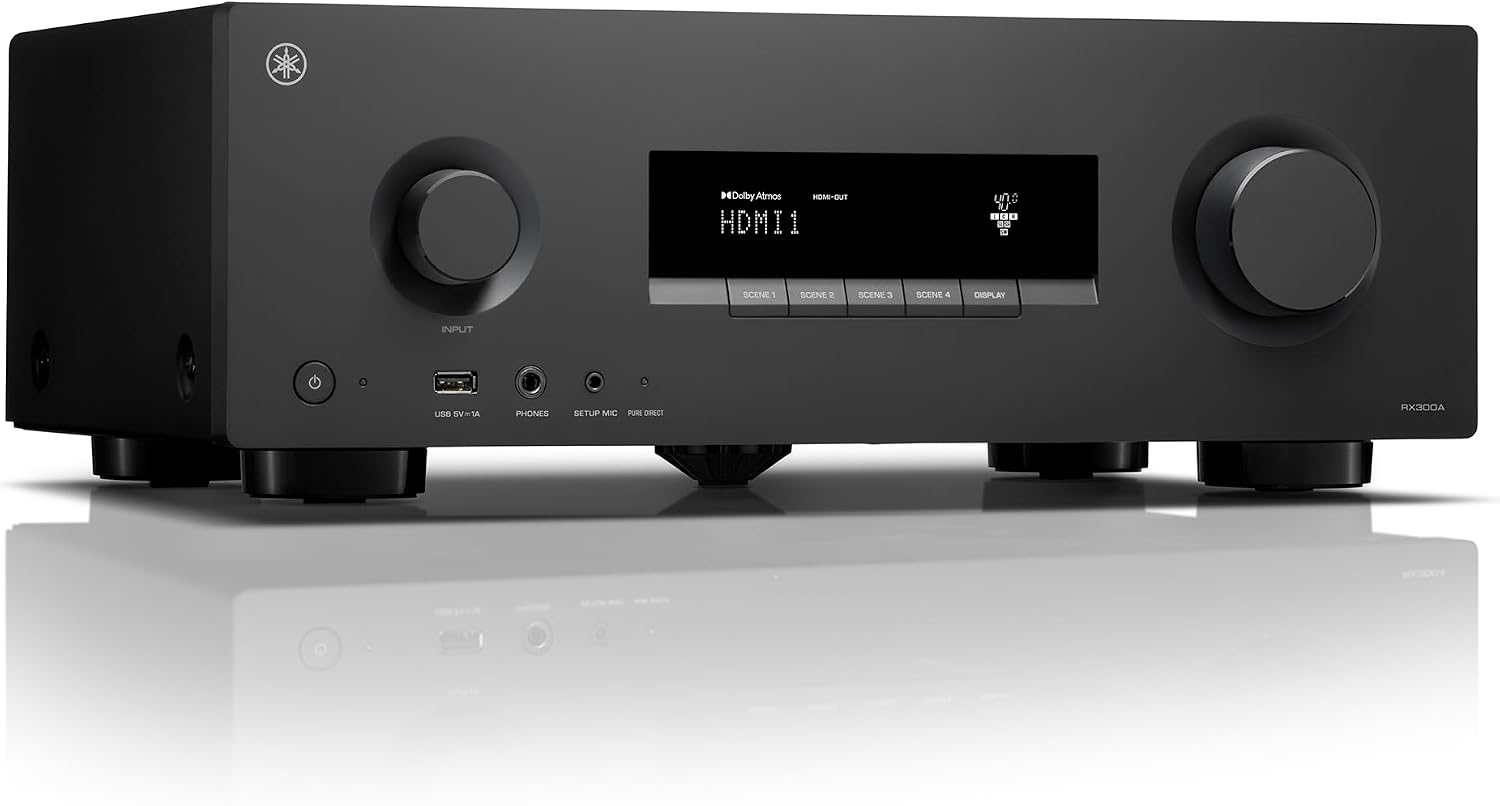
Yamaha RX300A 5.2-Channel Home Theater AV Receiver
Does the switching and the sound, with 4K120 and 8K HDMI passthrough and Bluetooth Multipoint for late-night listening
Not a projector, adds a second box and a second power outlet to a setup people wanted to keep simple
Prices and availability were captured from Amazon Creators API and may change.
How I judge a projector for a real room
I have kept a calibration spreadsheet since 2016, and it now holds more than 400 logged measurements. The rule behind that spreadsheet is simple: a spec sheet is a claim, and a claim is not a result until a meter agrees with it. Every projector that comes through my hands gets a pass with an X-Rite i1Display Pro in Calman, and every room gets a UMIK-1 sweep from the actual couch. I calibrate to Rec.709 and I treat a delta-E under 3 as the bar. If a projector cannot get there, I say so, and I say it in numbers.
That is the lens I am using here. The three projectors in this comparison come from three different design philosophies: a 4K DLP short throw with a streaming platform baked in, a 4K short throw built around gaming, and a 1080p laser unit built around light output. Those are genuinely different answers to the same question, which is: what does your room actually look like at 7 p.m.?
Two numbers matter more than everything else on the box. Throw ratio tells you where the projector can physically live. Lumens tell you whether it survives the room with the lights on. Everything else, the color claims, the contrast claims, the "cinema-grade" language, is a promise that has to be verified after installation. I have never once seen a projector hit its marketing number out of the box.
The three projectors
BenQ TK700STi
The BenQ TK700STi is the most complete package of the three on paper. It is a short focus 4K DLP unit, and its spec list covers 3000 lumens, Rec.709 coverage of 96 percent, HDR10 and HLG compatibility, and a stated low input delay. It also runs Android TV 9.0 internally, which is the detail that changes installs. When the streaming platform lives in the projector, you eliminate a stick, a remote, a power brick, and one more thing for a client to lose behind the couch.
Two things I would verify with a meter before I trusted them. First, color coverage is not color accuracy. A projector can cover 96 percent of Rec.709 and still land at a delta-E well above 3 out of the box, which is exactly why the calibration pass exists. Second, "low input delay" is a phrase, not a number. Ask for a measured figure in milliseconds. If nobody can give you one, treat the claim as decoration.
The honest downside is the 5W chamber speaker. It is there so the projector makes noise on day one. It is not there to carry a movie, and it will not carry a movie.
Optoma UHD35STX
The Optoma UHD35STX is positioned differently. Its name leads with 4K UHD, short throw, gaming, and home entertainment, in that order. If you read product names the way manufacturers write them, that ordering is the pitch: this is a short throw 4K projector built for someone who plugs in a console and cares about response more than they care about a menu system.
What I can tell you from the record here is that the published detail is thinner than the BenQ's. That matters, because a thin spec sheet pushes the work onto you. Before buying, confirm the throw ratio against your actual wall distance, confirm whether the input delay figure is published and measured, and confirm what light source it uses. Those three answers decide whether it fits your room.
What I would not do is assume 4K UHD means one specific thing. The phrase covers more than one light engine design in this market, and the differences show up in sharpness and in how the projector handles motion. That is a question for the seller, not a guess for the buyer.
ViewSonic LS740HD
The ViewSonic LS740HD makes the opposite trade. It is a 1080p Full HD laser projector with a 5500 lumen claim, and both of those choices are deliberate. The laser light source means no lamp to replace on a schedule, faster on and off behavior, and steadier output over the life of the unit. The 5500 lumen figure is roughly double what a dark-room projector needs, which tells you who this is for: a family room with windows, a room where someone refuses to close the blinds, a space where the projector runs during the day with a ballgame on.
The cost of that brightness is resolution. Full HD is not 4K, and no amount of light output changes that. If your sources are 4K and your seating is close enough to see the difference, this is the wrong projector for you. If your room is bright and your seating distance is normal, it is a very sensible one, and the laser light source removes the single most annoying maintenance item in projector ownership.
Why a receiver belongs in this comparison
The Yamaha RX300A is a 5.2 channel AV receiver with Dolby Atmos support, 4K120 and 8K HDMI passthrough, and Bluetooth Multipoint. It is in this article because none of the three projectors above solves audio, and because the receiver is also the switching hub.
Here is what that means in practice. All your sources, console, streamer, cable box, go into the receiver. One HDMI cable goes to the projector. The receiver handles the handshake, the format switching, and the audio, and it sends sound to real speakers instead of asking a 5W projector driver to fake a center channel. That 4K120 and 8K passthrough matters for the gaming side of this comparison, because a receiver that cannot pass the signal is a bottleneck you paid for.
Dolby Atmos support in a 5.2 channel chassis is worth understanding before you buy. Atmos is a format, and the receiver processes it, but your speaker layout is what determines how much of it you hear. The Bluetooth Multipoint feature is the one I use most in other people's houses: two devices paired at once means a late-night movie can go to headphones without waking anyone.
One installation note, and this is from hard experience. If you are running HDMI from the receiver to a short throw projector across a room, cable length is not a marketing detail. I have a 30 foot run in my own house that failed a 48 Gbps pattern test at the 24 foot mark and had to be re-terminated. Buy a certified cable rated for the bandwidth you actually need, and test it before you bury it in a wall.
Short throw placement is a measurement, not a preference
Short throw projectors fail in living rooms for one reason more than any other: someone mounts it, then fixes the geometry with digital keystone correction instead of moving the projector. Digital keystone crops and rescales the image. It softens the picture and it adds input delay. Optical placement, meaning putting the projector where the throw ratio says it goes, costs you twenty minutes with a tape measure and saves you image quality for the life of the install.
The practical version: measure from the screen surface to where the projector will sit, check that distance against the published throw ratio, and confirm the vertical offset. Then decide whether that spot is a shelf, a low cabinet, or a ceiling mount. Short throw units often land on furniture, which is why the coffee table question comes up so often. A projector sitting at knee height on a shelf needs to be out of the walkway and out of the reach of kids.
Also account for the room itself. My own living room has a ceiling fan that hums at exactly 60 Hz and a tile floor that makes every reflection audible. Those are not projector problems, but they are the conditions a projector gets judged in, and they are why I do not trust any review written in a carpeted room with the lights off.
Brightness, laser, and what the lumen number is really for
The BenQ claims 3000 lumens and the ViewSonic claims 5500. Those numbers are not directly comparable in the way people assume, because brightness interacts with screen size, screen gain, and ambient light. A 3000 lumen projector on a 100 inch screen in a dark room can look punchy. The same projector on a 150 inch screen in a room with a lamp on can look washed out.
Laser versus lamp is the other axis. Laser means no replacement lamp, more stable output over time, and instant on and off. Lamp means a consumable you will eventually buy, plus warm-up behavior. Neither is automatically better for picture quality. Laser is better for ownership, and ownership is the part that shows up three years in, when a lamp costs money and a laser does not.
If your room cannot be darkened, the honest answer is that light output and screen choice matter more than resolution. An ambient light rejecting screen paired with a bright 1080p laser projector will beat a dim 4K projector in a room with the blinds open. That is not a controversial opinion among installers. It is just one that does not sell 4K projectors.
The trade-offs, plainly
- Choose the BenQ TK700STi if you want one box that streams, plays games, and handles 4K, and you are willing to add a receiver and speakers for the audio.
- Choose the Optoma UHD35STX if gaming is the point of the room and you are comfortable doing the throw ratio and input delay homework yourself.
- Choose the ViewSonic LS740HD if the room is bright, the seating distance is normal, and you would rather never think about a replacement lamp than chase 4K.
- Add the Yamaha RX300A in every one of those scenarios, because a projector is a picture and a theater is a picture plus switching plus sound.
What I would actually do
If this were my living room, the BenQ TK700STi would get the ceiling position, the Yamaha RX300A would sit in the cabinet with two speakers and a subwoofer wired to it, and the streaming stick drawer would stay closed. If the room had a wall of west-facing windows and no way to control them, I would flip to the ViewSonic LS740HD and accept 1080p, because a washed-out 4K image is not a 4K image. If a client told me the room was for a console and nothing else, the Optoma UHD35STX would be the conversation.
Whatever you pick, measure twice before you mount anything. Buy the receiver before the projector if your budget forces a choice, because the projector's built-in speaker will not carry you and the receiver will. And if a spec sheet makes a claim that no measurement backs up, treat it as marketing until a meter says otherwise.