Related: Projector Placement: Throw Distance Without the Math
Most home theater setup guides start with a projector, and that is usually the last thing I would buy. Fifteen years and roughly 340 installs have taught me that order matters more than specs. The room decides what the screen should be, the seating decides how big, the wall color decides whether ambient light rejecting material earns its price, and the source decides whether you ever actually see the HDR you paid for.
I am Ray Delgado. I install this gear around Austin and Round Rock, and every room I finish gets swept with a measurement mic before I call it done. Nothing here is a showroom review. This is what I would put in my own living room, which is tile floored, open to the kitchen, and has a ceiling fan that hums at exactly 60 Hz. My wife Alma is a band director who hears a flat note from across the house, so a build has to survive her before it survives a client.
Four pieces carry the whole system: a sound bar with a wireless subwoofer, a motorized screen, a streaming box, and a sheet of screen material for the rooms where light refuses to cooperate. Here is what each one does, and where each one stops making sense.
Best Overall: TCL S55H 2.1 Sound Bar with Wireless Subwoofer
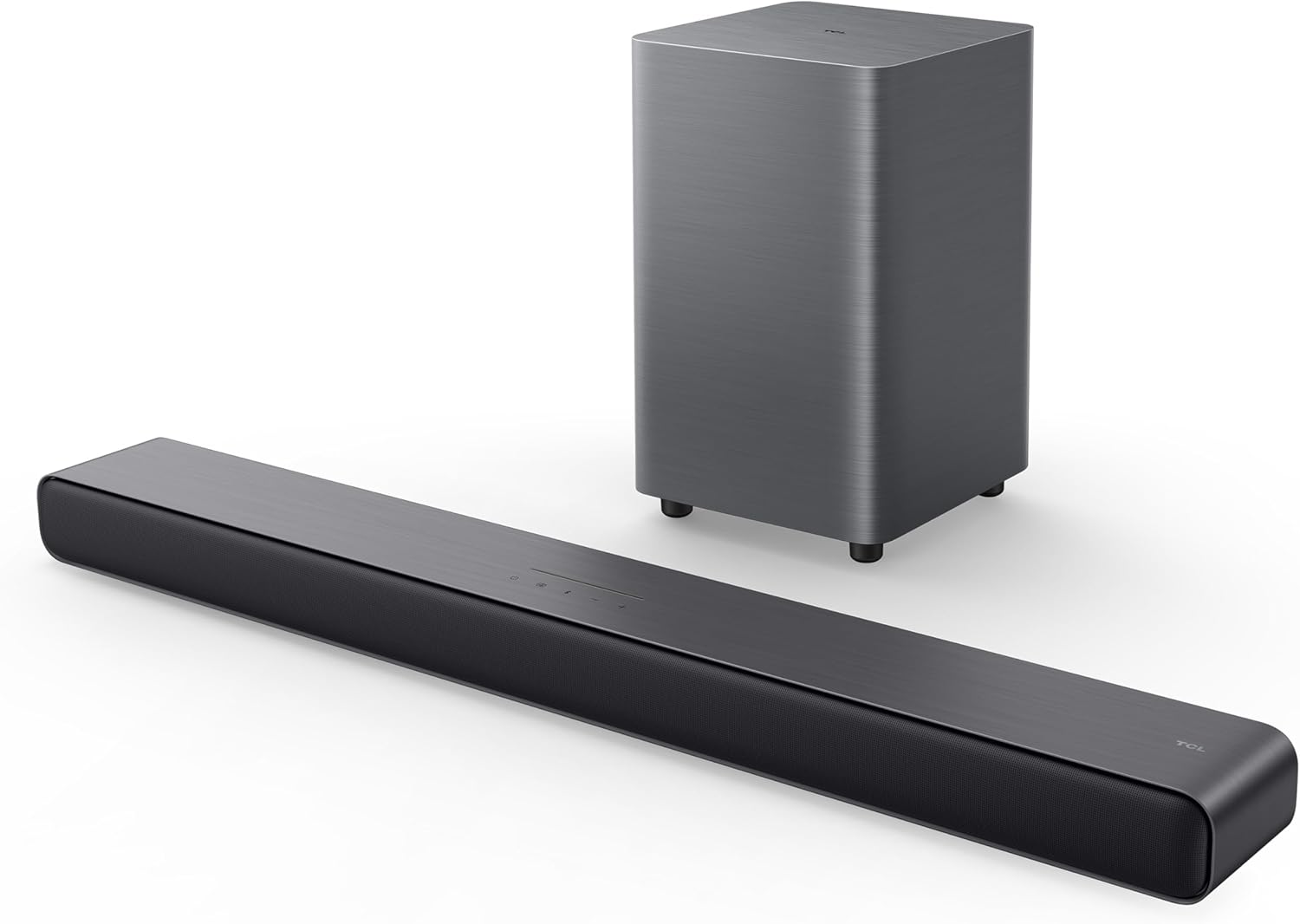
Audio is the first place your money should go and the last place most shoppers look. A 2.1 bar with a wireless subwoofer is the biggest single jump in perceived quality you can make in a normal living room, and the TCL S55H is where I start. It decodes Dolby Atmos and DTS:X, ships with a wireless subwoofer, includes auto room calibration, and runs at a rated 220W with app control, a remote, and Bluetooth for music.
Two things about that list. Auto room calibration is genuinely useful and genuinely limited. It can flatten a bass hump caused by a corner or a shared wall, and in these open-plan Texas rooms a sub in the wrong corner is the most common problem I get called about. What calibration cannot do is drag the bar out of a closed cabinet or fix a room with no soft surfaces anywhere. Second, 220W is a rating printed on a box, not a measurement. It tells you nothing about headroom, and I have heard plenty of bars that were loud on paper and compressed in the midrange before the volume knob got near sane. Rated power starts a conversation. It does not end one.
Placement is where you win or lose. Put the bar at ear height or as close as your furniture allows, not on the floor inside a cavity. Keep the sub off the same wall as the main seating if you can, and run the calibration from the actual couch, not from where you happened to be standing when the setup menu appeared. Then leave the surround modes alone. Hype modes that push the midrange forward are the fastest way to make dialogue sound like it is coming through a pillow.
If you are building a dedicated theater room with a fixed row and treatment on the walls, skip the bar and buy real speakers with a real receiver. I say that knowing it costs me the sale. A bar is a compromise for a living room, and a good one beats a bad one, but it is still a compromise.
Best Value: Motorized Projector Screen, 120 Inch
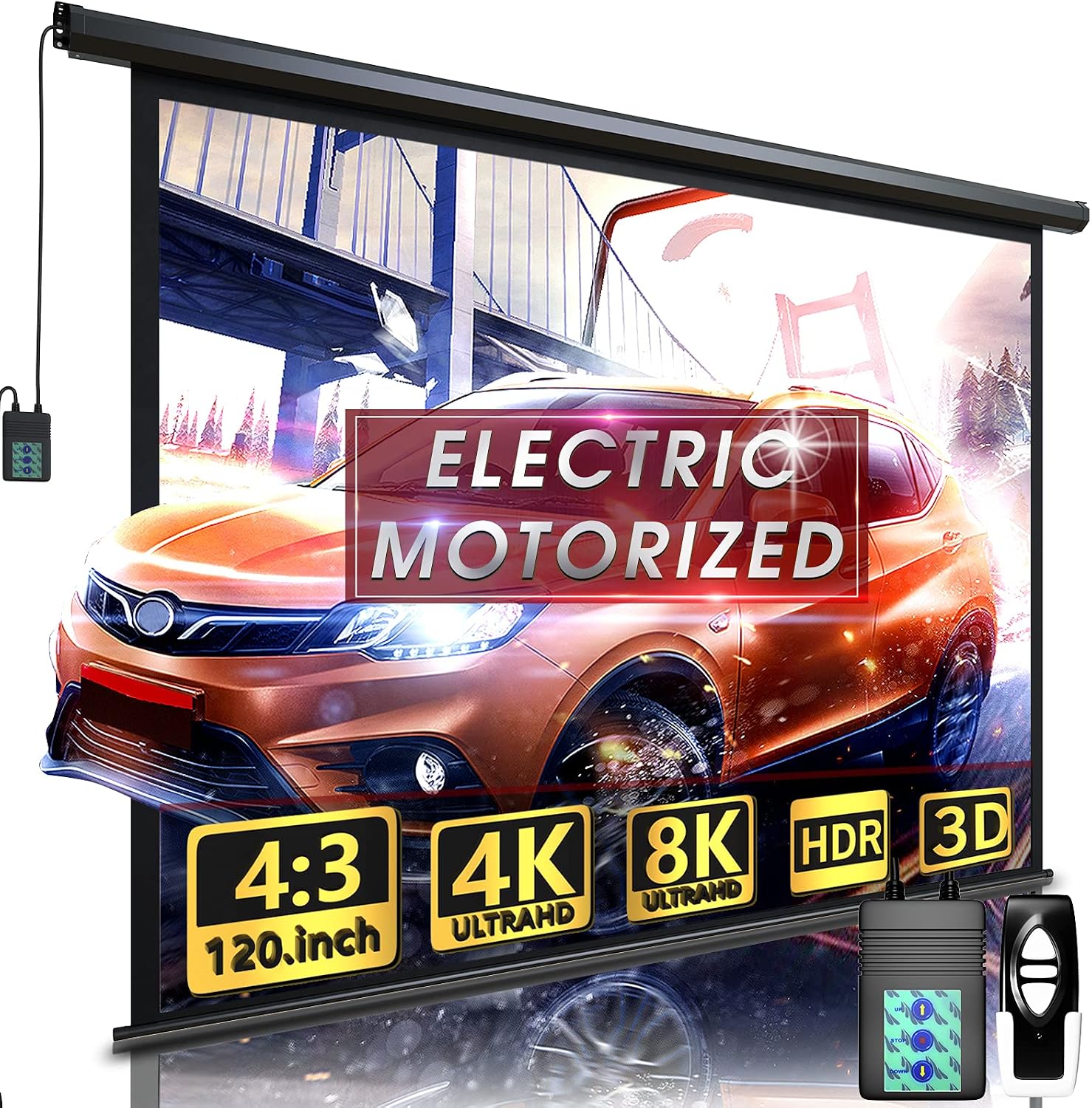
The motorized screen is the piece that makes a projector feel like furniture instead of a hobby. This one is a 120 inch electric screen with a remote, and it is rated for indoor and outdoor use, which is a rarer combination than it sounds.
Why motorized instead of a fixed frame? Because a fixed frame is a commitment. It owns the wall, it collects dust, and it announces to every guest that the living room is also a cinema. A motorized screen drops when you want it and disappears when you do not, and the remote means nobody is standing on a chair pulling a fabric tab. In a room that has to be a living room on Tuesday and a theater on Saturday, that is worth real money. Outdoors it is even more obvious: hang it, watch the game, roll it up before the humidity settles in.
What to plan for. This is a powered screen, so it needs a power drop where the case mounts, and you want the case positioned so the bottom of the fabric lands at the right height. In most rooms that means seated eye level at roughly the bottom third of the image. Do the tape test before you drill anything. I put painter's tape on the wall at 120 inches diagonal and have clients sit down and look at it. Half the time we go down a size, because a screen that is too big is worse than one that is slightly small. You end up moving your head instead of your eyes, and dialogue that lives in the 1 to 4 kHz presence band gets harder to follow when your head is swinging.
How I Evaluate a Home Theater Setup
Before anything gets mounted, I answer four questions, and none of them are about wattage or lumens.
What does the room actually look like? Light control first, then wall color, then floor surface, then whether the seating is fixed. A room with white walls, three windows, and a glossy floor will beat a better projector every single time.
Where does the sound land? I take a measurement mic to the seat and sweep before and after any room correction runs. Without a microphone you are guessing, and guessing is how people end up convinced their bar is broken when the problem is a corner.
Where does the sub go? A 50 Hz sine tone and a tape measure, moving the sub to the corners, beats any diagram printed in a manual. Wireless subwoofers made this easier and lazier at the same time. Easy to move means you should actually move it.
What does the source output? Format support, app availability, and a stable connection matter far more than the picture mode names in a menu. Most "the image looks washed out" calls I get are a source setting, not a panel.
The through-line is simple: a spec sheet is optimistic fiction until a microphone or a colorimeter says otherwise. When I calibrate a projector I work to Rec.709 and I care about delta-E, not about what the box calls "cinema-grade." When I judge a bar I care about what happens at 60 percent volume, not what the sticker says about power.
Analysis: Where Money Actually Changes the Picture
Screen material is the most underrated purchase in a bright room. A grey surface with a black backing rejects off-axis light, which is the light that ruins contrast during a daytime football game. That is the entire argument for ambient light rejecting fabric, and it is a real argument, not marketing. It is also the wrong purchase in a room you can darken, where a white surface is cheaper and just as good.
The order I spend in, for a normal living room: audio first, because it changes how everything feels. Then light control and screen surface, because those protect the image you already have. Then the streaming source, because a 4K HDR stream from a box that handles Dolby Vision properly looks better than the same stream from a device that mangles it. Then the projector last, because the projector is the piece that a good room flatters the most.
Cables are the silent budget killer. Long HDMI runs get picky as they get longer, and a run that passes a pattern test on the bench can fail once it is stapled through a hot attic. Buy the length you need, not the length you hope to grow into, and test before you close up the wall.
The Home Theater Setup Reference Table
This is the build sheet I keep for clients. Role first, so you can see why a piece is on the list before you ever look at a price.
| Product | Job in the room | Why it earns the spot | Price |
|---|---|---|---|
| <img src="/images/products/B0D1JBBJ6S.jpg" alt="TCL S55H 2.1 Sound Bar with Wireless Subwoofer for Smart TV | Dolby Atmos DTS:X Auto Room Calibration | 220W Power Wireless Bluetooth Home Theater Audio | App Control & Remote Control |
 Visit on Amazon → Visit on Amazon →Motorized Projector Screen, 120 inch |
Screen | Remote controlled, rolls away, rated indoor and outdoor | $149.99 |
| <img src="/images/products/B07YP9FBMM.jpg" alt="NVIDIA Shield Android TV Pro | 4K HDR Streaming Media Player High Performance, Dolby Vision, 3GB RAM, 2X USB, Works with Alexa, Model:945-12897-2500-101" width="340" style="border-radius:8px;max-width:340px;width:340px;height:auto;max-height:420px;object-fit:contain"> NVIDIA Shield Android TV Pro |
Source | 4K HDR with Dolby Vision, 3GB RAM, two USB ports |
 Visit on Amazon → Visit on Amazon →Ambient Light Rejecting Screen Material, 69 x 118 inch |
Screen upgrade | Grey EVA polymer, black backing, for screens up to 130 inch at 16:9 | $89.99 |
NVIDIA Shield Android TV Pro
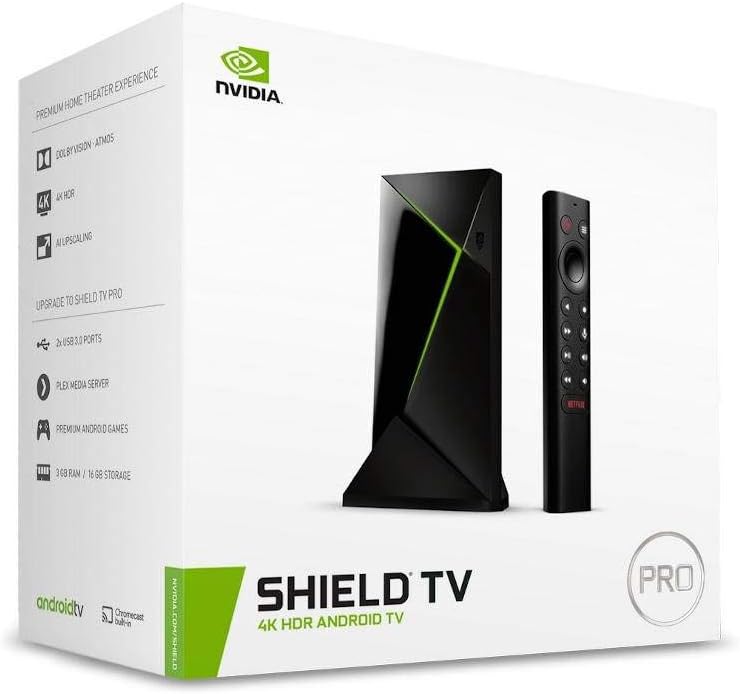
The streaming box is the least exciting purchase in the build and the one that decides how often the system gets used. The Shield Android TV Pro handles 4K HDR with Dolby Vision, carries 3GB of RAM, offers two USB ports, and works with Alexa. That last part matters more than people admit, because a voice remote is the difference between the family using the theater and the family asking you to turn it on.
The two USB ports are the sleeper feature. If you keep local files on a drive, you want them on the box itself rather than on a router in another room. And when a stream stutters, I want the option to wire the connection instead of fighting Wi-Fi through a kitchen wall.
Ambient Light Rejecting Screen Material, Grey, 69 x 118 Inch
This is the piece for the room you cannot darken. The fabric is grey EVA polymer with a black backing, sized at 69 by 118 inches and intended for a screen up to 130 inches at 16:9. It rejects off-axis light, which is the light that comes from a window beside the screen and turns black levels into grey soup.
It is a DIY part, so bring patience and a frame plan. Build the frame square, pull the material evenly, and do not stretch one corner harder than the rest. A wavy screen shows every ripple in a panning shot, and no projector setting hides it.
Should you buy the TCL S55H?
For a living room, yes. It brings Dolby Atmos and DTS:X decoding, a wireless subwoofer, and automatic room calibration at a price that leaves budget for the rest of the build. Run the calibration from your seat, set the bar near ear height, move the sub to at least two corners before you settle, and stay out of the hype surround modes. If your room has a fixed row, a treated wall, and a receiver shelf, buy speakers instead. I would.
Should you buy the motorized projector screen?
If your room has more than one job, yes. A 120 inch electric screen with a remote gives you a theater on demand and a plain wall the rest of the week, and the indoor and outdoor rating means it can move to the patio for game night. Tape the size on the wall first, plan your power drop, and mount the case so the bottom of the image sits near eye level.
Should you buy the NVIDIA Shield Android TV Pro?
Yes, if you want one box that handles everything. 4K HDR with Dolby Vision, 3GB of RAM, two USB ports, and Alexa support cover the whole job, and the USB ports matter the day you decide your local library belongs on a drive instead of a cloud account. It is the piece that makes a good screen and a good bar get used every night instead of every other weekend.
Should you buy the ambient light rejecting screen material?
Yes if the room fights you. A grey, black backed surface is the honest fix for daytime viewing in a bright space, and 69 by 118 inches covers a screen up to 130 inches at 16:9. It is a DIY build, so budget a weekend and a square frame. In a room you can darken, skip it and put the money into audio. Contrast is cheap when the lights are off.