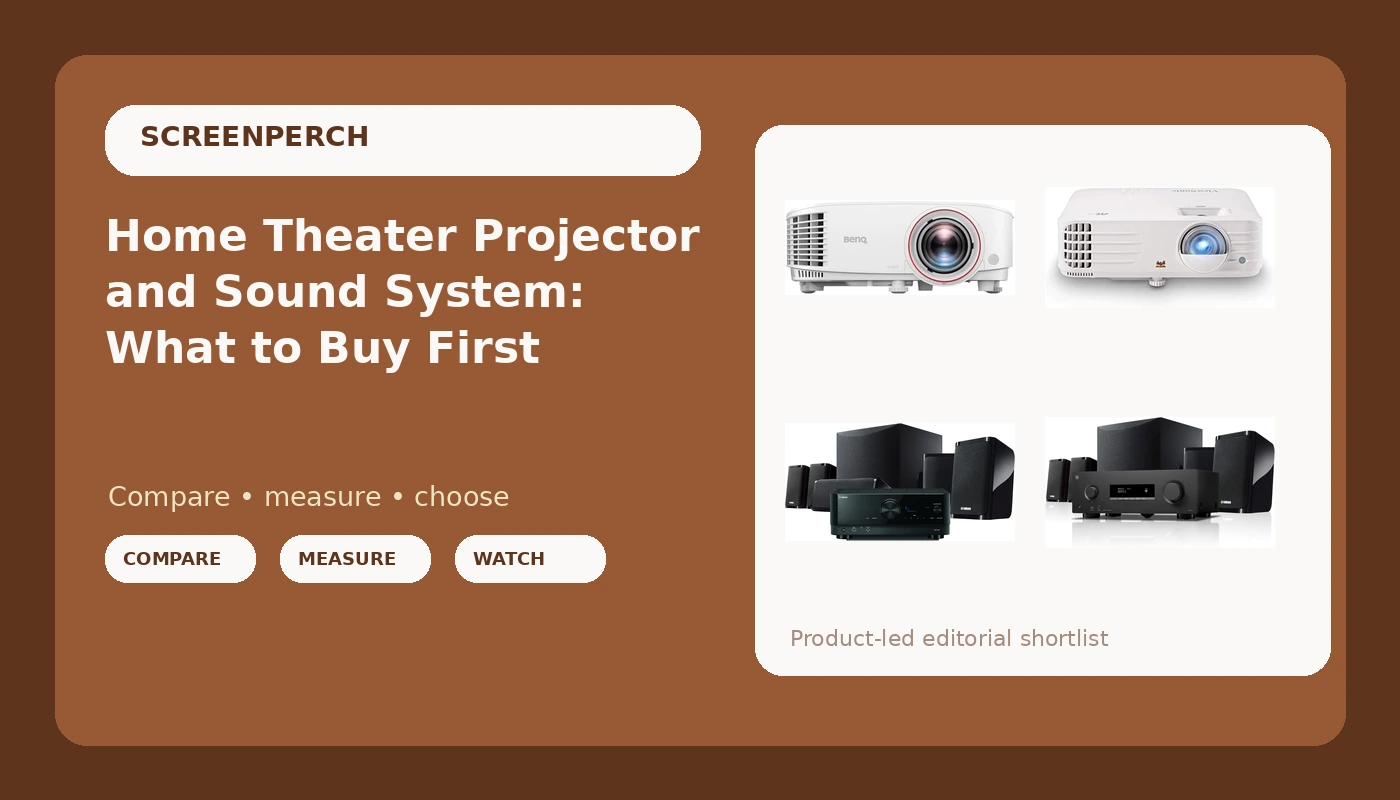
Two purchases decide what a home theater actually feels like: the device that throws the picture, and the device that fills the room with sound. Most people buy one, live with it for a year, and only then work out that the other one was the bottleneck. A home theater projector and sound system are usually planned as a single line item, but they fail in completely different ways, and the order you buy them in changes what you notice first.
This is an explainer, not a scoreboard. There are no invented measurements here, because the honest answer to "which one do I buy" depends on room dimensions, seating distance, ambient light, and what you already own. Below are two projectors and two Yamaha 5.1 systems, what each one is actually built to do, and how to sequence the purchase so you are not buying the same thing twice.
Related: How Much Screen Size Your Room Actually Supports →
Quick answer
Buy in this order: room first, sound second, screen size third, resolution last. If the seating is close to the wall and the room is small, the BenQ TH671ST short throw design is the easier install. If your sources are 4K and you game on the same screen, the ViewSonic PX701-4K covers more of those formats. On the audio side, both Yamaha systems are complete 5.1 packages with a receiver, speakers, and a subwoofer, so the real difference is which features you will use: MusicCast and 8K HDMI on the YHT-5960U, or Dolby Atmos and 4K120 on the YHT-4970U. Match the audio to the room before you match the picture to a spec sheet.
Four useful options
| Model | Best fit | What stands out |
|---|---|---|
| BenQ TH671ST 3000 Lumens 1080p Short Throw Home Entertainment Projector | Small rooms and tight seating | 1080p short throw design; manufacturer 3000 lumen rating |
| ViewSonic PX701-4K UHD Projector, 3200 Lumens, 240Hz HDR, Auto Keystone DLP | 4K sources and gaming | 4K UHD resolution, 240Hz support, HDR, auto keystone |
| Yamaha YHT-5960U Home Theater System with 8K HDMI and MusicCast | A first real surround system | 8K HDMI connectivity and MusicCast streaming |
| Yamaha YHT-4970U 5.1-Channel Home Theater System - Dolby Atmos 4K120 8K AV Receiver, 5 Speakers and Powered Subwoofer - HDMI eARC, Bluetooth Wireless Streaming | Atmos and high frame rate sources | 5.1 channels with Dolby Atmos, 4K120 and 8K receiver, eARC, Bluetooth |
The short throw option: BenQ TH671ST 3000 Lumens 1080p Short Throw Home Entertainment Projector
The trade-off with short throw is placement precision. The projector now lives in the room, often near a walk path or a shelf, so it needs a mount that holds alignment and does not drift. Keystone correction cleans up the shape of the image, but it is a digital fix applied after the light leaves the lens, and optical alignment always looks cleaner. The other trade-off is resolution: at very large screen sizes and close seating, 1080p pixel structure becomes visible, so the projector rewards a seating distance that suits it.
In this room class, a proper 5.1 system usually changes perceived quality more than a resolution jump does. A real center channel carries dialogue, and dialogue intelligibility is what people actually complain about after the install.
The 4K option: ViewSonic PX701-4K UHD Projector, 3200 Lumens, 240Hz HDR, Auto Keystone DLP
Higher resolution and higher refresh rates raise the bar on everything between the source and the lens. A 4K or high frame rate signal has to survive the entire chain: the streaming device or console, the receiver it passes through, and the cable that carries it. Long HDMI runs at high bandwidth are the most common failure point in a real install, and a cable sold as high speed can still fail at the length you need. Plan the run short, or plan for an active cable.
Auto keystone is genuinely useful when the projector gets moved, but it is not a substitute for a level mount. And 240Hz only matters if a source actually outputs it. For movie watching, 4K resolution and a good tone map matter far more than refresh rate.
The streaming-first system: Yamaha YHT-5960U Home Theater System with 8K HDMI and MusicCast
The value of a package like this is not a single feature, it is the fact that the receiver, speakers, and subwoofer were designed to work together. Impedance, crossover behavior, and power delivery are the manufacturer's problem instead of yours. MusicCast matters if you want the same audio in another room or want to stream from a phone without adding a separate box.
The trade-off is flexibility. A package locks you into its speaker set, so upgrading later usually means replacing the whole thing rather than swapping one piece. And 8K HDMI inputs are headroom, not a requirement. If every source you own tops out at 4K, you are paying for bandwidth you will not use yet, though it does extend the useful life of the receiver.
The Atmos and gaming system: Yamaha YHT-4970U 5.1-Channel Home Theater System - Dolby Atmos 4K120 8K AV Receiver, 5 Speakers and Powered Subwoofer - HDMI eARC, Bluetooth Wireless Streaming
Atmos on a 5.1 layout is worth understanding before you buy. Object-based audio can be rendered on a 5.1 speaker set, and the receiver handles that rendering, but the height information is being reworked for speakers that are not overhead. It still sounds different from a plain 5.1 track, just not the same as a system with dedicated height channels. If overhead sound is the goal, that is a different build with more speakers and more wiring.
eARC is the feature most people end up using daily. It lets the TV send audio back down the HDMI cable to the receiver, so a single connection carries the picture up and the sound down. Bluetooth is the convenience path for music from a phone, and 4K120 matters if a console or PC is part of the plan.
Prices and availability may change. Product images, names, and retailer links are matched to verified listings. No current price, rating, stock status, or measured result is stated here without current evidence.
Why picture and sound are separate purchases
The projector and the audio system fail in ways that have nothing to do with each other. Picture quality depends on ambient light, screen surface, throw distance, seating position, and how the room's walls bounce light back at the screen. Audio quality depends on speaker placement, boundary reinforcement, subwoofer position, and how much reflective surface surrounds the seating.
That is why upgrades do not transfer. If dialogue is hard to follow, a brighter projector does not help. If the image looks washed out at two in the afternoon, a better receiver does not help. And if the bass sounds boomy in one seat and thin in another, the subwoofer is interacting with the room, not with the projector.
The practical consequence is that a receiver-based system with a real center channel does more for a room with actual seating rows than any picture upgrade at the same cost. The center channel is where dialogue lives, and no amount of resolution fixes a mumbly mix.
What the spec sheet can and cannot tell you
Manufacturer numbers describe a best case. Lumen ratings, contrast ratios, wattage figures, and "cinema-grade" color claims are produced under conditions that rarely match a living room with a window and a ceiling fan. They are useful for comparing products in the same category, and useless for predicting what you will see from your couch. Treat every number on a box as a claim until something measures it in your room.
Connectivity specs are more reliable, because they are digital and either work or do not. HDMI bandwidth, eARC support, and refresh rate handling are checkable facts. The catch is the cable. A long run at 4K120 or 8K is where installs fail, and the failure often looks like a flickering image or a black screen rather than an obvious break. Test the full chain at the final resolution and refresh rate before the cable disappears into a wall.
- Measure the room and mark the seating distance before buying anything.
- Pick screen size from that seating distance, then confirm the projector's throw geometry fits the size you want.
- Trace the source chain end to end: what resolution and frame rate does each device actually output?
- Count the speakers you can place correctly, and plan the subwoofer position before furniture is fixed.
- Budget the cable run and the mount, and test the signal at full bandwidth before closing up anything.
How to sequence the purchase
- Start with a seating plan, because every other decision follows from where heads will be.
- Buy the audio system first if most of your watching is dialogue driven television, since intelligibility is the daily experience.
- Choose a short throw projector when the room is small or the seating is close to the screen, and a standard throw model when you have depth to work with.
- Keep the projector out of walk paths, and mount it so it can be aligned optically rather than corrected digitally.
- Test the full signal chain at the resolution and refresh rate you will actually use, and do it before the cables go into the wall.
Which option should you choose?
Choose the BenQ TH671ST 3000 Lumens 1080p Short Throw Home Entertainment Projector when the room is small, the seating sits close to the screen, and 1080p matches your sources. Choose the ViewSonic PX701-4K UHD Projector, 3200 Lumens, 240Hz HDR, Auto Keystone DLP when your sources are 4K and you want 240Hz support for gaming on the same screen. Choose the Yamaha YHT-5960U Home Theater System with 8K HDMI and MusicCast when you want a complete 5.1 package with MusicCast streaming and 8K HDMI inputs. Choose the Yamaha YHT-4970U 5.1-Channel Home Theater System - Dolby Atmos 4K120 8K AV Receiver, 5 Speakers and Powered Subwoofer - HDMI eARC, Bluetooth Wireless Streaming when Dolby Atmos decoding, 4K120 and 8K HDMI, and eARC matter more than multiroom audio.
One caveat applies to all four. Everything described here comes from product names and manufacturer feature lists, not from measurements taken in your room. Lumen ratings, refresh rates, and channel counts tell you what a product is designed to do; they do not tell you how it will behave against your walls, your seating, and your ambient light. Prices and availability also change, so confirm both before you commit.
The bottom line
The order that works is room, then sound, then screen, then resolution. Decide where people will sit, because that determines screen size and whether a short throw projector makes the install easier. Buy the audio as a system if you want a real center channel and fewer matching decisions, and pick between the two Yamaha packages based on whether MusicCast and 8K HDMI or Dolby Atmos and 4K120 describe your sources better. Then choose the projector that fits the geometry of the room, not the one with the longest feature list.