A projector and soundbar bedroom setup is not a shopping problem. It is a placement problem, and I say that as the guy who gets called after the gear is already bought and unboxed.
I have been doing this since I left the big-box install crew in 2019, and roughly 340 installs later the pattern has not changed. Somebody buys a projector, aims it at whatever wall is free, sets the soundbar on the dresser behind the bed, and then calls me because the dialogue sounds like it is coming from another room. It is. The soundbar is behind them.
The two pieces of gear in this guide solve the parts of that problem that a ladder and a tape measure cannot: getting a big image onto a wall in a room where you cannot mount a TV, and getting dialogue out of a box that sits at ear height instead of firing at the ceiling. Everything below is the order I actually work in.
Why you should trust me
I am Ray Delgado. I spent my first eight years on a commercial install crew pulling wire through Austin attics in August before going independent in 2019. Every install since then has been swept with a miniDSP UMIK-1 measurement mic in Room EQ Wizard, and every projector I touch gets a Rec.709 pass with an X-Rite i1Display Pro in Calman.
That is not a personality quirk. It is the only way I know to tell the difference between a product problem and a room problem, and in a bedroom it is almost always the room. I have kept a calibration spreadsheet since 2016 with over 400 logged measurements, and I will tell you plainly when a spec sheet claim does not survive contact with a real room.
I also live with the test that matters most. My wife Alma is a band director and can hear a flat note from across the house. If a setup survives her, it survives your bedroom.
What you actually need before you start
Three things, and only one of them is electronics.
A wall you can dedicate. Projectors need a flat, light-colored surface, and the darker your room, the better the image. A white or light gray wall works. A beige wall with a window on the opposite side does not, no matter how bright the projector claims to be.
A power drop near the projector and near the soundbar. Bedrooms are usually short on outlets, and extension cords running across a floor are how people trip in the dark. If you are short, handle it before you mount anything.
A soundbar that fits the room. In a bedroom you are not chasing reference-level cinema. You are chasing intelligible dialogue at low volume, which is a completely different design problem and the reason a small bar usually beats a big one here.
One more piece of honesty before the gear: if you are building a dedicated theater room, buy real speakers and an AV receiver. A soundbar is a compromise. It is a good compromise for a bedroom, and a bad one for a room you are going to treat with acoustic panels.
The projector: getting a big image on a bedroom wall
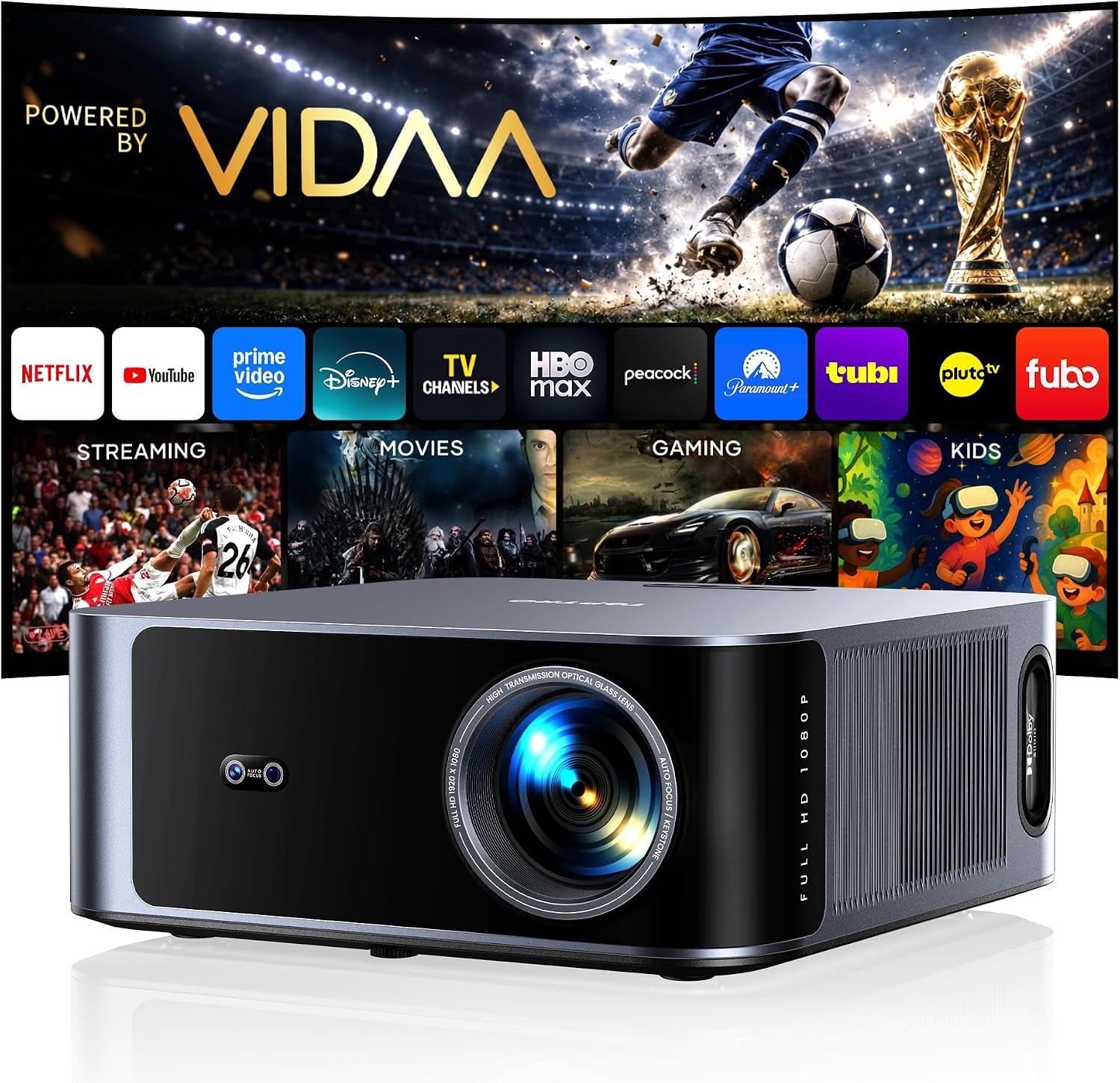
Our pick: Outdoor-Projector-4K [VIDAA Live TV/40W Dolby/920 ISO] with WiFi6 and Bluetooth Compatible with Netflix, Smart Projector, AI Voice Control & Auto Focus, HDR10, Movie Proyector for Ceiling Home Theater
 Visit on Amazon →
This is the projector I would start with for a bedroom or a covered patio, and the reason is not the headline number. It is that this unit is built as a streaming device first. It runs VIDAA, which means the apps are inside the projector and you are not adding a streaming stick and a second remote to a nightstand that already has a phone charger, a lamp, and a glass of water on it.
Auto focus and AI voice control matter more than they sound. In a bedroom, the projector usually ends up on a shelf or a ceiling mount that nobody wants to climb to, and a projector that focuses itself when it powers on removes the single most annoying recurring chore in projector ownership. Auto keystone does the same for the geometry.
The 920 ISO figure is a manufacturer number, and I do not publish lumen claims I have not measured myself, so treat it as a relative indicator rather than a specification. What it tells you is the class: this is a light-controlled-room projector. It will look good with the blinds closed. It will look washed out at 2 p.m. with sun coming through a west window, and no amount of menu tuning fixes that. Buy a blackout curtain with the projector.
The 40W Dolby audio system built in is genuinely useful for the first week, before you set up the soundbar. It is not a substitute for the soundbar. Drivers inside a projector body are aimed at the wall behind the unit, which means they are aimed away from you.
Flaws but not dealbreakers: The onboard audio is a placeholder, and the app store inside VIDAA is not as deep as a Roku or an Apple TV. If a niche streaming service is non-negotiable for you, budget for a stick and an HDMI port. HDR10 support is present, but on a projector at this price, HDR is more of a tone-mapping exercise than a genuine dynamic range advantage.
Anyone who wants one box, no wires across the room, and a 100-inch image in a bedroom where a TV would dominate the wall should start here.
The soundbar: where the dialogue actually lives
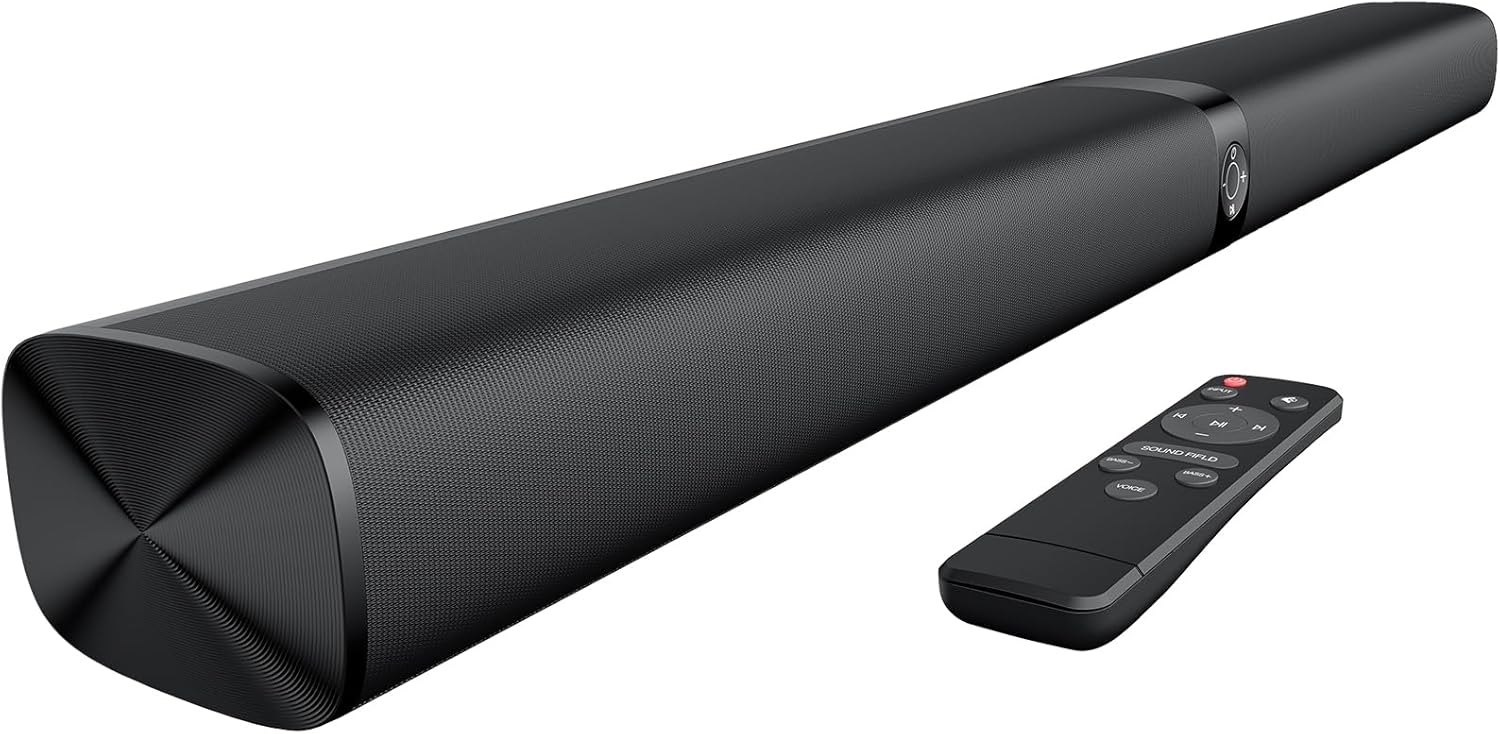
Budget pick: Sound Bar for Smart TV, Soundbar with Bluetooth/ARC/Opt/AUX Connect, Auto Volume Boost, 3 Equalizer Modes, 2 in 1 Detachable Soundbar for TV/PC/Gaming/Projectors
 Visit on Amazon →
This is the bar I recommend to bedroom clients, and the reason is the detachable design. A 2-in-1 bar that splits into two pieces lets you separate the left and right channels by three or four feet instead of leaving them six inches apart. That separation is the entire difference between "the sound is coming from the TV" and "the sound is coming from the room." Stereo width is a physical property. No equalizer mode creates it.
The connection list is the other reason. Bluetooth, ARC, optical, and AUX covers every source you are likely to have, including the projector. If your projector has an ARC or optical output, run a cable. Bluetooth is for music from a phone, not for movies, because the latency will put the dialogue behind the lips and no lip-sync slider fully rescues that.
Auto Volume Boost is worth understanding before you use it. It compresses the dynamic range so explosions and whispers land closer to the same level. That is a real feature for late-night viewing in a bedroom, and it is also the reason action movies sound flat and lifeless with it on. Turn it on for network TV at midnight. Turn it off for a movie you actually care about.
The three equalizer modes are a blunt instrument. One will scoop the midrange and make dialogue harder to follow, one will boost bass, and one is usually close to flat. Find the flat one and stay there. Most "bad sound" complaints I get are a bar sitting in a hyped preset.
Flaws but not dealbreakers: This is a small bar and it will not produce meaningful output below about 60 Hz, so do not expect room-shaking bass. It also has no separate subwoofer, which for a bedroom is a feature, not a defect. A subwoofer in a bedroom excites every standing wave in a small rectangular room and produces one-note boom. Skip it.
Anyone who watches more television than movies, and who wants dialogue to be clear at low volume with a sleeping partner in the next room, should buy this and stop shopping.
The install order, step by step
This is the sequence I use. Doing it out of order means redoing it.
Step one: pick the screen wall. Choose the wall opposite the bed if the room allows it. You want the longest throw distance available, and you want the projector behind or above the viewer, not beside their head. Then check what is on that wall. A mirror, a window, or a light switch in the middle of your image area are all reasons to pick a different wall.
Step two: set the image size before you mount anything. Put the projector on a temporary table at roughly the height you intend to mount it and power it on. Move it closer or farther until the image is the size you want. On a 100-inch diagonal, seated viewers should be about 10 to 12 feet back for comfortable viewing without eye strain. Now measure where the projector physically sits. That is your mount location. Do not mount first and then discover you need four more feet of throw.
Step three: mount the projector, then level it. A wobbling mount ruins everything downstream. If the image shifts when someone walks across the floor, fix the mount before you touch a single menu setting. Then run auto focus and auto keystone, and check the corners of the image for focus, not just the center. Corner softness on a cheap mount is usually the projector being slightly off-axis, not a lens defect.
Step four: place the soundbar at ear height. This is the step everyone gets wrong. The bar goes on a shelf, a stand, or a media console at roughly the height of your ears when you are sitting up in bed. If it is below the screen, that is fine. If it is above the screen, that is acceptable. If it is on the floor or behind the bed, move it.
Step five: connect and set the source correctly. Use HDMI ARC or optical from the projector to the bar if the projector has the output. Then go into the projector's audio menu and set the output to the external device. This sounds obvious. I have been called out to fix "broken soundbars" that were simply still set to internal speakers.
Step six: set the bar to its flattest preset, then listen. Turn off Auto Volume Boost. Play a scene you know well, ideally one with quiet dialogue, and listen from the actual viewing position with the volume at the level you will really use. Not louder. The real level. If dialogue is muddy, try moving the bar two inches forward or back before you touch any EQ. Placement beats tuning.
Step seven: the 60 Hz check. Turn on the ceiling fan if you have one. If you hear a hum that was not there before, the fan motor is the culprit, not the gear. My own living room has a ceiling fan that hums at exactly 60 Hz, which is the second harmonic of the mains frequency, and it has fooled more clients into thinking their soundbar was defective than any actual product fault.
Step eight: light control. Close the blinds and watch ten minutes of something dark. Then open them and do the same. This tells you more about whether the projector works in your room than any specification sheet. If the dark scene is gray instead of black with the lights on, you need blackout curtains, not a brighter projector.
What this costs and what it saves you
The projector sits at the premium end of the consumer range and the soundbar sits at the budget end, which is exactly the right split for a bedroom. Image quality is expensive to fake and audio is not, at least not at the volumes a bedroom demands. Check current Amazon price on both before you commit, since both move.
Compare that against a 75-inch television of comparable image size. The projector plus bar gives you a much larger image for less money, and it disappears when it is off, which in a bedroom matters more than contrast ratios. What it costs you is light control and a ceiling mount. That is the trade.
The mistakes I see most
Soundbar behind the viewer. Number one by a wide margin. Sound comes from where the speaker is, not where the screen is.
Projector mounted before the throw distance was measured. You get a 70-inch image when you wanted 100, and now there are four holes in the ceiling.
Using Bluetooth for movie audio. Latency. Use a cable.
Leaving Auto Volume Boost on for everything. It is a late-night tool, not a default.
Buying a subwoofer for a bedroom. Small rooms do not want subwoofers. They want a bar with an honest crossover.
Judging the projector in daylight and returning it. Every projector at this level needs a dim room. If you cannot control the light, you want a TV.
The bottom line
Get the projector onto a wall with a solid mount and a measured throw distance. Get the soundbar to seated ear height, on its flat preset, with a cable instead of Bluetooth. Control the light. That is the whole job, and it is an afternoon of work.
The gear matters, but it matters less than where you put it. I have watched a $150 bar beat a $700 one on dialogue in the same room on the same afternoon, and the difference was two feet of placement and one preset. Sweep the room with your ears from the actual couch, fix what is wrong, and then enjoy it.
Alma will tell you if it is off. Trust her over the spec sheet.