Related: Projector Throw Distance: Measure the Room Before You Buy the Projector
There is a moment in every install where the client points at the far wall and asks whether the projector will fill it from where the couch sits. The answer almost never has anything to do with the brand on the box. It has to do with throw distance, lens shift, and how much light is bouncing off their tile floor. That is the part a 4K laser home theater projector listing will not tell you, and it is the part that decides whether the room looks like a cinema or a washed-out rectangle at two in the afternoon.
I have been doing this fifteen years and about 340 installs, and I watch the same three mistakes repeat. Someone buys the brightest number on the spec sheet and puts it in a room with no light control. Someone blames a soundbar for mumbly dialogue that is really a placement problem. Someone runs a long HDMI cable that passed a bench test and then fails in a hot attic at the 24-foot mark, which is a thing I am currently re-terminating for the third time.
So here is how I would sort four pieces of gear that come up in the same conversation a lot: the Epson Home Cinema LS11000, the Sony VPL-XW5000ES, the InFocus Core Series INL144, and the RIOWOIS 17" sound bar. Two are serious projectors, one is a budget laser built for a specific job, and one is a soundbar that costs less than a proper cable run. They are not competitors. They are competing for the same line in your budget.
Before any of that, the room. Everything I recommend gets judged the way it will actually live: a tile floor that slaps midrange back at you, a ceiling fan that hums right around 60 Hz, and my wife Alma, a band director who can hear a flat note from the kitchen. If a piece of gear only works in a carpeted lab, it does not work here.
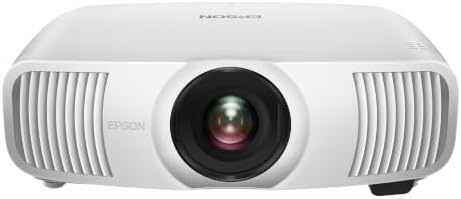
The Pick for Most Rooms: Epson Home Cinema LS11000
This is the one I would point most clients to, and the reason is not the picture. It is the lens. A motorized lens with lens shift, focus, and zoom means you can mount the projector where the room allows and then square the image electronically instead of drilling new holes in a ceiling. That sounds like a convenience feature until you have hung a projector three inches off center and discovered you cannot fix it with a ladder and swearing.
The listed specs are 4K PRO-UHD, HDR and HDR10+, 2,500 lumens of color and white, HDMI 2.1, 3840 x 2160, and 120 Hz. The HDMI 2.1 and 120 Hz combination is what makes this the pick for a room where a console shares the screen with movies. High frame rate gaming on a projector is a different experience than on a panel, and it only works if the whole chain agrees, which brings me back to that failed 24-foot run in my own rack.
What I would verify before buying: throw distance at your screen size, how much lens shift you actually need, and whether your HDMI run holds up at full bandwidth. What I would not do is buy it for the lumen number alone and then put it in a room with three uncovered windows. No projector wins that fight.
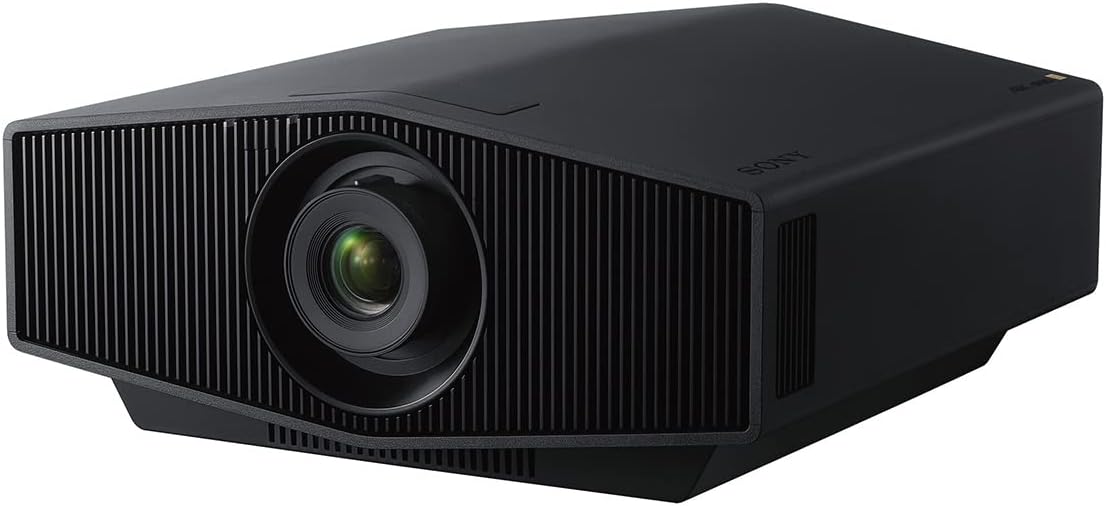
The Enthusiast Pick: Sony VPL-XW5000ES
The Sony is the one you buy when the room is already right. It uses a native 4K SXRD panel, which is a different approach from projectors that take a lower-resolution panel and shift it to fake the extra pixels. On a spec sheet those two things can look similar. On a test pattern with fine text and a one-pixel line, they are not, and the native panel is why this projector holds up when you sit close enough to see the structure of the image.
The light source is laser, same as the Epson, so you are not budgeting for lamp replacements every couple of years. What you are budgeting for instead is room treatment. This is the projector that will make you finally deal with the white wall behind the screen and the window that gets sun until 4 p.m. Bright, contrasty projectors flatter a controlled room and expose a lazy one.
If you are the kind of buyer who upgrades every eighteen months, this is probably not the right spend. If you are the buyer who wants to install once and calibrate once, and you have a dark-ish dedicated space, the Sony is the end of the conversation. Just confirm throw distance and lens shift for your room before anything else, because native panel quality does not help you if the projector cannot sit where the room allows.
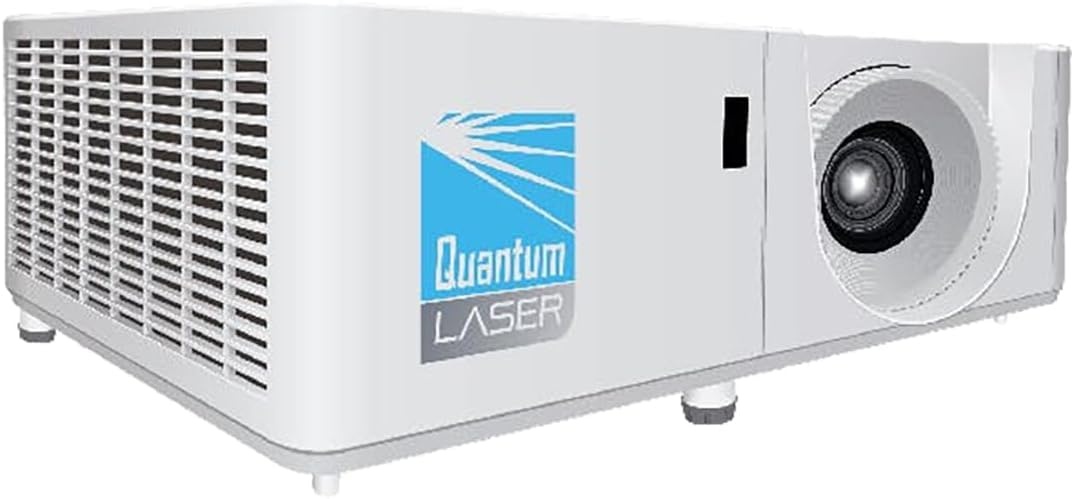
The Budget Laser: InFocus Core Series INL144
I want to be blunt about this one, because I have watched people buy an XGA projector expecting a movie theater and then call me angry. XGA is 1024 x 768. That is a fine resolution for a spreadsheet, a scoreboard, a garage simulator, a menu board, or a classroom slide deck. It is not a resolution you want for a 100-inch movie screen, and no amount of laser light fixes that.
What the InFocus gets right is the light source. Laser means no lamp to replace, no warm-up wait, and consistent output over years of use, which is exactly what a signage or classroom install needs. It is also the least expensive way into a laser projector by a wide margin, and it is the only one in this group I would happily mount in a dusty shop or a restaurant back office.
So buy it for a job that needs pixels on a wall and never needs to impress anyone with black levels. If your plan is movie night, save longer and look at the Epson instead. If your plan is a scoreboard that runs six days a week for three years, this is the sensible answer.
The Sound Side: RIOWOIS 17" Sound Bar
Here is the honest version, because I make my living installing soundbars and I still think real speakers beat any bar. A 17-inch bar has small drivers in a small cabinet, which means it will never move air the way a pair of bookshelf speakers will. What it can do is put dialogue in front of you instead of behind a TV panel, and that is a bigger upgrade than most people expect.
Where bars like this win is the bedroom and the second TV, where the goal is hearing the news and following a British crime drama without subtitles. The presence band, that 1 to 4 kHz range where speech lives, is the whole job. Place it at ear height if you can, keep it out of a cabinet, and do not shove it against a wall if the bass gets tubby. Most "bad soundbar" complaints I get called about turn out to be placement, not product.
Where it loses is the dedicated theater room. If you have a projector and a dark room and you are considering a small bar as the audio, I will tell you to buy two speakers and a receiver instead, even though that is a smaller sale for me. Headroom is not a sticker. It is what is left when the soundtrack gets loud.
How I evaluate gear before it goes in a room
My standard is boring and it does not change based on who made the product. First, the room. I measure throw distance and screen size before I look at a spec sheet, because the best projector in the world is useless if it cannot sit where your room puts it. Lens shift range matters more than most buyers think, and it is the first thing I check on any projector.
Second, light. I do not accept a manufacturer's lumen claim as a measurement. I care about what survives contact with a window, a ceiling fan, and a wall that is not a screen. If a projector cannot be calibrated to a reference standard, that shows up in skin tones long before it shows up in a spec sheet, so I hold projectors to Rec.709 with delta-E under 3 as the bar.
Third, audio. A soundbar gets a frequency sweep from the actual couch, before and after its room correction runs, because the DSP can fix the room but it cannot fix a driver with no headroom. I also listen for THD at 60 percent volume, which is where cheap amps show their cards. And I move the sub to four corners with a 50 Hz sine and a tape measure, because sub placement advice from a marketing page is worth nothing in your living room.
What the specs tell you and what they do not
Lumens are the most abused number in this category. A projector that lists a high output figure in its brightest mode will not look like that in a calibrated picture mode, and nobody watches a movie in dynamic mode for two hours. Buy output for your room, then calibrate down.
"4K" is the second abused word. Native 4K panels and pixel-shifting projectors both put a 3840 x 2160 signal on screen, and at normal viewing distance many people cannot tell them apart. Sit closer, or watch fine text and test patterns, and the difference shows. Neither approach is a scam, but only one of them is native, and the price difference reflects that.
Resolution honesty runs the other direction too. XGA is XGA. If a listing leans on "high definition" language around a 1024 x 768 panel, that is marketing, not measurement.
For audio, wattage is the number to ignore. What matters is the presence band, whether the bar compresses before it gets loud, and where the sub actually lands in your room. A cheap bar placed correctly beats an expensive bar in a cabinet every single time I have measured it.
The home theater reference table
This is how I would sort these four for a client, based on what each one is built to do rather than what the box claims.
| Product | Best for | Listed specs | What to verify first | Price |
|---|---|---|---|---|
 Visit on Amazon → Epson Home Cinema LS11000 |
Rooms with light control and a 100-inch plus screen | 4K PRO-UHD, HDR, HDR10+, 2,500 lumens color and white, HDMI 2.1, motorized lens, lens shift, focus, zoom, 3840 x 2160, 120 Hz | Throw distance, lens shift range, and whether your HDMI run holds full bandwidth | $4,270.00 |
 Visit on Amazon → Sony VPL-XW5000ES |
Dedicated, light-controlled theater rooms | Native 4K SXRD panel, laser light source, HDR | Room treatment, throw distance, and lens shift for your mounting position | $5,998.00 |
 Visit on Amazon → InFocus Core Series INL144 |
Signage, classrooms, garage sims, scoreboards | XGA resolution, laser light source | Whether XGA resolution suits your content, and mounting height | $674.02 |
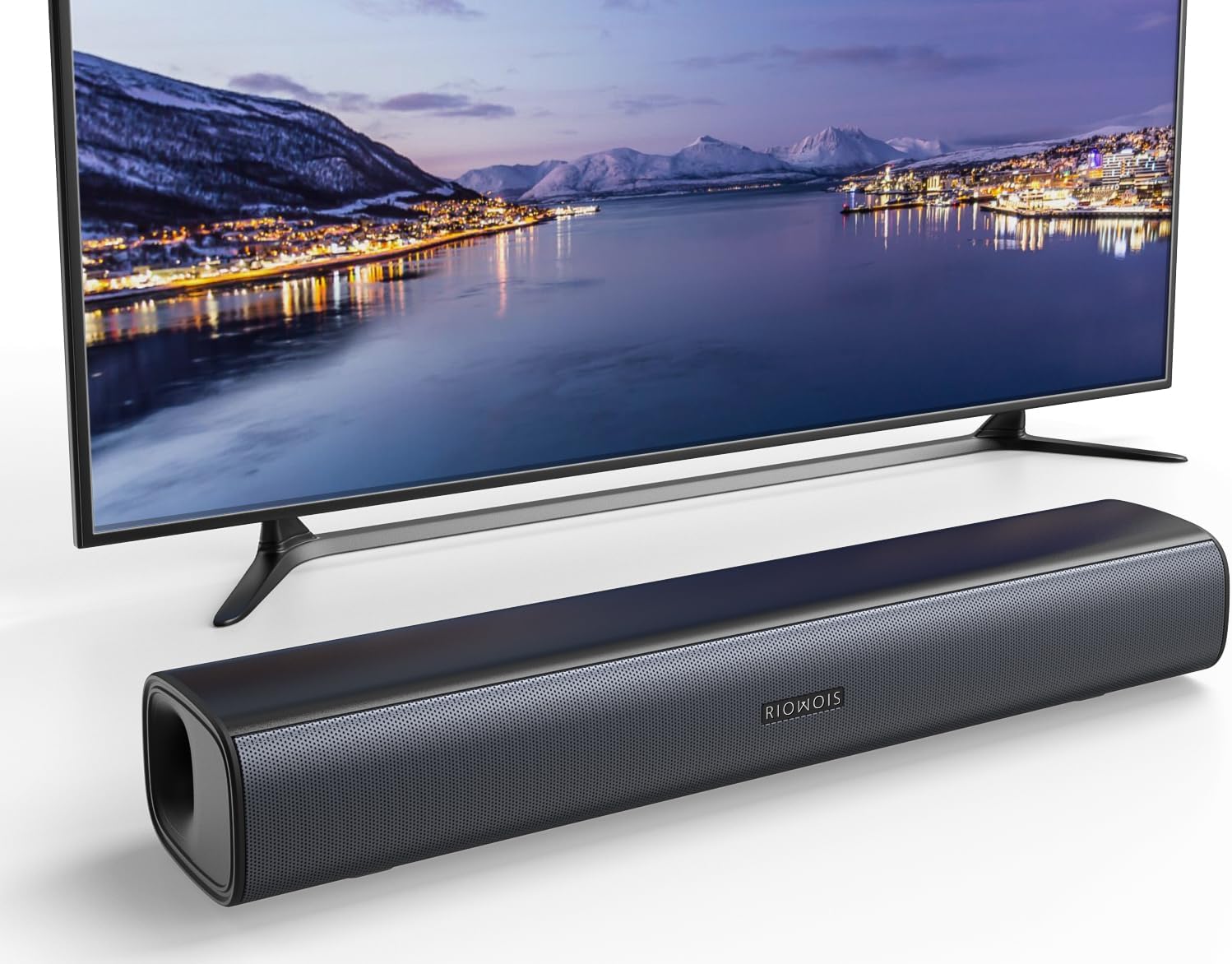 Visit on Amazon → RIOWOIS 17" Sound Bar |
Bedrooms and second TVs where dialogue is the goal | 17-inch bar, surround sound system for TV | Placement at ear height, and getting it out of a cabinet | $33.99 |
The pattern in that table is simple. The two big projectors are room decisions. The InFocus is a job decision. The soundbar is a placement decision. Get the category right and the model choice gets a lot easier.
Should you buy the Epson Home Cinema LS11000?
Yes, for most rooms. The motorized lens and lens shift are the install features that separate a projector you fight with from one you set and forget, and HDMI 2.1 with 120 Hz covers a console in the same room. Verify your throw distance and your cable run before you commit, and get some light control on the windows. Do those two things and it earns its place.
Should you buy the Sony VPL-XW5000ES?
Yes, if the room is already dark and the budget is already there. Native 4K SXRD plus laser is the buy-once combination, and it rewards a treated room in a way cheaper projectors cannot. It will not rescue a bright living room with a white wall, so be honest about your space before you spend.
Should you buy the InFocus Core Series INL144?
Only for the right job. XGA resolution makes it a poor movie projector and an excellent signage or classroom projector, and the laser light source means no lamp swaps for years. If your plan is cinema, keep saving. If your plan is pixels on a wall that run all day, this is the value pick.
Should you buy the RIOWOIS 17" Sound Bar?
Yes, for a bedroom or second TV where you just want to hear dialogue. Keep expectations at the presence band and place it at ear height rather than inside a cabinet, and it will outperform its price. For a dedicated theater room with a projector, buy real speakers instead. I will tell you that even when it costs me the sale.