Related: Soundbar Placement for Dialogue: Where the Bar Actually Goes
Most people buy the projector first, the screen second, and the sound dead last. I have spent fifteen years on the install side of this, roughly 340 rooms around Austin and Round Rock, and the calls I get afterward are almost never about the projector. They are about audio. A home theater projector and soundbar setup usually fails in one of two places: the picture is fighting the room, or the dialogue is buried under the music and the effects.
Here is what that looks like in a real house. The projector goes on a shelf behind the couch because that is where the outlet is, the screen ends up too high because the wall studs said so, and the soundbar sits on the floor under the picture, firing into a tile floor that slaps every reflection back at the couch a few milliseconds late. Then the ceiling fan starts and adds a hum at 60 Hz to everything. Nobody in that room is hearing a bad product. They are hearing a bad room.
That is why I do not write about this gear the way a spec sheet does. I want to know where the projector can physically sit, whether the room can get dark enough to matter, and where the audio has to live so dialogue survives. This guide covers the four pieces I install most often for projector-first rooms, plus the table I use to keep the decisions straight during a walkthrough.
What matters before you buy anything
Light control beats brightness claims. Every projector on this page looks better in a room you can darken. If your room has a wall of west-facing windows and no shades, spend the money on shades first. That is not a compromise, it is the actual upgrade.
Throw distance decides the screen. Measure from where the projector will sit to the wall before you pick a screen size, not after. Most returns I see are people who bought a screen for a room that can only produce a smaller image from the one shelf that works.
Audio placement is the whole ballgame. The presence band, roughly 1 to 4 kHz, is where dialogue lives. Put the bar on the floor and you scoop that band out with your own furniture. Get the bar up near ear height at the seating position and the same product sounds like a different product.
ARC first, optical second. If your TV or projector has HDMI ARC or eARC, use it. Optical works fine and it is the fallback for older gear, but ARC lets the remote control volume the way you expect.
Room correction helps, and it has limits. Built-in DSP can flatten a bass hump and clean up a room mode. It cannot fix a bar with no headroom, and it cannot fix placement. Correction is the last ten percent.
Epson EF-100: the streaming-first pick
The EF-100 is the projector I recommend when a client says they do not want another box, another remote, and another cable. Android TV is built in, so the apps live in the projector, and the laser light source means there is no lamp to replace and no long warm-up before the picture appears. It comes on fast. That sounds like a small thing until you are the person switching it on every night.
In a real room the advantage is simplicity: one power cable, one audio connection, done. The tradeoff is that you are trusting the built-in platform for everything you watch. If the app you want is missing, or the interface ages badly, you live with that. My rule for clients is simple. If you already own a streaming stick you like, you do not need to pay for smart features twice. If you want one remote and one cable, this is the piece that gets you there.
One thing I do on every projector install: I calibrate to Rec.709 with an i1Display Pro and leave it in the calibrated picture mode. The mode that ships in the box is almost never the one you want to watch for two hours.
Optoma HD146X: the picture-first pick
If the picture is the priority and you already have a source device, the HD146X is the projector I would point you at. It is a 1080p full HD home theater projector built for exactly this job, and it does not spend your money on a smart platform you may not need. Feed it from a stick, a console, or a receiver and it does what a projector should do: put a clean full HD image on the wall.
This class of projector rewards a dark room more than the streaming-first units do, because the image is the entire product. If you cannot control light in the room, fix that first and come back. The other thing to check for yourself is rainbow artifacts, which some viewers notice on single-chip DLP and most do not. Watch a fast action scene with high-contrast edges before you commit. That is a personal sensitivity, not a defect.
PANSEBA mini projector with screen: the portable pick
This is the one that goes in the backyard, the garage, or a kid's room, and it is what I recommend to anyone who wants a movie night without a permanent install. It is a 1080p mini projector with a screen in the box, two-way Bluetooth, and HDMI and USB inputs for a phone, a stick, or a console.
The included screen matters more than people expect. A white wall is not a screen. A cheap screen pulled tight with a black border gives you a visibly better image than drywall, and it takes a couple of minutes to hang. Two-way Bluetooth is the detail I actually care about here, because it lets the projector send audio out to a soundbar or speaker instead of relying on the small driver built into the chassis. On a projector this size, the built-in audio is a placeholder, not a plan. Give it a dark-ish space, square it up to the screen, and it earns its place.
The audio side: 2-in-1 detachable soundbar
Audio is the afterthought in most projector setups, and it is the part that decides whether you enjoy the room. This bar covers the inputs that matter for a projector-first build: Bluetooth, HDMI ARC, optical, and AUX, so it connects to essentially anything on this page. It also has three EQ modes and an auto volume boost, which is the feature I use most for late viewing, because it lifts quiet dialogue without making every explosion unbearable.
The 2-in-1 detachable design is why I would choose this over a fixed bar in a projector room. Split it into two pieces, place them wider apart, and you get better stereo separation and clearer dialogue than any EQ mode can give you. Use ARC if the TV or projector has it, optical if it does not. Then put the bar at ear height at your seat, near the front edge of whatever it sits on, and keep it out of a cabinet.
The honest version: a bar is still a bar. If you are building a dedicated theater room, buy real speakers and a receiver, and I will tell you that even when it costs me the sale.
Projector and soundbar reference table
This is the table I keep on my phone for client walkthroughs. Placement notes are the part that matters most, because that is where these setups usually go wrong.
| Gear | Type | Best for | Placement note |
|---|---|---|---|
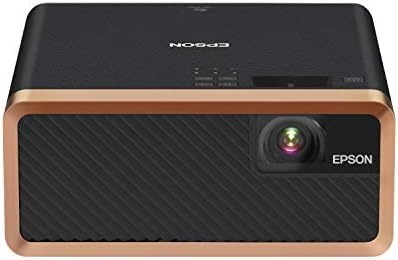 Visit on Amazon → Visit on Amazon →Epson EF-100 |
Laser projector with Android TV built in | One-remote streaming rooms | Shelf or low cabinet, straight on, out of foot traffic |
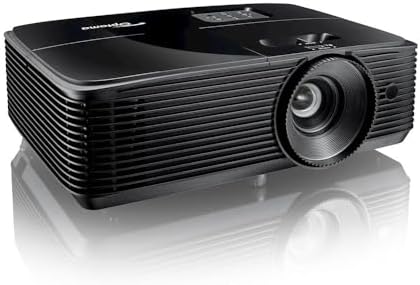 Visit on Amazon → Visit on Amazon →Optoma HD146X |
1080p full HD home theater projector | Picture-first dark rooms | Centered at screen height, avoid keystone if you can |
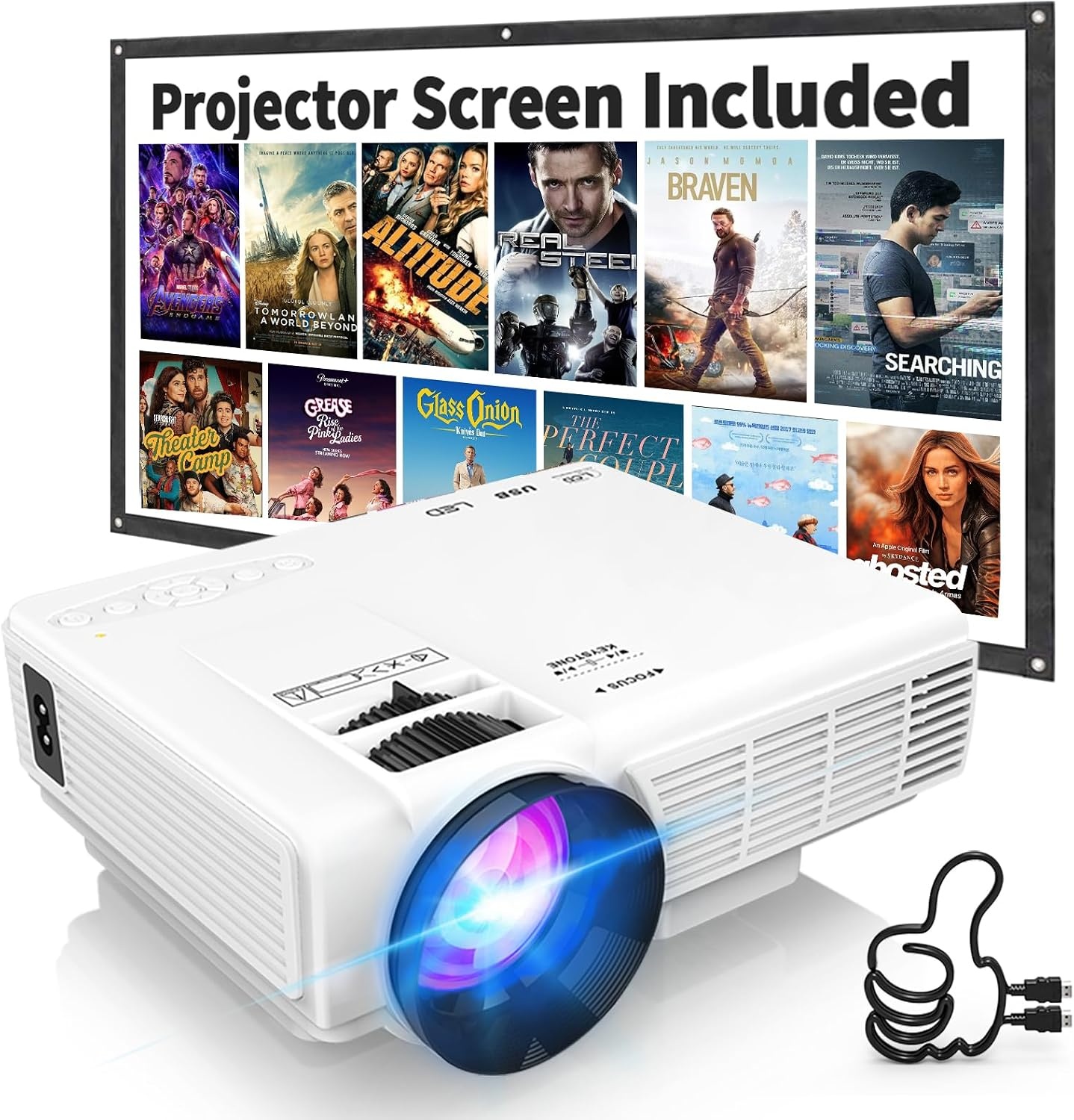 Visit on Amazon → Visit on Amazon →PANSEBA mini projector |
Portable 1080p projector with included screen | Backyard, garage, kids' rooms | Screen pulled tight, projector square to the screen |
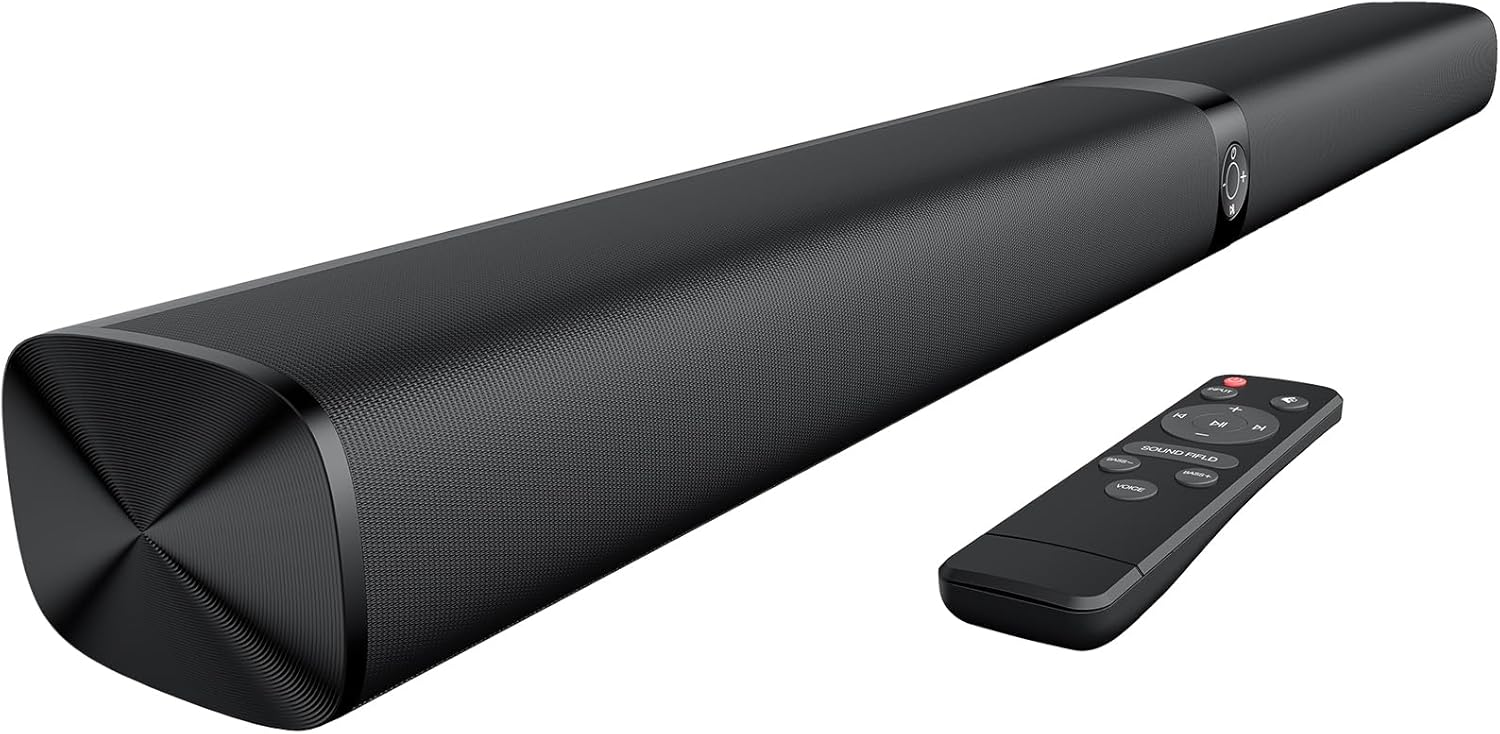 Visit on Amazon → Visit on Amazon →2-in-1 detachable soundbar |
Soundbar with ARC, optical, AUX, Bluetooth | Dialogue and streaming audio | Ear height at the couch, split wide if the room allows |
How I set up and check a room
I sweep every room I touch with a miniDSP UMIK-1 in Room EQ Wizard, and I calibrate every projector with an X-Rite i1Display Pro in Calman. I have kept a spreadsheet of those measurements since 2016, and it is past 400 entries. The point of all that gear is not to produce numbers for a review. It is to answer one question: does the room do what the buyer hoped it would do?
The order matters. Projector placement and screen size first, because that is the hard constraint. Then seating, because your ear height decides where the bar goes. Then audio placement, then calibration, then correction last. People who buy gear in that order end up returning less of it. People who buy a bar first and then try to build a room around it usually end up calling someone like me.
Every piece also has to survive my living room, which is not a lab. Tile floor, open to the kitchen, a ceiling fan that hums at exactly 60 Hz, and two kids. The final test is my wife Alma, a band director who hears a flat note from across the house. If she walks through and asks whether something is supposed to sound like that, the answer is usually no.
What the room usually tells me
Most "bad sound" complaints in a projector room turn out to be placement, not product. The bar is on the floor, or inside a cabinet, or three feet behind the couch. Move it to ear height and the complaint disappears without spending a dollar.
Most "dim picture" complaints turn out to be light control. A shade, a curtain, or watching after sunset fixes more projectors than any upgrade.
And most "muddy dialogue" complaints trace back to a surround or movie EQ mode hyping the midrange. Switch to the standard or dialogue mode, re-run the room correction, and listen again before you blame the hardware.
Should you buy the Epson EF-100?
Yes, if you want one remote and one cable. Android TV is built in, the laser light source means no lamp to replace, and it comes on fast enough that you will actually use it. The catch is that you are trusting the built-in platform for everything you watch. If you already own a streaming stick you like, put the money into the picture instead.
Should you buy the Optoma HD146X?
Yes, if the picture is the priority and you already have a source device. It is a 1080p full HD home theater projector that puts your money into the image instead of a smart platform. It rewards a dark room more than the streaming-first units do, so fix light control before you buy it, and check for rainbow artifacts on a fast action scene before you commit.
Should you buy the PANSEBA mini projector with screen?
Yes, for backyard, garage, and kids' room movie nights. It is a 1080p mini projector with a screen in the box, two-way Bluetooth, and HDMI and USB inputs. The included screen matters, because a white wall is not a screen, and a cheap screen pulled tight beats drywall every time. Give it a dark-ish space and a square setup.
Should you buy the detachable soundbar?
Yes, for a projector-first room. It has Bluetooth, HDMI ARC, optical, and AUX, so it connects to anything on this page, plus three EQ modes and an auto volume boost that lifts quiet dialogue for late viewing. The 2-in-1 detachable design lets you split the bar wide for real stereo separation. Just keep it at ear height, not on the floor.