Related: Best Projector Mount for a Sloped Ceiling
I have swept a lot of living rooms with a miniDSP UMIK-1 and a laptop running Room EQ Wizard, and the lesson is always the same: a home theater projector and soundbar setup is not a shopping list. It is a stack of decisions that have to agree with each other. The projector decides the screen size. The throw distance decides where the mount goes. The room decides whether the soundbar you bought can actually do its job. Get those three out of order and you will spend a Saturday re-drilling ceiling joists.
My living room is the test bench: tile floor, open to the kitchen, and a ceiling fan that hums at exactly 60 Hz. Nothing I recommend has to survive a carpeted lab, because nobody I know watches movies in one. Everything here has to survive my house first, including my wife Alma, a band director who can hear a flat note from across the house and will absolutely tell me about it.
Here is how the four pieces of a projector and soundbar build fit together, what each one is actually for, and the checks I run before I tell anyone to spend money.
The Centerpiece: Epson Home Cinema LS11000
The LS11000 is the piece that sets the ceiling for the whole build. It is a 4K PRO-UHD laser projector with HDR and HDR10+ support, HDMI 2.1, a motorized lens, and lens shift, focus, and zoom you dial from the remote instead of standing on a ladder with an allen wrench. The spec sheet claims 2,500 lumens of color and white brightness and 120 Hz at 3840 x 2160.
My rule about that number: a manufacturer lumen claim is optimistic fiction until a meter says otherwise. So ignore the sticker and look at which features change your life in a real room. Lens shift is the big one. It means the projector can go where the joists allow instead of where a throw chart demands, and you can square the image optically instead of letting keystone correction chew up your resolution. Motorized zoom means you can fill a screen from a range of distances, so a room that is 13 feet deep instead of 11 does not send you shopping for new glass.
HDMI 2.1 at 120 Hz matters if a game console is part of the plan. It does not matter if you only watch movies. The laser light source matters for a different reason: no lamp to replace and no brightness cliff at hour 500.
What I check first on any projector at this level is black level in a dark room, color accuracy out of the box, and whether fan noise shows up during quiet dialogue. "Cinema-grade" color is the easiest claim in this hobby to fake. A projector that measures delta-E 12 out of the box is not cinema-grade no matter what the box says. Calibrate it, then judge it.
The Everyday Projector: XGIMI HORIZON
The HORIZON is the projector for the person who does not want a project. It is 1080p FHD with 4K support, rated at 1,500 ISO lumens, with Harman Kardon speakers built in, Android TV 10.0 onboard, auto focus, auto keystone correction, and auto object avoidance. Set it on a shelf, point it at a wall, and it will find a rectangle on its own.
Two things earn their keep here. First, the ISO lumen standard is a more honest measurement than the old light-source brightness numbers some brands print, so 1,500 ISO lumens is a figure you can compare against other projectors rather than a mood. Second, the auto setup features remove almost all of the ladder work, which is exactly what a living room projector needs.
The catch is the same catch as every portable projector. It is a 1080p panel, so 4K support means it accepts a 4K signal and processes it, not that you get native 4K. And 1,500 lumens in a room with a west-facing window at 4pm is a compromise, not a triumph. Plan a shade, or plan to watch after dark. The built-in Android TV and speakers mean you can run it as a standalone unit for a month before the soundbar and the mount show up, which is a genuinely useful way to stage a build.
The Sound: ULTIMEA Aura A40 7.1ch Sound Bar
The Aura A40 is a 7.1 channel sound bar with a subwoofer, four surround speakers, virtual surround processing, app control, and optical, AUX, and Bluetooth inputs. The box says 330 watts peak.
Peak power is not the number you want. Headroom is a measurement, not a sticker, and a bar that distorts at 60% volume did not have the wattage it claimed. The first thing I check on any bar is the 1 to 4 kHz presence band, because that is where dialogue lives. If a bar scoops that band out, every mumbly British crime drama turns into a subtitle exercise no matter how big the sub is.
The four surround speakers are the interesting part, and they only work if you place them at ear height or slightly above, behind and beside the couch. Set them on the floor behind the sofa and you have bought decoration. The sub is the other half of the job: corners load bass, so a sub jammed into the corner next to the TV will boom. Move it to a few spots with a 50 Hz sine and a tape measure and let the room pick the winner. Room correction can fix a hump. It cannot fix placement, and it cannot fix a bar with no headroom.
The Mount: VIVO Universal Extending Ceiling Mount
This is the least glamorous purchase in the build and the one that ruins the most installs. The MOUNT-VP02W is a universal ceiling projector mount with an extending arm and height adjustment, finished in white.
The extending arm is why I spec this style. It lets you drop the lens below a ceiling fan, a soffit, or a beam, which is the difference between a clean image and a projector casting a shadow every time the fan turns. Height adjustment gets the lens near the top of the screen, where it belongs. If your projector has lens shift, mounting it off-center from the screen is fine, and an extending mount is what makes that flexibility usable.
Two rules. Hit a joist or use a proper ceiling anchor, because a projector on a drywall anchor is a countdown. And keep the drop as short as the room allows, since a long arm on a light mount turns into a pendulum every time someone walks by. White finish matters more than you think when the ceiling is white.
How I test a room
Every soundbar gets the same treatment. I run a 20 Hz to 20 kHz sweep from the actual listening position with a miniDSP UMIK-1 and Room EQ Wizard, once before the bar's room correction runs and once after. The "after" sweep is where you find out whether the DSP fixed the room or just fudged the curve. Then I check SPL at sane listening levels, and I push to 60% volume to watch for distortion, because that is where cheap bars compress and tweeters go harsh.
For the sub, I move it to four corners with a tape measure and a 50 Hz sine. For projectors, I calibrate with an X-Rite i1Display Pro in Calman against Rec.709, and delta-E under 3 is the bar I hold them to. For cabling, every long HDMI run gets a bandwidth pattern test at its actual length, because a 30-foot run that fails at the 24-foot mark is a cable problem, not a projector problem. The ceiling fan runs during the movie tests. It always does.
What the specs actually mean
Three claims deserve translation. "4K supported" means the projector accepts a 4K signal. It does not mean native 4K, and the HORIZON is honest about that in its own name: 1080p FHD with 4K support. The Epson is a native 3840 x 2160 panel, which is a different class of product and a different budget.
"330 watts peak" is a peak number, not a continuous one. Peak tells you about a fraction of a second. Headroom tells you about the loud parts of a movie, and headroom only shows up on a meter.
"Virtual surround" means processing, not channels. Four physical surround speakers plus processing is a real step up from a two-channel bar, but the effect collapses the moment those speakers are on the floor or aimed at the ceiling.
The pattern across all four products is that the unglamorous items do the heavy lifting. Lens shift, a mount with an arm, a sub in the right corner, and surrounds at ear height. The projector and the bar get the credit. The setup gets the result.
The home theater setup reference table
| Product | What it is | Where it belongs | What I check first |
|---|---|---|---|
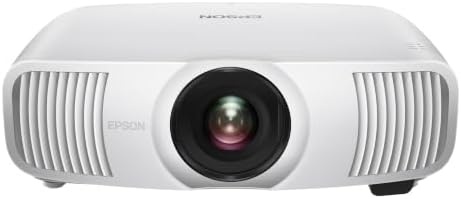 Visit on Amazon → Visit on Amazon →Epson Home Cinema LS11000 |
4K PRO-UHD laser projector | A room you can darken | Black level, out-of-box color, fan noise |
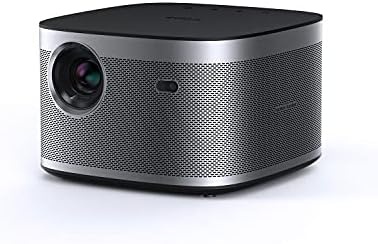 Visit on Amazon → Visit on Amazon →XGIMI HORIZON |
1080p FHD projector, 4K supported | Living room with some light control | Auto setup accuracy, ambient light, panel resolution |
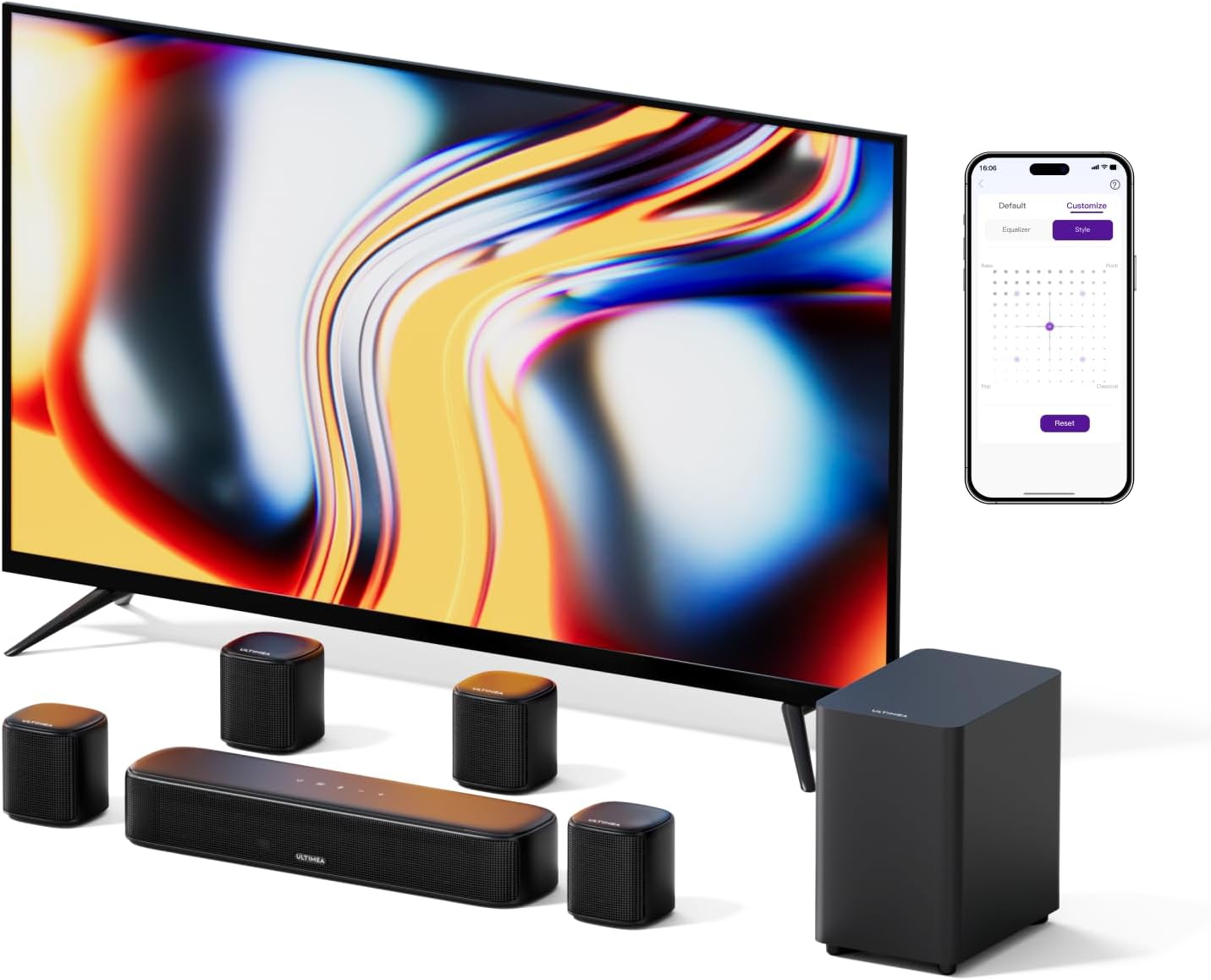 Visit on Amazon → Visit on Amazon →ULTIMEA Aura A40 |
7.1ch sound bar with subwoofer | Any room where TV speakers are the weak link | Presence band, sub placement, distortion at 60% volume |
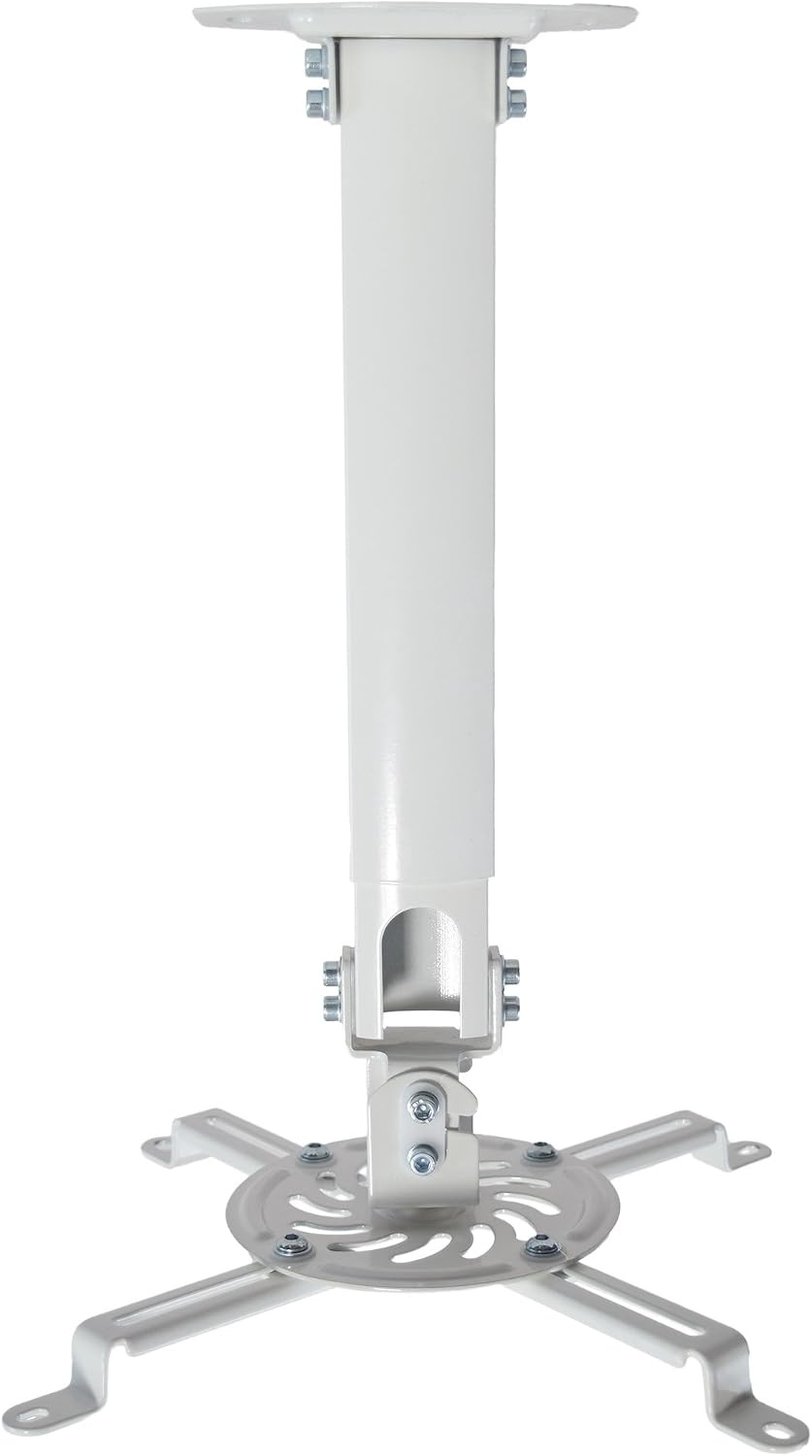 Visit on Amazon → Visit on Amazon →VIVO MOUNT-VP02W |
Universal extending ceiling mount | Any ceiling-mounted projector | Joist contact, drop length, lens height against screen top |
Two notes on the table. First, the mount and the projector have to be bought together, because the drop you need depends on the lens position on the projector body. Second, the subwoofer position in that last row of thinking is not a suggestion, it is the single biggest free upgrade in any soundbar setup. A sub in the wrong corner can cost you more bass than a bar upgrade gains you.
Should you buy the Epson Home Cinema LS11000?
Yes, if you have a room you can darken and you plan to keep the projector for years. The laser light source, the motorized lens, and the lens shift are the three features that separate a permanent install from a compromise. Check current Amazon price before you commit, and set aside money for a calibration pass, because the delta-E number you get out of the box is never the number you get after an hour with a meter.
Should you buy the XGIMI HORIZON?
Yes, if you want a projector that does the setup work for you. Auto focus, auto keystone, and auto object avoidance mean you are watching something twenty minutes after unboxing instead of twenty minutes after finding a stud. Just be honest with yourself about two things: it is a 1080p panel with 4K support, and 1,500 ISO lumens wants a shade on the window.
Should you buy the ULTIMEA Aura A40?
Yes, if your current setup is TV speakers and you want surrounds without running wire through a wall. The four surround speakers give you something real to place, which is more than most bars at this level offer. Place them at ear height, move the sub before you blame the sub, and leave the virtual surround mode alone if it hypes the midrange and wrecks dialogue.
Should you buy the VIVO MOUNT-VP02W?
Yes, if the projector is going on the ceiling. The extending arm and height adjustment are the two features that make a ceiling mount worth owning instead of tolerating, and the white finish disappears against a white ceiling. Hit a joist, keep the drop short, and this is the last time you think about the mount.