I have hung screens in rooms where the client spent the entire budget on a projector and then watched it through the TV's built-in speakers for six months. I have also installed soundbars in rooms where a 55-inch TV sat twelve feet from the couch, which is its own kind of crime. So this soundbar and projector comparison starts where every install of mine starts: with what the room is actually missing, not with what is on sale this week.
Here is the short version I give clients around Round Rock before I quote a single part. If your picture is fine and the dialogue sounds like it is coming from a phone under a pillow, buy a soundbar. If your sound is fine and your picture is a gray blur at 100 inches, buy a projector. If you have $300 and both problems, buy the soundbar and live with the TV for another year, because a cheap projector is a downgrade from almost any modern television.
For most living rooms, a compact soundbar does more for the experience per dollar than a projector at the same price. That is not a knock on projection. It is a statement about what people notice in the first ten minutes of a movie, and it is why I keep recommending soundbars to clients who tell me they hate soundbars.
Related: Projector Throw Distance And Screen Size Basics
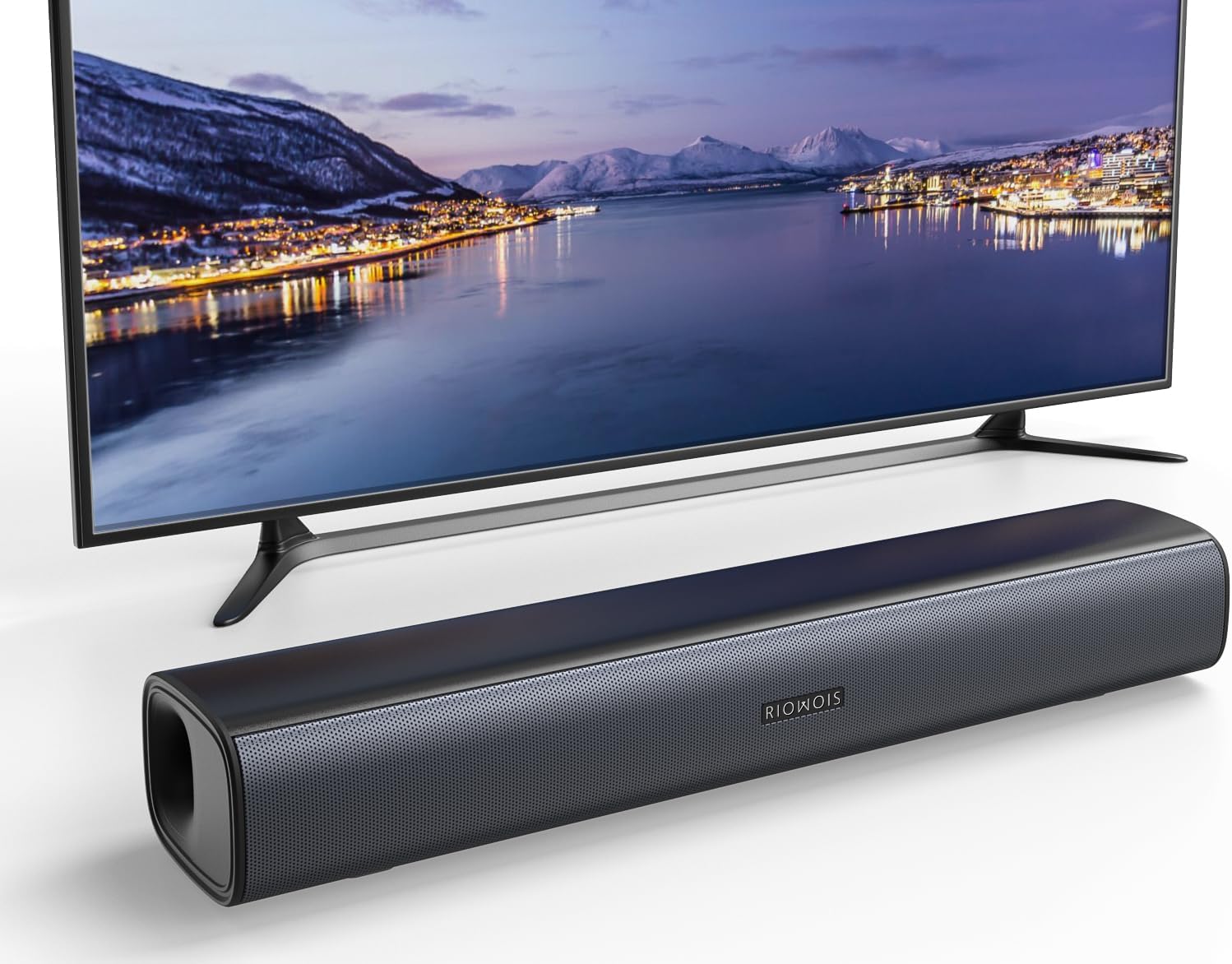
RIOWOIS 17" Sound Bar, Home Theater Surround Sound System for TV
The cheapest legitimate way to make a small TV intelligible, and it fits under almost any set
A 17-inch cabinet cannot produce real bass, and it will not fill a big room
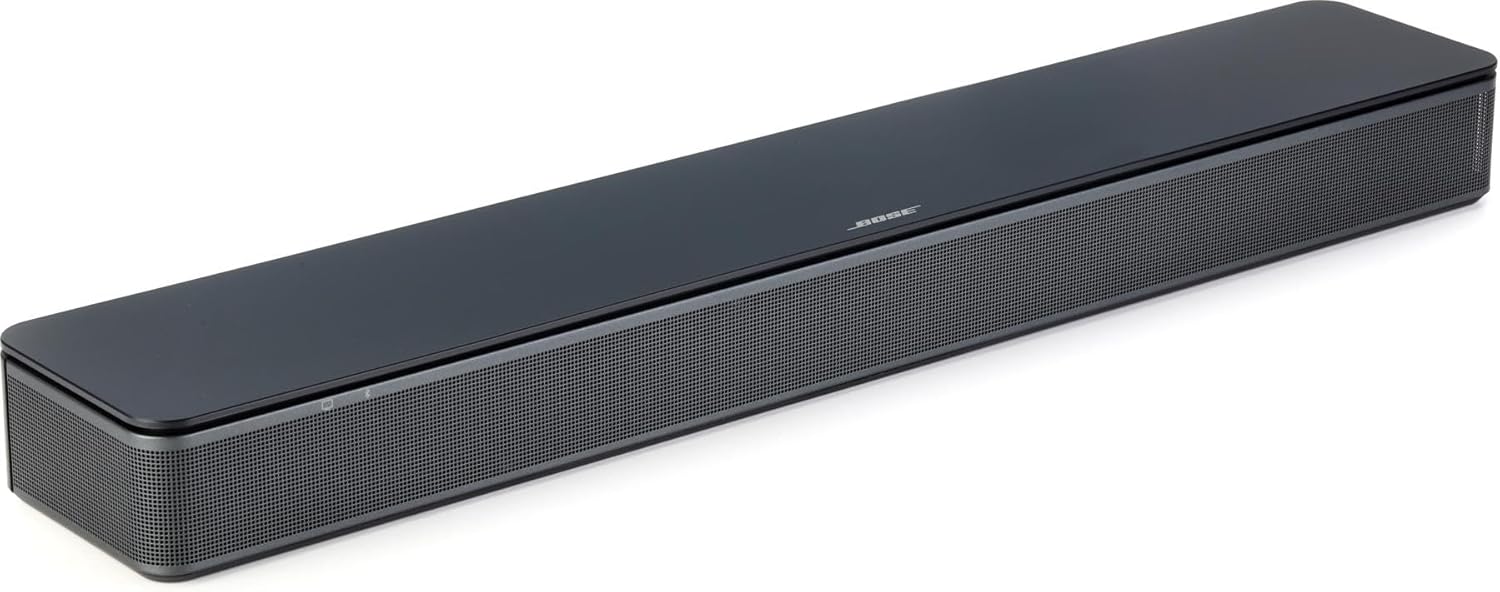
Bose TV Speaker - Soundbar for TV with Bluetooth and HDMI-ARC Connectivity, All-in-One Compact Soundbar, Includes Remote Control, Black
Compact all-in-one with HDMI-ARC and Bluetooth, tuned for dialogue first
No subwoofer, so it stays a TV upgrade rather than a surround system
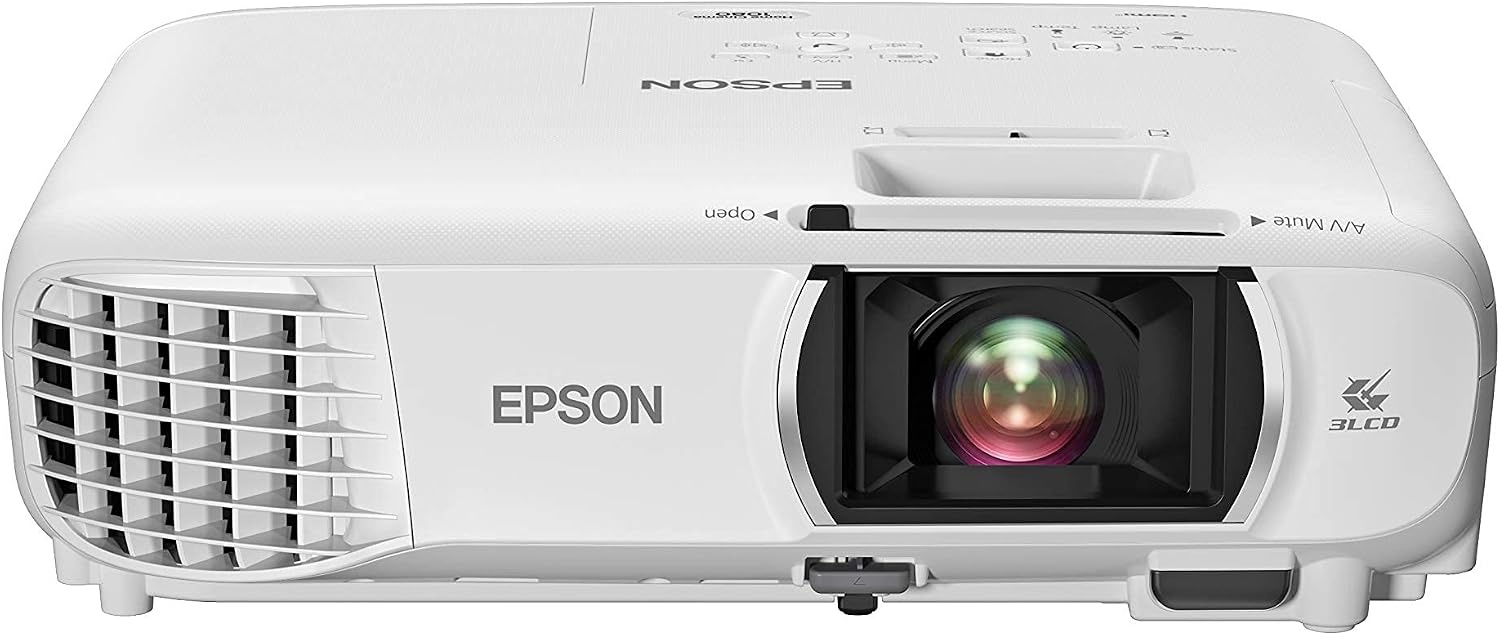
Epson Home Cinema 1080 3-Chip 3LCD 1080p Home Theater Projector
3-chip 3LCD 1080p, the technology I trust for color accuracy and clean edges
Needs a dark room, a screen and a mount, and those hidden costs add up fast
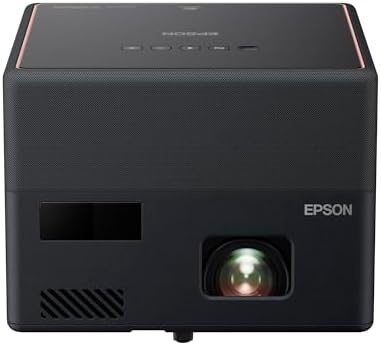
Epson EpiqVision Mini EF12 Smart Streaming Laser Projector, HDR, Android TV, sound by Yamaha, 3LCD, Full HD 1080p, 1000 lumens
Laser light source, Android TV built in, Yamaha sound, and a handle worth having
1000 lumens is a light-controlled number, and a bright room washes it out
Prices and availability were captured from Amazon Creators API and may change.
How I judge gear before it gets a recommendation
Every soundbar that comes through my house gets a UMIK-1 sweep from the actual couch, before and after its room correction runs. Then a 50 Hz sine walk to find where the sub actually wants to live, and a distortion check at 60% volume, because that is where cheap amplifiers confess. Every projector gets an i1Display Pro pass in Calman against Rec.709, and I log the delta-E numbers in a spreadsheet that passed 400 entries a while back.
Two things I will not do. I will not quote a manufacturer's wattage or lumen figure as if I measured it, because those are marketing numbers until a meter agrees. And I will not recommend a product I would not install in my own living room, tile floors, 60 Hz ceiling fan hum and all.
That standard is why this comparison leans on categories as much as individual boxes. The four products here sit in four different jobs, and the job matters more than the badge.
The soundbars: a 17-inch bar and a compact Bose
RIOWOIS 17" Sound Bar, Home Theater Surround Sound System for TV
This is the entry point, and I mean that with respect. A 17-inch bar is a dialogue device. The name promises home theater surround, but a cabinet that small is there to lift voices and effects off the TV's rear-firing drivers, not to reproduce a helicopter landing. If your TV is a 43-inch in a bedroom or a guest room, that is a perfectly honest job, and this is the cheapest honest way to do it.
What I would check before buying: whether your TV has the right output for it, and whether the bar's surround mode does anything useful or just hypes the midrange. In my experience, bars in this class sound best left in their standard mode, because the "surround" processing usually scoops out the presence band where dialogue lives. Also budget for placement. Put it on the shelf under the TV, not on the floor behind the couch, or you will spend the next month wondering why it sounds muffled.
Bose TV Speaker - Soundbar for TV with Bluetooth and HDMI-ARC Connectivity
This is the bar I would put in most living rooms. HDMI-ARC and Bluetooth are both in the name, which means one cable for TV audio and your phone connects without a dongle. It is an all-in-one with a remote, so there is no sub to place, no wireless pairing dance, and nothing for a kid to knock over.
The honest trade-off is bass. An all-in-one bar has no subwoofer, so it will clean up dialogue and give you some weight, but it will not shake the couch, and it will not pretend to. For a living room where the TV is the center of the evening, that is the right compromise. It is also the bar I reach for when a client says they want to hear what people are saying without turning the volume up to 40 every time a score swells.
One placement note that matters more than any spec: keep it out of the corner. Corners load the bass and smear the midrange, and I have fixed more "broken" soundbars with a tape measure than with a firmware update.
The projectors: lamp-lit 1080p versus portable laser
Epson Home Cinema 1080 3-Chip 3LCD 1080p Home Theater Projector
This is the one for a room you can darken. Three-chip 3LCD is the technology I recommend to anyone who sees rainbow artifacts on single-chip DLP, and it holds color and brightness without a spinning color wheel. For a dedicated or semi-dedicated room, 1080p at 100 inches and up is a genuinely different experience from any TV you can buy for the same money.
What it wins is scale and color consistency. What it loses is everything around it. You need a screen, a mount, a light-controlled room, and a way to get a cable to it. That is before sound, and a projector's built-in audio is a placeholder, not a solution. My rule of thumb: if the projector is the biggest line in your budget, you are not ready for a projector yet.
Calibration matters here more than in almost any other category. Out of the box, most projectors land well off the Rec.709 target, and the difference after a proper pass is the difference between "cinema" and "blue." Ask what a calibration costs in your area before you buy, or budget the meter and the software yourself.
Epson EpiqVision Mini EF12 Smart Streaming Laser Projector
The EF12 is the opposite philosophy. It is a laser projector with Android TV built in, HDR, sound by Yamaha and Bluetooth, which means it is a whole system in one box: streaming, audio and picture, one power cable, and a handle. I have set these up for backyard movie nights and kids' rooms, and the appeal is obvious the moment you stop needing an AVR, a stick and a speaker.
The trade-off is light. The spec in the name is 1000 lumens, and that is a light-controlled number. In a room with blinds open at three in the afternoon, it will look washed out, no matter what the HDR badge suggests. Give it a dim room or a dark evening and it looks like far more projector than the footprint suggests. The Yamaha tuning also changes the budget math: you can skip the soundbar for casual viewing, which is a real saving when you are comparing total cost rather than sticker cost.
Laser also means no lamp to replace on a schedule, which is the quiet advantage of this class if you watch a lot.
The trade-off nobody puts on the box
Screen size and sound quality compete for the same money, and every buyer has to pick a side. A projector gets you a wall-sized image for the price of a decent TV, then asks you to fund a screen, a mount, blackout shades, a longer cable and some way to make noise. A soundbar gets you a better evening tonight, and never gets you a bigger picture.
Here is how I break it down for clients. If the room is shared, has windows, and gets used for news, sports and streaming series, the soundbar wins on almost every metric that matters. If the room is dark, dedicated, and used for movies you actually sit down to watch, the projector wins, and you should plan to spend more on sound than you think.
The mistake I see most often is the half-projector setup: a projector, a bare wall, TV speakers, and a disappointed owner. The second most common is a soundbar in a dedicated theater room, where real speakers would have cost about the same and sounded like another league.
Which one belongs in your room
- Bedroom or guest room with a small TV and a tight budget: the RIOWOIS bar. It fixes the actual problem, which is intelligibility.
- Main living room, hard floors, open kitchen, 55 to 65-inch TV: the Bose TV Speaker. One cable, no sub to place, dialogue first.
- Dedicated or semi-dedicated dark room where you want 100 inches or more: the Epson Home Cinema 1080, plus a screen and real speakers.
- Apartment, kids' room, backyard, or a room you move gear between: the Epson EpiqVision Mini EF12, because it is one box and one cable.
What I would not do with either
I would not buy a projector and keep TV speakers. That is a picture upgrade with a sound downgrade, and the sound is what you notice when a score swells and the dialogue disappears.
I would not buy a soundbar for a dedicated theater room. I have told clients this while knowing it costs me the sale, and I will keep saying it.
I would not trust a wattage number or a lumen number as a measurement. They are claims until a meter confirms them, and the two are rarely the same thing.
I would not mount a projector before measuring the throw distance for the screen size I want. That is how people end up with a 90-inch image when they planned for 120.
Two questions I get every week
Can I use a soundbar with a projector? Yes, and for the Epson Home Cinema 1080 in particular you probably should. The EF12 has Yamaha sound built in, so a bar is optional there.
Is a cheap projector better than a cheap TV? For picture quality in a lit room, no. For image size in a dark room, yes, with the caveats above.
What I am watching next
I have two soundbars on the bench waiting for sweeps after their room correction firmware updates, and one of them already looks like it fudged the curve rather than fixed the room. That is a report for another week. In the meantime, the advice in this comparison is the advice I give on the phone: fix the thing you notice most, spend on the room before the box, and never buy a projector as a package deal with the sound you already own.
If you take one thing from all of this, take the order of operations. Sound first in a shared room, picture first in a dark one, and measurements before adjectives, every time.